
 Need help?
Do you have a question about the Qiagen EZ1 Advanced and is the answer not in the manual?
Guidelines for correct and safe operation of the EZ1 Advanced.
Information on electrical hazards and safe connection procedures.
Precautions for operating conditions and handling biological agents.
Safety measures for hazardous chemicals and proper waste disposal.
Information on mechanical, heat, and UV radiation hazards.
Explanation of safety symbols used on the instrument.
Explanation of symbols used within the user manual.
Overview of the manual's content and structure.
Details on technical assistance, policy, and version management.
Description of the instrument's purpose and user requirements.
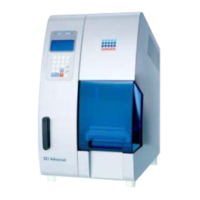
Description of the instrument's physical components and interfaces.
Overview of the instrument's internal mechanisms and systems.
Site and environmental requirements for instrument installation.
Guidance on connecting the instrument to the power supply.
Steps for unpacking and installing the EZ1 Advanced instrument.
Instructions for installing the EZ1 Advanced Communicator software.
Procedures for connecting multiple instruments to a single PC.
Guidelines for safely moving and removing the instrument.
Step-by-step guide to operating the EZ1 Advanced instrument.
Instructions for inserting and removing the EZ1 Advanced Card.
Procedures for switching the instrument on/off and operating the door.
How to start, finish, and stop protocol runs.
Guidance on setting up the worktable, including loading components.
Information on operating and managing the UV lamp for decontamination.
Description of different manual operation functions.
Procedures for testing instrument functions like axis, temp, serial port, and version.
Configuration options for date, time, serial port, and maintenance reminders.
How to use the bar code reader to scan and input data.
Instructions for using an optional external printer for report output.
Details on creating and managing report files.
Using the software for data transfer and management.
Connecting and operating multiple EZ1 Advanced instruments.
Protocols for testing pipetting accuracy and temperature.
Steps for performing regular maintenance after each run.
Tasks for daily cleaning and upkeep of the instrument.
Procedures for weekly maintenance, including greasing O-rings.
Recommended reagents for disinfecting the instrument surfaces.
Identifying and resolving common instrument errors and door issues.
A list and description of error codes and their meanings.
Specifications for power, fuses, and environmental conditions.
Details on operating, transport, and storage environmental parameters.
Information on the disposal of electronic waste according to EU directives.
Statement of compliance with European directives for the product.
Details regarding warranty terms and conditions for repairs and modifications.
 General
| User Interface | Touch screen |
|---|---|
| Power Supply | 100-240 V, 50-60 Hz |
| Connectivity | Ethernet |
| Sample Types | Serum, plasma, buffy coat, cells, tissues |
| Sample Volume | 200 µL to 1 mL (varies by sample type) |
| Technology | Magnetic-particle technology |
| Nucleic Acid Type | DNA, RNA |
| Operating Temperature | 15-30°C |
| Relative Humidity | 20–80% noncondensing |
| Elution Volume | 25-100 µL |
| Processing Time | 20-40 minutes (depending on sample type and protocol) |
| Automation | Fully automated |



 To Next Page