EasyManua.ls Logo

Qiagen QIAcuity 911000 - User Manual

Default Icon
314 pages
Print Icon
To Next Page IconTo Next Page
Loading...
Sample to Insight__
June 2022
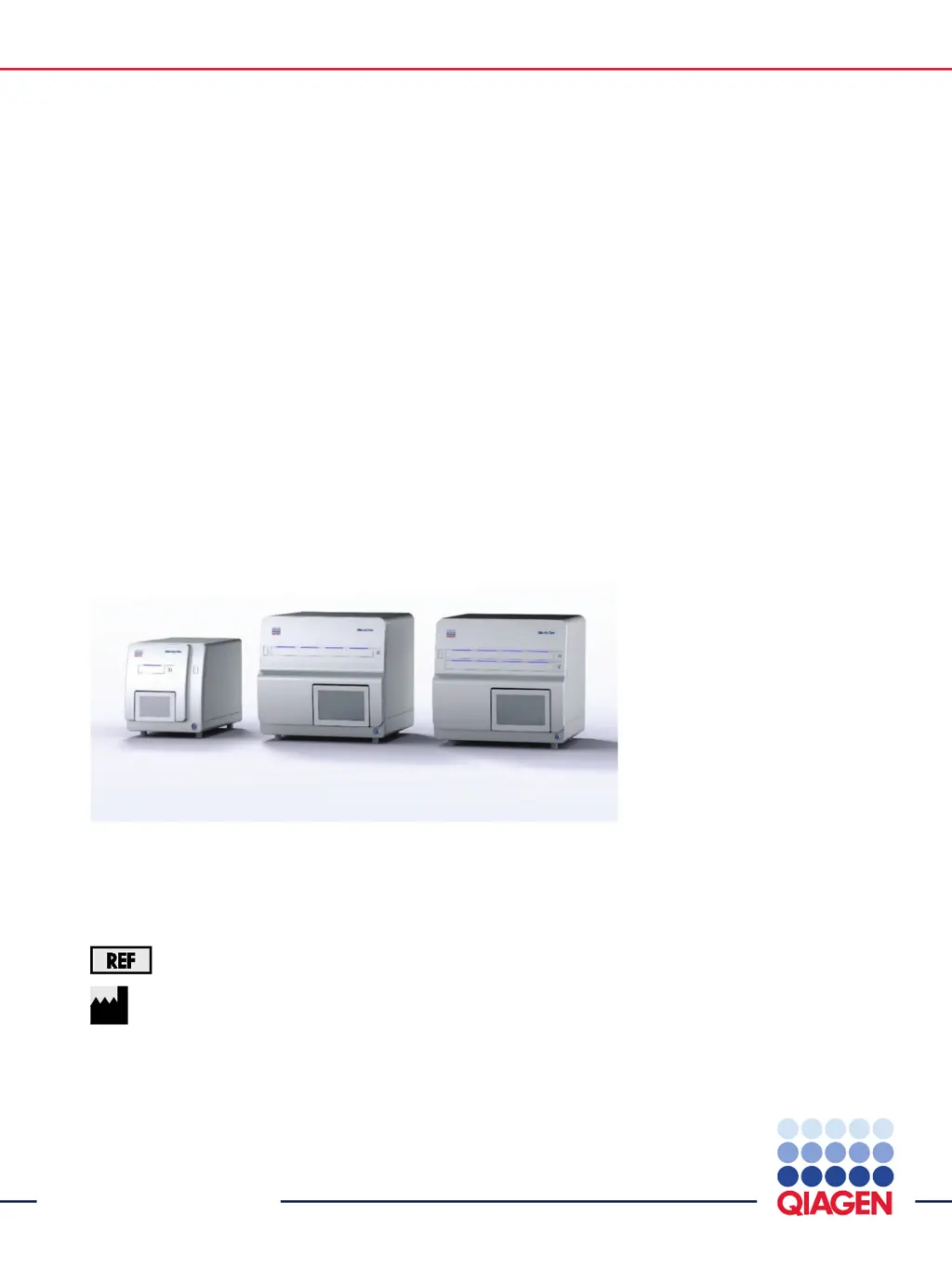
QIAcuity
®
User Manual
911000, 911020, 911040, 911050
QIAGEN GmbH
QIAGEN Strasse 1, 40724 Hilden
, GERMANY

Table of Contents

Other manuals for Qiagen QIAcuity 911000

Questions and Answers

  • M
    mmitchellAug 19, 2025
    What to do if I get error 205 on my Qiagen QIAcuity 911000?
    • P
      Peter BrockAug 19, 2025
      If you encounter Error 205 on your Qiagen Laboratory Equipment, ensure that the selected plate type matches the barcode entered, especially if you entered it manually. Also, after the initial successful suite connection, restart the instrument to allow automatic synchronization of labware files.
  • S
    shawndrakeAug 21, 2025
    How to troubleshoot power issues with Qiagen Laboratory Equipment?
    • M
      Michelle JohnsonAug 22, 2025
      If your Qiagen Laboratory Equipment instrument isn't powering on, first check that the power outlet is working correctly and supplying the correct voltage. Then, make sure the power cable is correctly connected between the outlet and the instrument's power inlet. If the instrument fuses are blown, please contact QIAGEN Technical Services.
  • T
    Terri AdamsAug 25, 2025
    What to do if Qiagen Laboratory Equipment doesn't detect USB device?
    • J
      Joshua JohnsonAug 25, 2025
      If your Qiagen Laboratory Equipment displays a 'USB device not detected' error, try the following: - Power OFF the QIAcuity, wait a few minutes, and then power it ON again. - Ensure the USB stick is properly inserted into the USB port. - Check the USB stick on a PC to verify that it is functional.
  • J
    Jose MitchellAug 26, 2025
    How to fix error when copying files to USB on Qiagen QIAcuity 911000 Laboratory Equipment?
    • D
      Diana StewartAug 26, 2025
      If you encounter an error when copying files to a USB drive using your Qiagen Laboratory Equipment, try the following steps: - Power OFF the QIAcuity, wait for a few minutes, and then power it ON again. - Save the file(s) to the USB stick again. - Check the USB stick on a PC to ensure it is functional. - If the error persists, contact QIAGEN Technical Services.
  • J
    Jessica HallAug 27, 2025
    What to do if my Qiagen QIAcuity 911000 displays an error upon startup?
    • T
      Tyrone CrawfordAug 27, 2025
      If the startup of your Qiagen Laboratory Equipment instrument displays an error, restart the QIAcuity instrument or the notebook where the QIAcuity Software Suite is installed.
  • J
    Jennifer WillisAug 29, 2025
    What to do if the handler is blocked on Qiagen QIAcuity 911000 Laboratory Equipment?
    • J
      James MitchellAug 29, 2025
      If your Qiagen Laboratory Equipment's handler is blocked, and the hand can’t move freely during initialization, check if the transport locking screw was removed according to the installation procedure.
  • C
    christopher97Aug 31, 2025
    What to do if Qiagen QIAcuity 911000 Laboratory Equipment detects a missing plate seal?
    • J
      Jacob WilliamsAug 31, 2025
      If a missing Plate Seal is detected by the Qiagen Laboratory Equipment instrument, ensure that a closed plate with a Plate Seal is always loaded into the instrument.
  • J
    James CastanedaSep 2, 2025
    Why am I getting poor or no amplification with my Qiagen QIAcuity 911000?
    • G
      Gregory BrooksSep 2, 2025
      If you are experiencing poor or no amplification with your Qiagen Laboratory Equipment, verify that the correct protocols and reagents were used. Also, check if the reaction was set up correctly, and confirm the cycling and imaging conditions. If using gDNA as a template, ensure the correct restriction enzyme was used. Finally, check the starting quality and quantity of the template. QIAGEN kits are recommended for sample preparation.
  • E
    Emily BrownSep 4, 2025
    Why is there no clear separation between positive and negative partitions in my Qiagen Laboratory Equipment?
    • R
      Randy RobinsonSep 4, 2025
      If you observe no clear separation between positive and negative partitions when using your Qiagen Laboratory Equipment, check that the correct protocols and reagents have been used and that the reaction was set up correctly.
  • C
    Corey BurkeSep 6, 2025
    What causes saturated images on Qiagen Laboratory Equipment?
    • D
      Diana CruzSep 6, 2025
      If your Qiagen Laboratory Equipment images are saturated, verify the cycling and imaging conditions.

Qiagen QIAcuity 911000 Specifications

General IconGeneral
BrandQiagen
ModelQIAcuity 911000
CategoryLaboratory Equipment
LanguageEnglish

Related product manuals