Need help?
Do you have a question about the QNAP TS-131 and is the answer not in the manual?
Details FCC Part 15 compliance for Class A and Class B devices.
Information regarding CE compliance for QNAP NAS devices.
Explains document symbols and covers general safety precautions.
Warns about battery replacement, fan hazards, and proper handling.
Details CPU, memory, and drive slot specs for entry-level models.
Details CPU, memory, and drive slot specs for TAS-168, TS-131, TS-231.
Details CPU, memory, and drive slot specs for TS-431 series models.
Details CPU, memory, and drive slot specs for 4U/8U/12U models.
Details CPU, memory, and drive slot specs for TVS-882 series models.
Details CPU, memory, and drive slot specs for TVS-473, TVS-673, TVS-873.
Explains how to use the power button for turning on/off and force shutdown.
Details basic and advanced system reset functions via the reset button.
Guides on using the front USB port for data backup and copy functions.
Explains the meaning of various LED patterns for system status.
Explains LED indicators for LAN, HDD, USB, and eSATA device status.
Details various beep sounds and their corresponding system messages.
Provides warnings and essential guidelines for authorized RAM module installation.
Step-by-step guide for installing RAM modules in specific NAS models.
Details RAM installation for various TS-451S, TS-531P, and similar models.
Step-by-step guide for installing RAM in various TS-431U and similar models.
Details RAM installation for specific TS-251 and TS-451 series models.
Procedures for installing RAM modules in the IS-453S model.
Warns about proper installation procedures for network expansion cards.
Lists compatible network expansion cards and brackets for various NAS models.
Specific instructions for installing network cards in the TS-1635 model.
Instructions for installing network cards in TS-431XU, TS-463U, TVS-471 models.
Instructions for installing network cards in TS-831XU, TS-863U, TS-1231XU, TS-1263U models.
Cautions regarding turning off the NAS and using an antistatic wrist strap.
Step-by-step guide for installing HDDs in various NAS models.
Procedures for removing and installing hard drives for the TS-1635 model.
Procedures for removing and installing hard drives for TVS-473, TVS-673, TVS-873 models.
Procedures for installing hard drives in TS-112P, TS-212P, and TS-251C models.
Procedures for installing hard drives in the IS-453S model.
Explains compatibility and procedure for hot-swapping hard drives.
Instructions for installing heat sinks onto M.2 SSD controllers for reliable operation.
Guide for adding or replacing M.2 SSD modules in TBS-453A systems.
Instructions for installing M.2 SSDs in TVS-473, TVS-673, and TVS-873 models.
Explains how to recover RAID configurations after drive removal.
Guide to using the LCD panel for system settings and viewing information.
Details how to configure TCP/IP settings using the LCD panel.
How to view disk, volume, and system info via the LCD panel.
Procedures for rebooting, password changes, and viewing messages.
Instructions for installing a redundant PSU in 1U Turbo NAS models.
Procedures for replacing a failed PSU in 2U/3U Turbo NAS models.
Provides links and information for online support and community forums.
Contact details and service hours for technical support in USA and Canada.
Lists NAS models by their FCC and CE compliance classes.
 General
| Storage drive size | 2.5/3.5 \ |
|---|---|
| Hot-swap drive bays | Yes |
| Storage drive capacity | - GB |
| Storage drive interface | Serial ATA II, Serial ATA III |
| Storage drives installed | No |
| Supported storage drive types | HDD & SSD |
| Total installed storage capacity | 0 TB |
| Number of storage drives installed | 0 |
| Number of storage drives supported | 1 |
| Processor cores | 2 |
| Processor model | Cortex-A9 |
| Processor family | Freescale |
| Processor frequency | 1.2 GHz |
| Processor architecture | ARM Cortex-A9 |
| Flash memory | 512 MB |
| Internal memory | 0.512 GB |
| Internal memory type | - |
| Ethernet LAN data rates | 10, 100, 1000 Mbit/s |
| Supported network protocols | CIFS/SMB, AFP (v3.3), NFS(v3), FTP, FTPS, SFTP, TFTP, HTTP(S), Telnet, SSH, iSCSI, SNMP, SMTP, and SMSC |
| USB 2.0 ports quantity | USB 2.0 ports have a data transmission speed of 480 Mbps, and are backwards compatible with USB 1.1 ports. You can connect all kinds of peripheral devices to them. |
| USB 3.2 Gen 1 (3.1 Gen 1) Type-A ports quantity | 3 |
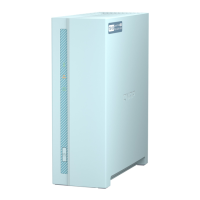
| Chassis type | Tower |
| Cooling type | Active |
| Fan diameter | 50 mm |
| Product color | White |
| LED indicators | HDD, LAN, Status, USB |
| Number of fans | 1 fan(s) |
| Cable lock slot type | Kensington |
| Type | NAS |
| Noise level | 14 dB |
| Device class | Home & Home Office |
| Share folder | CIFS/SMB |
| Backup features | Cloud, iSCSI LUN |
| Browser supported | Microsoft Internet Explorer 10+, Mozilla Firefox 8+, Apple Safari 4+, Google Chrome |
| Security algorithms | 256-bit AES, HTTPS, SSH, SSL/TLS |
| Operating system version | 4.1 |
| Operating system installed | QNAP Turbo System |
| Server operating systems supported | Windows Server 2003 |
| Windows operating systems supported | Windows 7 Enterprise |
| Fan voltage | 12 V |
| AC input voltage | 100-240 V |
| Power supply location | External |
| Power consumption (sleep) | 6.26 W |
| Power consumption (typical) | 13.31 W |
| Power supply unit (PSU) capacity | 36 W |
| Operating temperature (T-T) | 0 - 40 °C |
| Operating relative humidity (H-H) | 5 - 95 % |
| Certification | FCC, CE, BSMI, VCCI, C-TICK |
| Cables included | AC, LAN (RJ-45) |
 Weight and Dimensions
| Depth | 219 mm |
|---|---|
| Width | 73 mm |
| Height | 169 mm |
| Weight | 1040 g |
| Package weight | 1800 g |


 To Next Page