48
5.3 TS-451S, TS-531P, TS-531X, TS-651, TS-831X, TS-851, TS-x53/x53S Pro,
TS-563, TVS-882S, TVS-882ST, TVS-x63, TS-x53Aseries (2/4/6/8-bay)
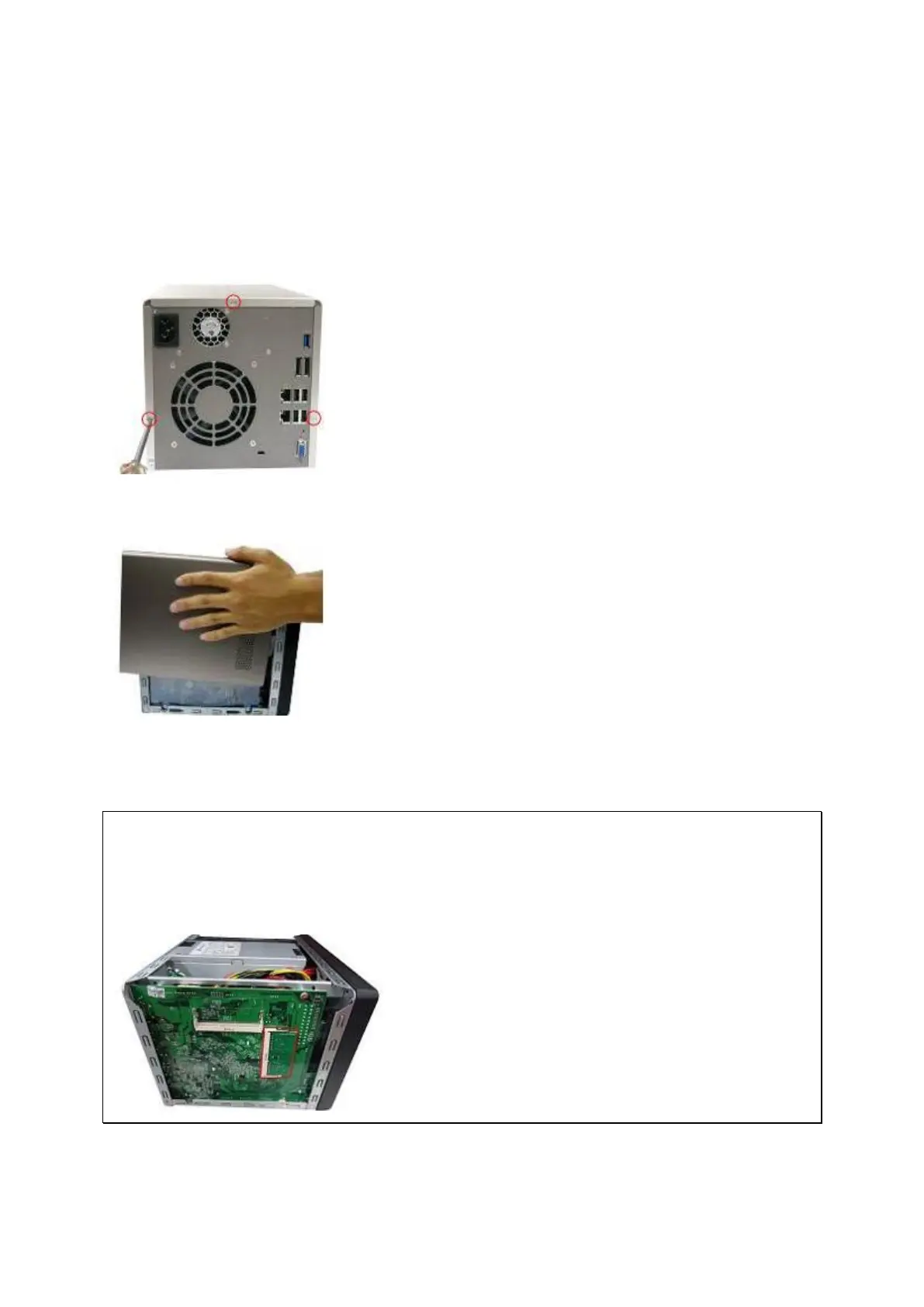
1. Loosen the three screws on the rear of the NAS.
2. Remove the case cover of the NAS gently.
3. Locate the memory slot. Make sure the slot is empty.
Note: For TS-x53/x53S Pro, TS-451S, TS-531P, TS-651, TS-851 and TS-x53A
models, always ensure that a memory module is installed in the Primary slot
(red). If not, then the system will fail to start. The maximum supported memory is
8GB combined.
4. Grasp the edge of the memory module. Align the notch on the gold edge of the module



 To Next Page
 Loading...



