•
Moving fan blades: Keep your hands and other body parts away from moving fan
blades.
•
Other moving components: Keep your hands and other body parts away from other
moving components.
1. Power off the NAS.
2. Disconnect the power cord from the electrical outlet.
3. Disconnect all cables and external attachments.
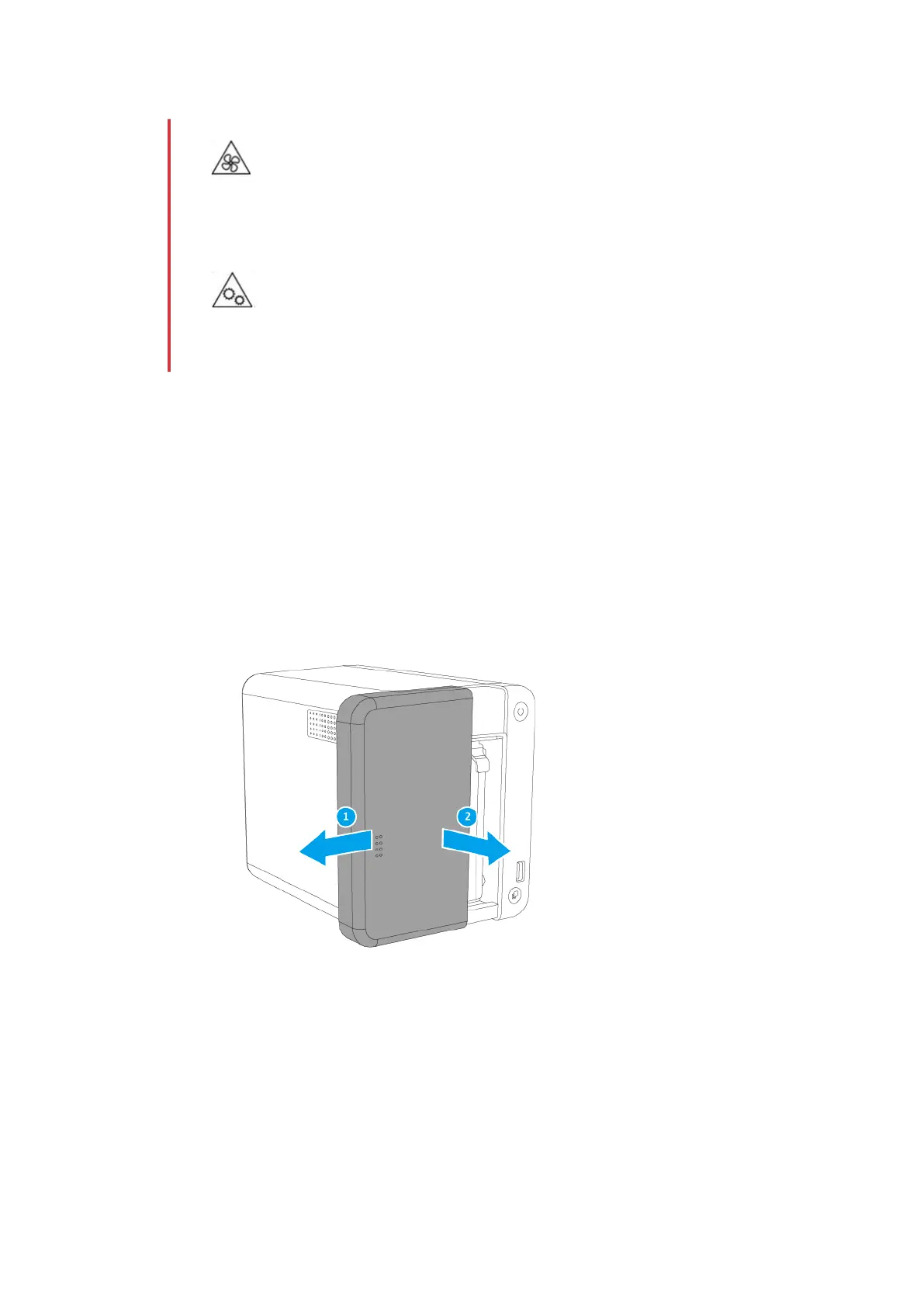
4. Remove the front cover.
a. Locate the locking mechanism on the left side of the NAS.
b. Slide the lock down to unlock the front cover.
c. Slide the front cover to the left and then pull.
5. Remove the case cover.
a. Remove the screws that secure the case cover to the chassis.
TS-251D User Guide
Installation and Configuration 21


 To Next Page
 Loading...