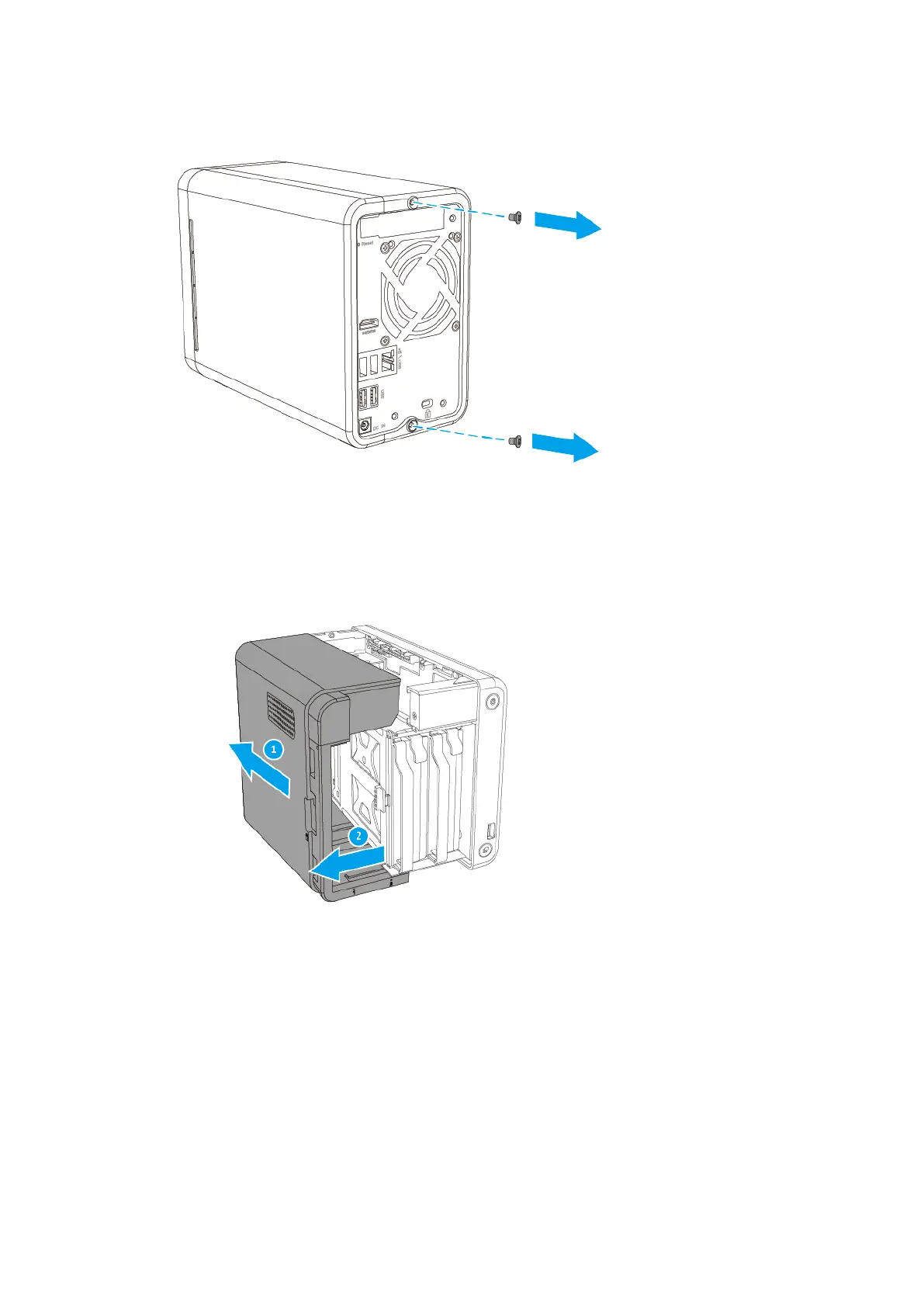
b. Slide the cover back to detach it from the chassis.
c. Pull the cover to the left to remove it.
6. Position the NAS on its right side.
7. Remove the PCIe slot cover.
a. Remove the screw.
b. Remove the cover from the slot.
TS-251D User Guide
Installation and Configuration 22


 To Next Page
 Loading...