Note
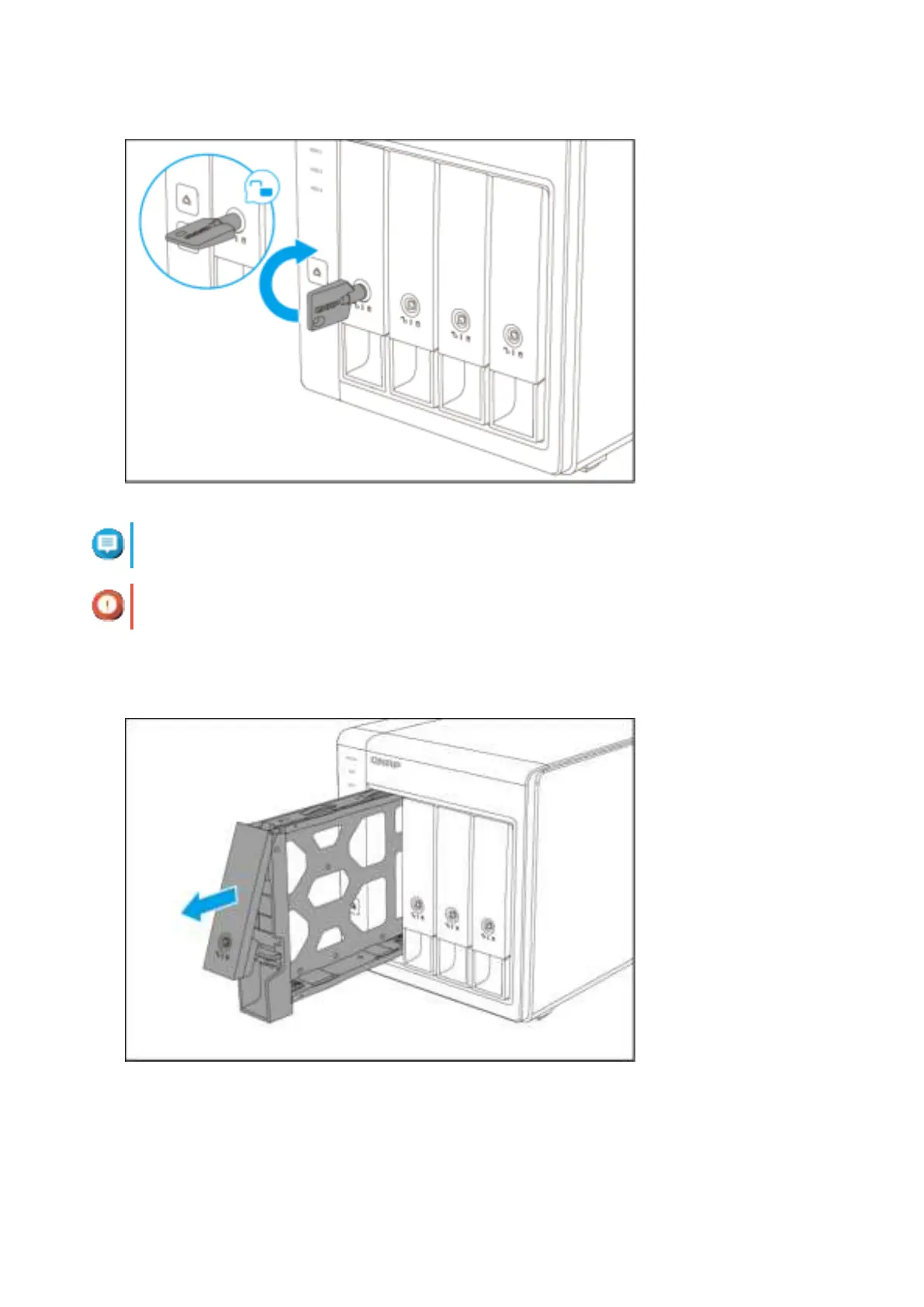
The preinstalled drive trays come unlocked.
Important
Ensure the drive tray keys are stored in a safe place.
b. Pull the handle to release the tray.
c. Pull the tray out.
3. Install a drive on the tray.
a. Remove the fastening panels from the sides of the drive tray.
TS-431KX/TS-431X3 User Guide
Installation and Configuration 14


 To Next Page
 Loading...