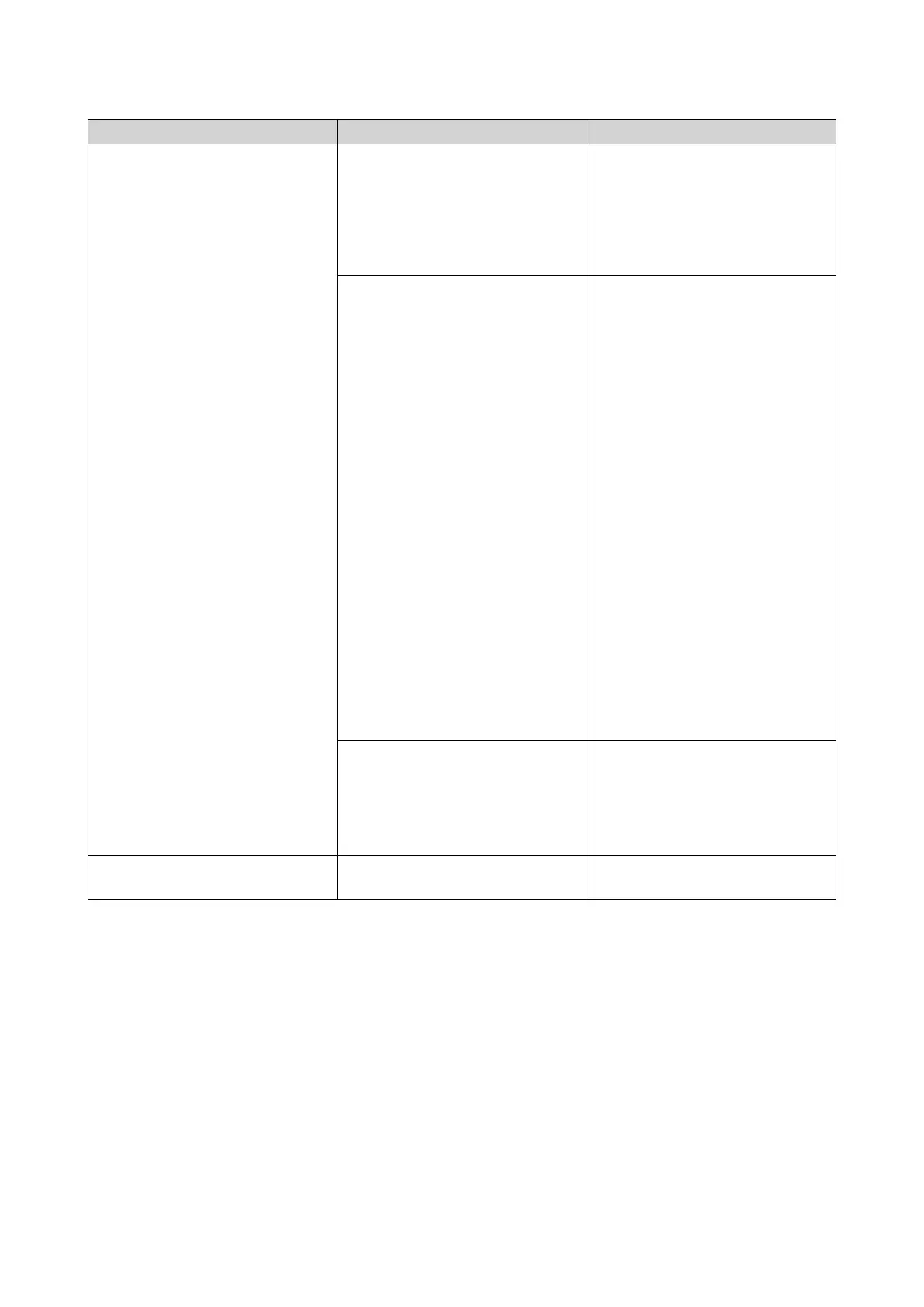
Duration Frequency Description
Long beep (1.5 seconds) 3 (every 5 minutes) • A power error occurred.
• The system fan is not
functioning.
• The fan module has been
removed.
2 • The storage pool is about to
reach full capacity.
• The storage pool has reached
full capacity.
• A storage pool status error
occurred.
• The disk volume is about to
reach its full capacity.
• The disk volume has reached
its full capacity.
• The USB device is being
removed (USB one-touch
copy button).
• A volume status error
occurred.
• A drive is plugged in or out.
• The iSCSI is about to reach
full capacity.
1 • The NAS was powered off by
force shutdown (hardware
shutdown).
• The NAS was powered on
successfully and is ready.
Long and short beeps 1 long and 2 short beeps The JBOD expansion unit has
been removed.
TS-832PX User Guide
Basic Operations 39



 To Next Page
 Loading...