OPA-102/101
OPERATION MANUAL
- 22 -
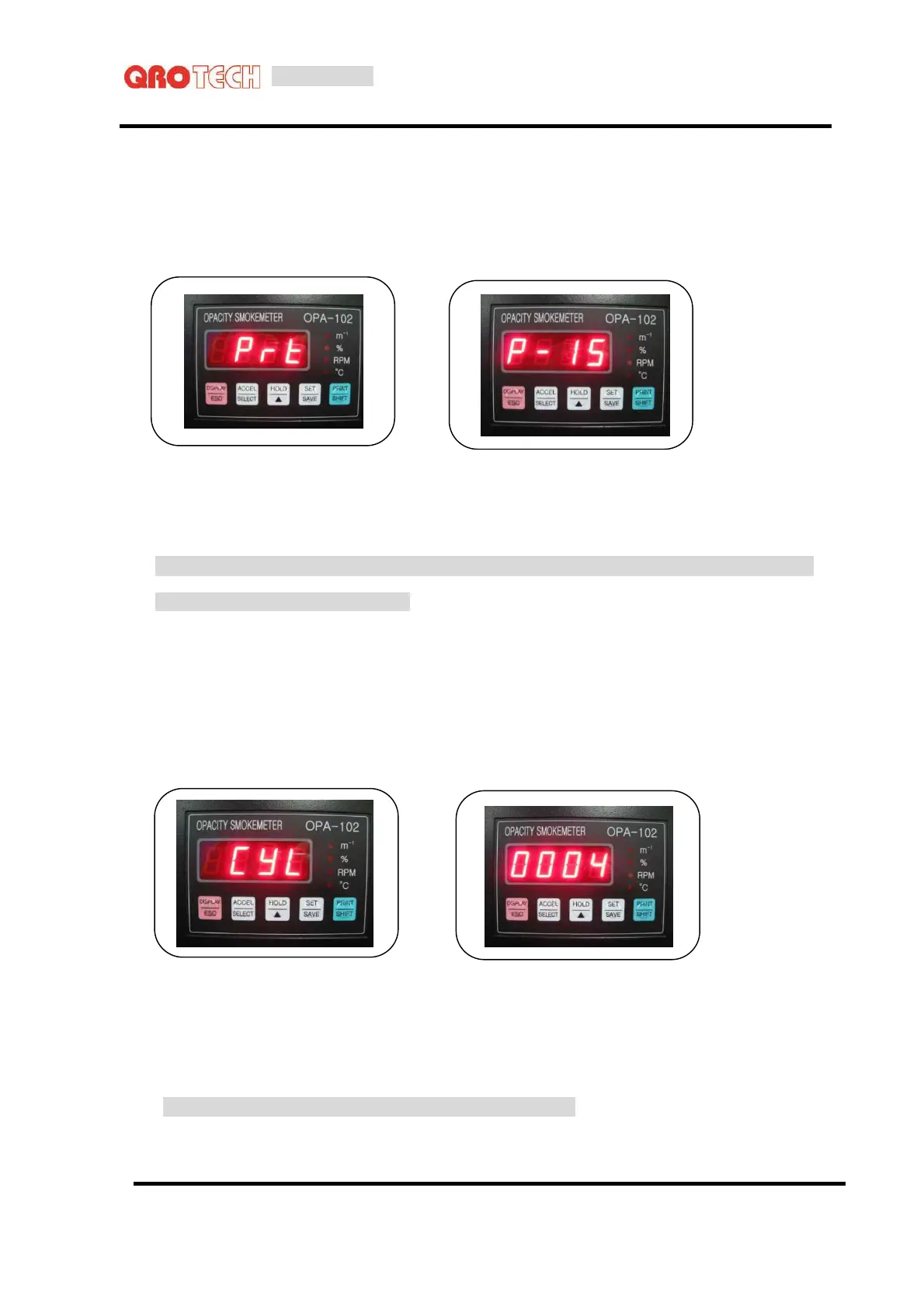
8-4. Printing density set-up
At Set-up mode, by using [SET] key, move to printing density set-up screen.
Pressing [SELECT] key, current set-up value is blinking.
By pressing [▲,
▼
] key, it moves to [ 05 → 25 ] in sequence.
When setting up is completed, save it by pressing [SAVE] key.
◈ Normal density is around 15 and depending on the printing material or how much dark and light
printing required, it could be adjusted.
8-5. Cylinder set-up
At Set-up mode, by using [SET] key it moves to cylinder value screen.
Pressing [SEL] key, current set-up value is blinking.
By pressing [▲,
▼
] key, move to wished set up value.
Pressing [▲] key, it moves to [ 1 → 2 → 3 → 4 → 5 → 6 → 8 → 10 → 12 ] in sequence.
When setting up is completed, save it by pressing [SAVE] key.
◈ Cylinder set-up mode is the basic data of RPM measurement.



 To Next Page