EasyManua.ls Logo

Qtx QR15PA - User Manual

Qtx QR15PA
9 pages
Print Icon
To Next Page IconTo Next Page
Loading...
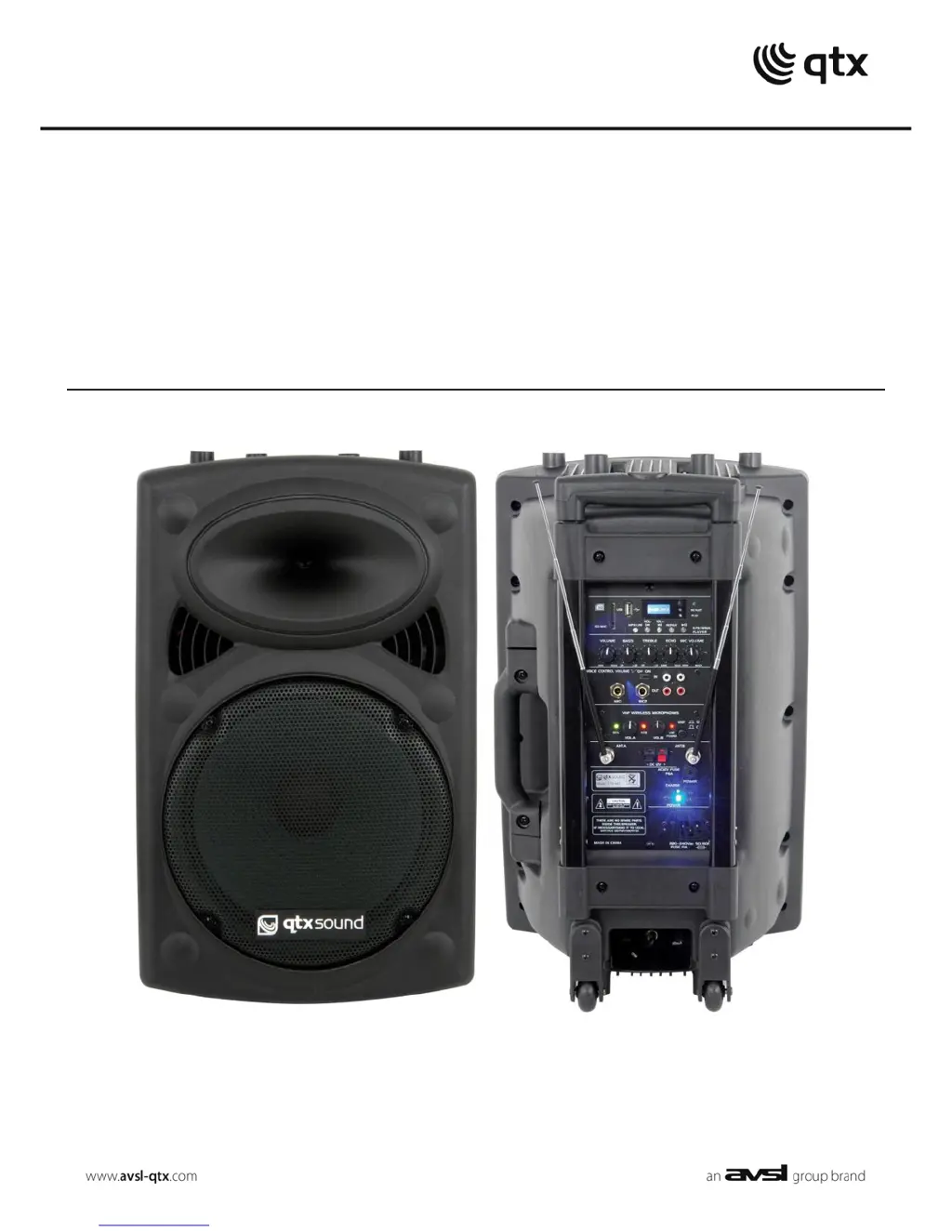
QRPA
Portable PA Units
Order ref: QR10PA (178.840)
QR12PA (178.843)
QR15PA (178.846)
User Manual
VERSION 1.0

Questions and Answers

  • A
    Anthony ButlerAug 19, 2025
    What to do if power LED is lit but there is no USB/SD player output on my Qtx QR15PA?
    • B
      Becky MitchellAug 20, 2025
      If your Qtx Speakers have power LED lit, but there is no USB/SD player output, verify that the USB or SD has correct audio files and is connected properly. Try pressing the MP3/LINE button and then the >II button. Also, ensure that the VOLUME is not turned down. Press and hold the “VOL +” button. Finally, check the LCD display to see moving numbers.
  • J
    Jacob SmithAug 21, 2025
    What to do if power LED lit but no sound from external inputs on Qtx QR15PA?
    • K
      Katelyn DavisAug 22, 2025
      If your Qtx Speakers have power LED lit, but you're not getting any sound from external inputs, first, check that the leads are OK and properly connected. Next, check the volume and on/off switch on the external mic or line source. Make sure the VOLUME or MIC VOLUME control is not fully down. Finally, check if "LINE IN" is displayed on the LCD for AUX input by pressing MP3/LINE.
  • R
    Ruben WelchAug 25, 2025
    How to troubleshoot no output and no LEDs lit on Qtx Speakers?
    • K
      Katherine CollierAug 25, 2025
      If your Qtx Speakers have no output and no LEDs are lit, check that the POWER switch is on, the battery is not fully drained, the mains lead is connected, and the mains or D.C. fuse hasn’t blown.
  • E
    Ernest HoldenAug 26, 2025
    What to do if power LED is lit but no VHF output on Qtx QR15PA Speakers?
    • A
      ashley17Aug 26, 2025
      If the power LED is lit on your Qtx Speakers, but there is no VHF output, you should check the 9V batteries in the wireless transmitters and ensure that the wireless transmitters are switched on. Also, verify that the VHF POWER is switched on and the MIC VOLUME is not turned down. Finally, check the RF A and RF B LEDs for a radio signal.
  • N
    Nicole MartinAug 28, 2025
    Why is the music level off or cutting out on my Qtx QR15PA Speakers?
    • J
      Joseph LopezAug 28, 2025
      If the music level is off or cutting out on your Qtx Speakers, check that VCV is not switched on, as it will mute the music upon microphone signal.
  • J
    Juan WellsAug 29, 2025
    What to do if Qtx QR15PA have no output and no LEDs are lit?
    • J
      Joshua BurtonAug 29, 2025
      If your Qtx Speakers have no output and the LEDs are not lit, ensure the POWER switch is turned on. Also, check that the battery is not completely drained and the mains lead is securely connected. Finally, verify that the mains or D.C. fuse hasn’t blown.
  • K
    Kayla HarrisAug 31, 2025
    What to do if Qtx QR15PA power LED is lit but there's no sound from external inputs?
    • D
      Dennis BennettSep 1, 2025
      If the power LED is lit but you're not getting any sound from external inputs on your Qtx Speakers, first, check that the leads are working and properly connected. Then, make sure the volume and on/off switch on the external microphone or line source are correctly set. Also, confirm that the VOLUME or MIC VOLUME control isn't fully turned down. Finally, check if 'LINE IN' is displayed on the LCD for the AUX input by pressing the MP3/LINE button.
  • K
    Kara WagnerSep 2, 2025
    What to do if Qtx QR15PA power LED is lit but there's no USB/SD player output?
    • E
      Elizabeth FullerSep 3, 2025
      If the power LED is lit, but there's no output from the USB/SD player on your Qtx Speakers, verify that the USB or SD card contains the correct audio files and is properly connected. Press the MP3/LINE button and try the >II button. Check that the VOLUME isn't turned down, and press and hold the “VOL +” button. Finally, check the LCD display to see moving numbers.
  • T
    Thomas JonesSep 4, 2025
    Why does the music level keep cutting out on my Qtx QR15PA?
    • M
      Michael TorresSep 4, 2025
      If the music level is off or keeps cutting out on your Qtx Speakers, check that VCV is not switched on, as it will mute the music upon receiving a microphone signal.
  • J
    jesse68Sep 7, 2025
    What to do if Qtx Speakers power LED is lit but there is no VHF output?
    • L
      lawrencecollinsSep 7, 2025
      If the power LED is lit but there's no VHF output from your Qtx Speakers, check the 9V batteries in the wireless transmitters and ensure the wireless transmitters are switched on. Also, verify that the VHF POWER is switched on and the MIC VOLUME is not turned down. Finally, check the RF A and RF B LEDs for a radio signal.

Summary

QRPA Portable PA Units Introduction

Product Features Overview

Details features like mains/DC power, rechargeable battery, wireless mics, media player, EQ, VCV, trolley, and pole mount.

Package Contents Checklist

Lists all items included in the box: PA unit, microphones, power lead, remote control, and user manual.

Safety, Placement, and Cleaning

General Warnings and Safety

Advises against exposure to rain/moisture, removing covers, and emphasizes qualified servicing.

Operational Safety Guidelines

Ensures correct voltage, avoids water ingress, handles fuses, and stores batteries properly.

Placement and Environmental Advice

Recommends placement away from direct sunlight, heat, moisture, and dust in an upright position.

Cleaning Instructions

Use a soft cloth with neutral detergent; avoid solvents to prevent damage.

Specifications Overview

Controls and Operation

Front Panel Controls Guide

Details controls for USB, SD, EQ, Volume, VCV, Mic Inputs, VHF Indicators, Mic Volumes, AUX, and Output.

Rear Panel Connections and Indicators

Covers External Power, Charging/Mains Indicators, Media Player Display/Controls, Echo, Input Volumes, Fuses, and IEC Inlet.

Initial Power Up Procedure

Steps for turning on the unit, setting initial controls, and checking power LEDs.

Wireless Microphone Setup

Battery Installation and Antennae

Instructions for inserting batteries into microphones and connecting antennae.

VHF System Activation

Guides on powering the VHF system, checking LEDs, and adjusting microphone volumes.

Feedback Prevention and Echo Control

Tips for avoiding feedback and adjusting echo, bass, and treble settings.

External Inputs and Media Player

Connecting External Microphones

Utilizing 6.3mm jack inputs for wired or wireless microphones governed by MIC VOLUME.

AUX Input and Output

Connecting line input sources via RCA and utilizing the main mix line output.

Internal USB;SD Player Operation

Loading media, selecting input, and using playback controls for USB/SD devices.

Remote Control and Battery Charging

Infra-Red Remote Functions

Details remote control functions for USB/SD player including power, transport, volume, and EQ.

Internal Battery Recharging

Procedure for charging the internal battery via mains supply when the unit is off.

Troubleshooting and Disposal

Common Output and LED Issues

Troubleshooting steps for no output, no LEDs, or no VHF output.

Media Player and Sound Issues

Resolving problems with USB/SD player output or music level cutting out.

External Input Sound Problems

Diagnosing issues with sound from external inputs or AUX.

Device Disposal Guidelines

Instructions for properly disposing of the unserviceable device according to statutory requirements.

Qtx QR15PA Specifications

General IconGeneral
TypePortable PA Speaker
Battery LifeUp to 8 hours
BluetoothYes
Impedance4 Ohms
Sensitivity96dB
Input ConnectionsUSB, SD card
Power Supplyinternal battery
Speaker Size15 inch
Woofer15 inch

Related product manuals