Note
Connection
to
the
66
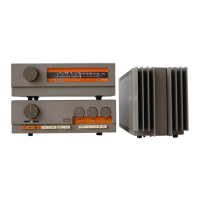
Preamplifier
Some electronic equipment
(CD
players,
computers etc)
may
cause
interfer-
ence at some
frequencies if
operated near
a
tuner. lf this
occurs
then
either
switch off the
offending
item
or
move
it further away from the tuner.
At the
back of
the tuner
you
will find
the audio
out sockets
for the
connecting
lead to the
66
preamplifier.
lnsert
the White
plug
of
the
audio connecting
lead
supplied
into
the L socket
(white
=
left
channel) and the
Red
plug
into
the R
socket
(red
=
right channel).
lnsert
both the
plugs,
at the other
end of
the lead, into
the
radio
sockets of
your
66
preamplifier.
Make
sure that the
plugs
are
pushed
fully
in, at both ends, to ensure
good
connections. Poor connection will
cause
hum.
All tuner functions
are controlled from the
Quad
66
preamplifier
control
panel
using
the
CD
function
buttons. Press Ihe radio
button to select radio on the
Quad
66
preamplifier
and to set the remote
control to
its radio function.
lf
either the disc or CD-play
button
is
pressed,
after
selecting
radio, then
all
the tuner functions will
be inhibited
-
if
this occurs
just
press
the radio
button
again.
Press
the tuner on/off
button.
This
has a sequential
action so
pressing
it
again
will switch the tuner
off.
Leave
the tuner
switched on.
In normal
use it will
be
switched
on and off
via the master
on/off
switch on the 66
preamplifier,
or the
standby button on the control
panel.
As
soon as
the tuner is
switched on it will return
to the
preset
station in use when
last switched
off.
The
display will show the
preset position
selected, the
preset
number
and
tuned
station frequency
(also
if
mono had been
selected).
456789
1011 121314
151617 18
OPERATION
Note
Switching On
and Off
Selecting Stations
2[0
/
-J
-,
\-
trl
lln
FTEETfrI
Pressing the track < >
buttons will step through
the
19
preset
station
positions.
Track > steps upwards
and track < steps
downwards.
This is
shown in the
display by a box around the
selected
preset
number
and an arrow
pointing
to it.
The
preset
number
and
the
station
frequency
is
also displayed.
lf
either button
is held
down stepping
will
continue
until
the
button is
released.
lf
a station has already been
allocated
(stored)
into
any of
the
preset positions
then
it will
be heard, after
a short delay.
The action is cyclic. When
stepping upwards
and
19 is reached
stepping
will restart
at
1, conversely when
stepping
downwards and
1 is reached
stepping will
restart
at 19. This
avoids having to step through all
preset
stations to choose a
preset
at one end
of
the range.
Note
page
5



 To Next Page