16
GETTING TO KNOW YOUR SCOOTER
km
TRIP
AM
EF
5
3
1
8
6
4
2
9
7
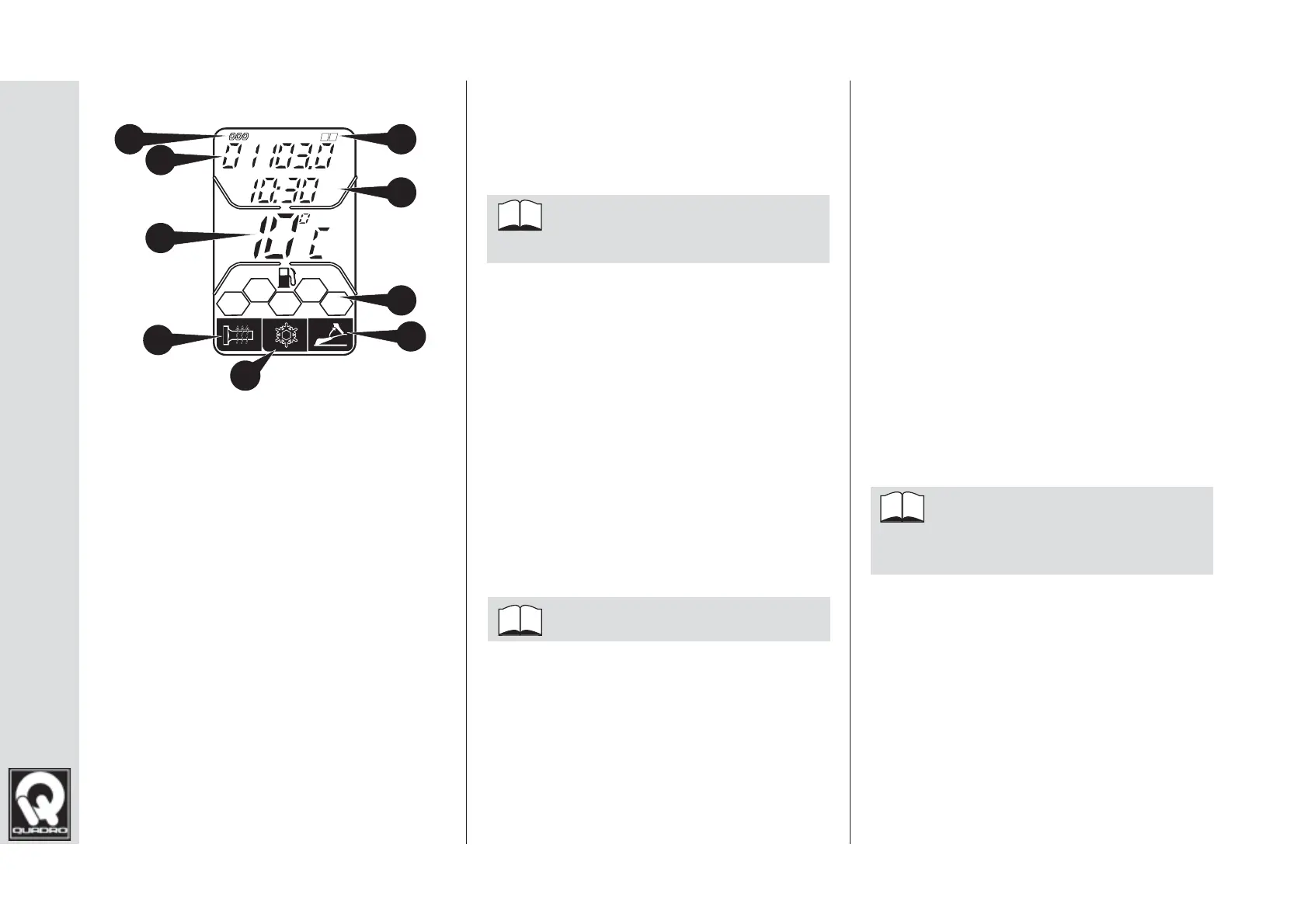
ON-BOARD COMPUTER
fi g. 11
1 - Odometer function (total mileage)
2 - Trip Computer function (A, B)
3 - Mileage indicator (total, trip A, trip B
4 - Clock (AM, PM mode)
5 - Temperature indicator (°C, °F)
6 - Fuel gauge
7 - Indicator light not active on this model
8 - Seat open warning light
9 - Low temperature (ice hazard) warn-
ing light
Trip Computer function
Press the ADJ button to view the odom-
eter, Trip A, Trip B function.
Each press of the ADJ but-
ton selects the next function.
Trip Computer Reset
Select the required Trip Computer
function (A or B) and hold down the ADJ
selection button for around 3 seconds.
Clock setting
In Odometer mode, press and hold
the MODE and ADJ selection buttons
together for around 2 seconds.
The hours will begin to fl ash.
In order to set the clock:
1. Press the ADJ selection button to
increase the hours
2. Press the MODE selection button to
change to setting the minutes
3. Press the ADJ selection button to
increase the minutes
4. Press the MODE + ADJ selection
buttons to exit time setting mode
Air temperature unit of
measurement
In Odometer mode, press the MODE
selection button to switch between
°C and °F.
Each press of the MODE but-
ton selects the next unit of meas-
urement.



 To Next Page