EasyManua.ls Logo

QualGear QG-AM-017 - User Manual

QualGear QG-AM-017
2 pages
Print Icon
To Next Page IconTo Next Page
Loading...
3
Choose the appropriate screws (M-A/ M-B/ M-C/ M-D/ M-E), washers (M-F/ M-G/ M-H),
and spacers (M-I) if necessary, according to the type of your TV mount. Attach the
Apple TV Wall Mount to the TV Wall Mount using a Phillips screwdriver.
Question and Answer IconNeed help?

Do you have a question about the QualGear QG-AM-017 and is the answer not in the manual?

Summary

Attaching to a TV Wall Mount

Sideway Attachment

Illustrates the side attachment method for the TV wall mount.

Straight Up Attachment

Illustrates the upright attachment method for the TV wall mount.

Snapping the Apple TV onto the Mount

Hardware Package

Two Installation Options

Mounting to a Wooden Stud Wall

Step-by-step guide for mounting to a wooden stud wall.

Mounting to Concrete or Brick Wall

Step-by-step guide for mounting to concrete or brick walls.

Attaching to a TV Wall Mount

Instructions for attaching the mount to an existing TV wall mount.

Overview

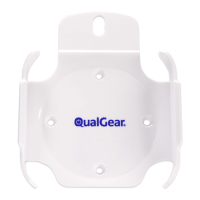
The QualGear QG-AM-017 is an Apple TV Mounting Kit designed to securely attach an Apple TV to either a wall surface or a TV wall mount. This installation manual provides comprehensive instructions for both mounting options, ensuring a safe and stable setup for your Apple TV.

Function Description:

The primary function of the QualGear QG-AM-017 is to provide a dedicated and secure mounting solution for an Apple TV. It offers two main installation methods: direct mounting to a wall surface (either a wooden stud wall or a concrete/brick wall) or attachment to an existing TV wall mount. This versatility allows users to integrate their Apple TV seamlessly into various home entertainment setups, whether they prefer a clean wall-mounted look or want to keep the Apple TV discreetly behind their television. The design ensures that the Apple TV is held firmly in place, preventing accidental dislodgement and contributing to a tidy entertainment area by keeping the device off shelves or other surfaces. The kit includes all necessary hardware and detailed steps to guide users through the installation process, from selecting the appropriate screws to final device placement.

Important Technical Specifications:

  • Mounting Options:
    • Wall Surface Mounting: Supports mounting to wooden stud walls and concrete/brick walls.
    • TV Wall Mount Attachment: Designed to attach to an existing TV wall mount.
  • Hardware Package (Screws and Washers for TV Wall Mount Attachment):
    • M3x14mm (x1) (M-A)
    • M4x14mm (x1) (M-B)
    • M5x14mm (x1) (M-C)
    • M6x14mm (x1) (M-D)
    • M8x20mm (x1) (M-E)
    • D3 Washer (x1) (M-F)
    • D5 Washer (x1) (M-G)
    • D8 Washer (x1) (M-H)
    • 3mm Small Spacer (x3) (M-I)
  • Hardware Package (Screws and Anchors for Wall Surface Mounting):
    • ST3.5x25mm Screw (x4) (W-A) - Used for both wooden stud and concrete/brick wall mounting.
    • Φ6x28mm Concrete Anchor (x4) (W-B) - Specifically for concrete/brick wall mounting.
  • Drill Bit Sizes for Wall Surface Mounting:
    • Wooden Stud Wall: 5/64" (2mm) drill bit for pilot holes, at least 1" (25 mm) depth.
    • Concrete/Brick Wall: 1/4" (6mm) drill bit for pilot holes, at least 1.1" (28 mm) depth.
  • Warranty: 1 Year Limited Warranty.
  • Version: August 2015.

Usage Features:

  • Two Installation Options: The kit provides clear instructions for two distinct installation methods:
    • Mounting to a Wall Surface: This option allows the Apple TV to be directly mounted onto a wall.
      • Wooden Stud Wall: Requires an edge-to-edge stud finder to locate the stud's edges and centerline. Pilot holes are drilled using a 5/64" (2mm) drill bit to a depth of at least 1" (25mm), followed by fastening with ST3.5x25mm screws (W-A) using a Phillips screwdriver.
      • Concrete or Brick Wall: Involves using the mount as a template to mark drilling points. Pilot holes are drilled using a 1/4" (6mm) drill bit to a depth of at least 1.1" (28mm). Concrete anchors (W-B) are then tapped flush into the holes, and the mount is secured with ST3.5x25mm screws (W-A) using a Phillips screwdriver.
    • Attaching to a TV Wall Mount: This option integrates the Apple TV mount with an existing TV wall mount. Users must select the appropriate screws (M-A to M-E), washers (M-F to M-H), and spacers (M-I) based on their specific TV mount type. The Apple TV Wall Mount is then attached to the TV Wall Mount using a Phillips screwdriver. The manual illustrates two orientations for attachment: "Sideway" and "Straight Up," offering flexibility in how the Apple TV is positioned relative to the TV mount.
  • Easy Apple TV Snapping: Once the mount is securely installed, the Apple TV can be easily snapped onto the mount. The images depict a simple push-and-click mechanism, ensuring the device is held firmly.
  • Comprehensive Hardware: The kit includes a variety of screws, washers, and spacers to accommodate different TV mount types and wall materials, ensuring compatibility and a secure fit.
  • Clear Visual Instructions: The manual features detailed diagrams and illustrations for each step, making the installation process straightforward and easy to follow for users of varying technical skill levels.
  • Space-Saving Design: By mounting the Apple TV, users can free up shelf space and achieve a cleaner, more organized entertainment setup.
  • Discreet Placement: The mount allows for the Apple TV to be positioned out of sight, such as behind a television, contributing to a minimalist aesthetic.

Maintenance Features:

  • Regular Security Checks: The manual emphasizes the importance of regularly checking that the mount is secure and safe to use. This proactive maintenance helps ensure the long-term stability and safety of the installed Apple TV.
  • Technical Support: In case of any questions regarding the instructions or warnings, users are advised to contact their local distributor or QualGear technical support via email at support@qualgear.com. This provides a direct channel for assistance, ensuring users can resolve any issues or concerns they may encounter during installation or use.
  • Durable Construction: While not explicitly detailed, the inclusion of specific screw types and anchors for different wall materials suggests a design intended for durability and long-term stability when installed correctly. The 1-year limited warranty further indicates confidence in the product's quality and expected lifespan under normal use.

QualGear QG-AM-017 Specifications

General IconGeneral
BrandQualGear
ModelQG-AM-017
CategoryRacks & Stands
LanguageEnglish

Related product manuals