Chapter 3: Remote Management
Accessing Remote Management
Quantum DXi4700 User’s Guide 59
page 178).
Note: Accessing the Administrative Activity Log page will cause the security message
banner and service ticket banner (if applicable) to not display.
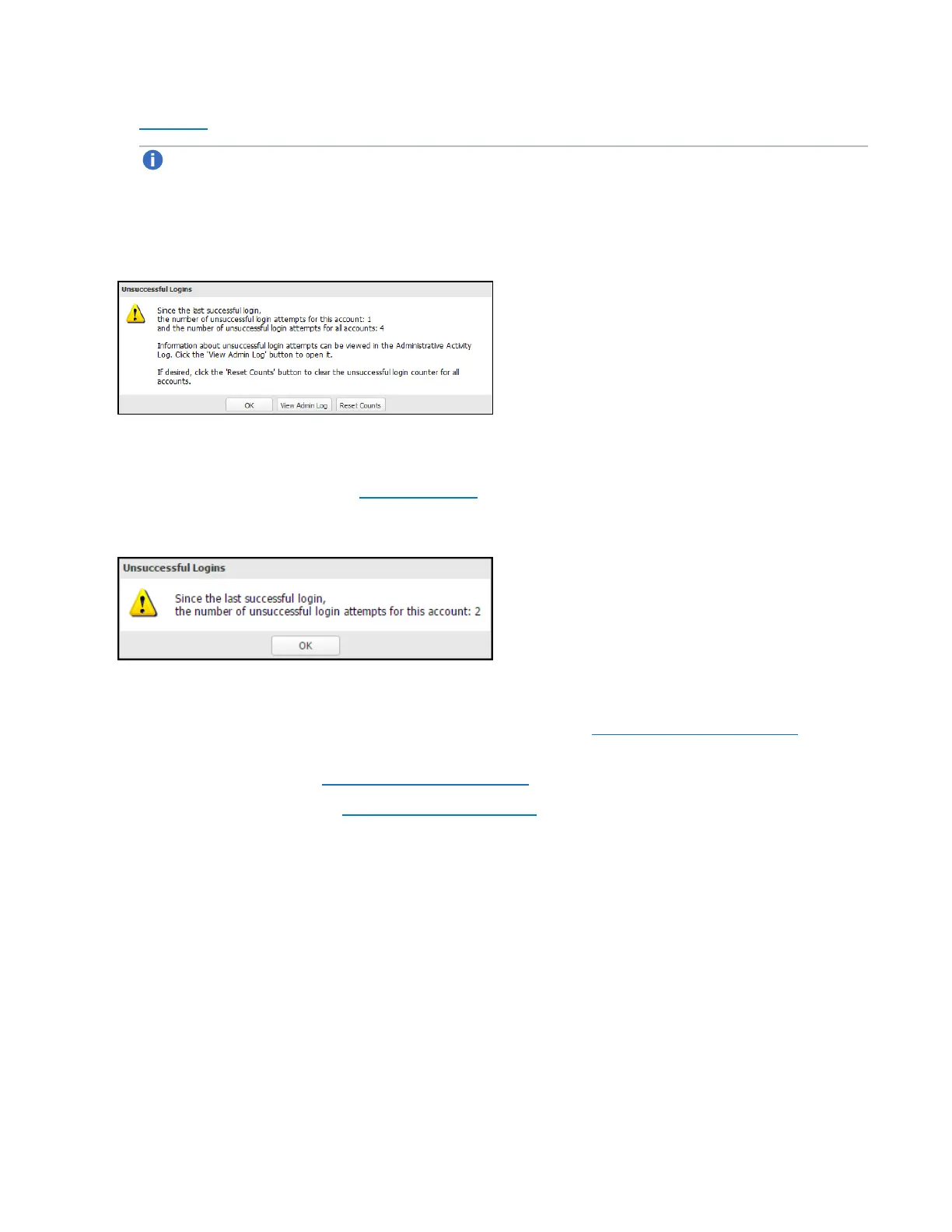
l Click Reset Counts to reset the unsuccessful login count to zero.
Figure 34: Unsuccessful Login Attempts (Admin)
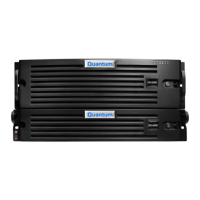
If you log in as a user assigned to the Service (local) or Monitor role (local or LDAP) and there were
previous unsuccessful DXi4700 logins, a dialog box appears indicating the previous number of
unsuccessful login attempts (see Figure 35 below). Click OK to continue.
Figure 35: Unsuccessful Login Attempts (Service/Monitor)
6. If a security banner message has been specified for the DXi4700, click Accept.
For information about specifying a security banner message, see Security Notice on page 318.
7. A service ticket banner will appear if there are service tickets for the DXi4700. Click OK to access the
Service Tickets page (see Service Tickets on page 183).
The Home page displays (see Figure 36 on the next page ).








 To Next Page