Installing the software Quatech Freedom USB Adapter User’s Manual
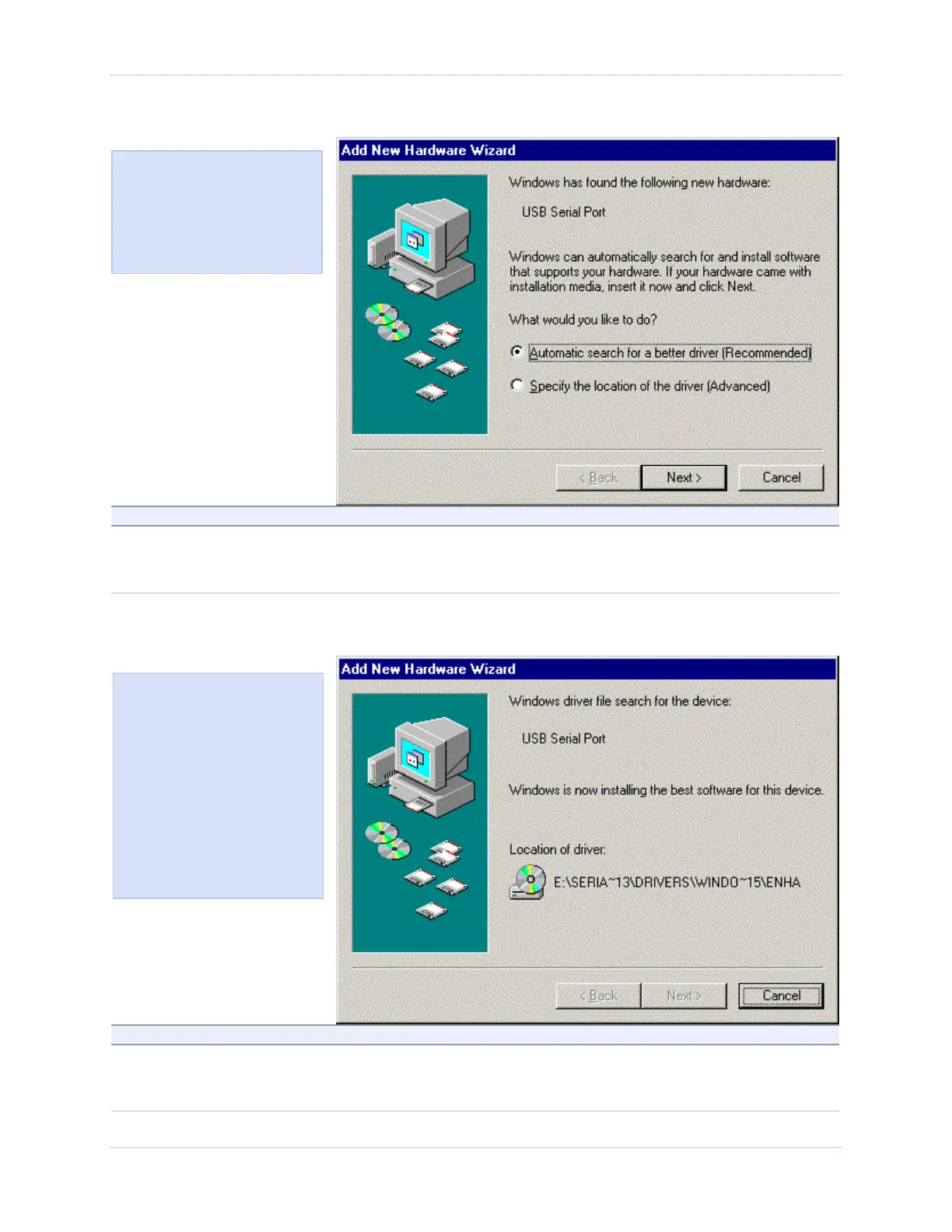
Figure 24 - Win Me Ready to install prompt
Figure 24 shows the Win Me
Found new hardware prompt.
You can choose to either have
Windows automatically search
for a driver or to specify the
location of the driver you want
to use.
Step Procedure Description
Step 8 Check the Automatic search for a better
driver (Recommended) checkbox and click
the Next button.
Windows searches for drivers for your
Freedom USB and then begins copying
them from the CD-ROM.
Figure 25 - Win Me Driver file search prompt
Step Procedure Description
Step 9 When the file copying process is
completed, the wizard displays the
finished installing prompt.
Figure 25 shows the Win Me
Driver file search prompt.
If Windows finds the files for
ou automatically, this screen
notifies you that Windows is
installing the software.
If you specify a driver location,
this screen displays that
location. It also offers you the
chance to press Back to select a
different driver or to press
Next to begin the installation
process.
Page 20 Rev 2.02 (2/24/2004)



 To Next Page