Installing the software Quatech Freedom USB Adapter User’s Manual
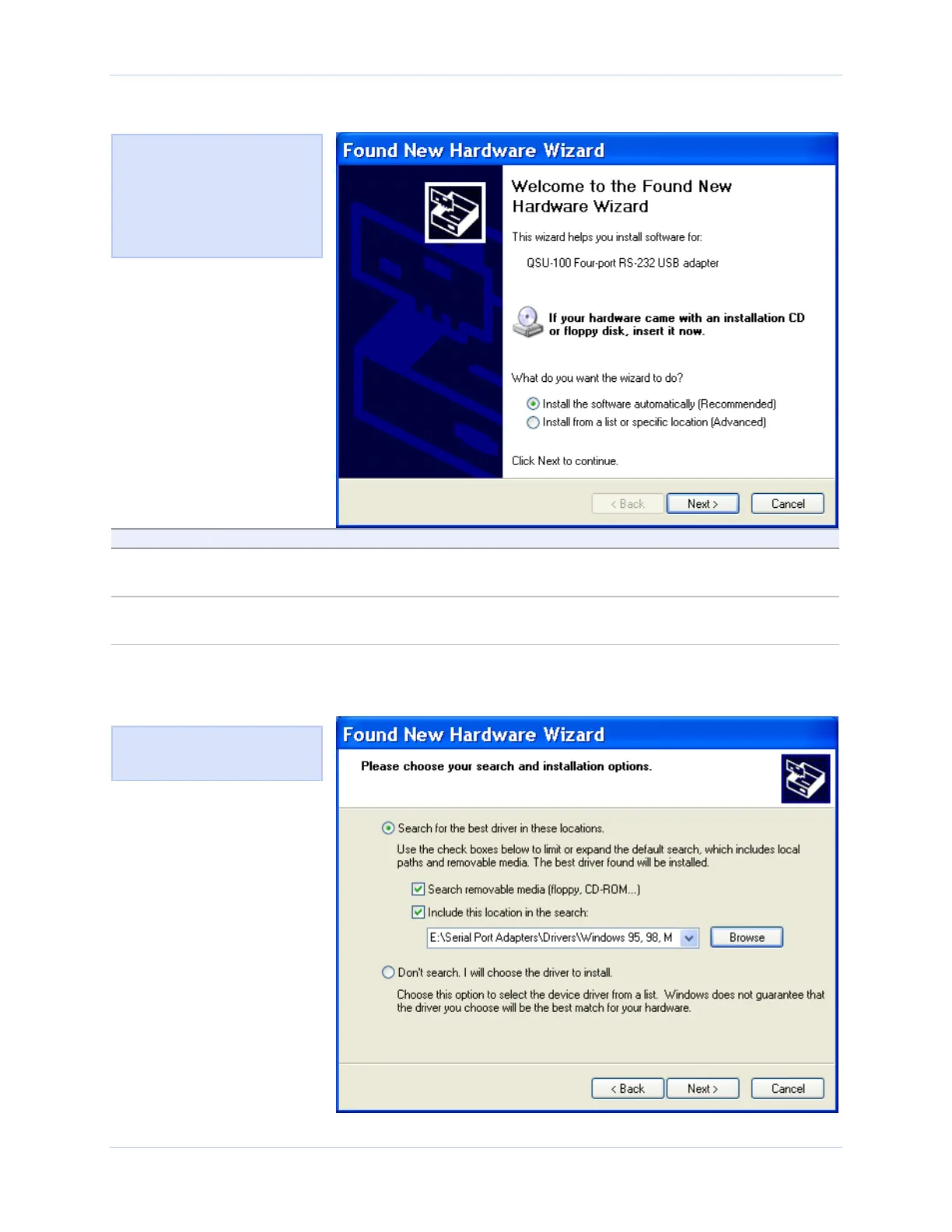
Figure 1 - Win XP Found new hardware prompt
Step Procedure Description
Step 4 Insert the Quatech installation CD into
your CD-ROM drive.
This is the CD that shipped with the
Freedom USB.
Step 5 Click the Next button. The Choose your search and installation
options prompt displays.
Figure 1 illustrates the Win
P Found new hardware
prompt. The Found New
Hardware Wizard launches
automatically when you first
plug in the Freedom USB
serial adapter.
Figure 2 illustrates the Win
P Choose your search and
installation prompt.
Figure 2 - Win XP Choose your search and installation options prompt
Page 4 Rev 2.02 (2/24/2004)



 To Next Page