Installing the software Quatech Freedom USB Adapter User’s Manual
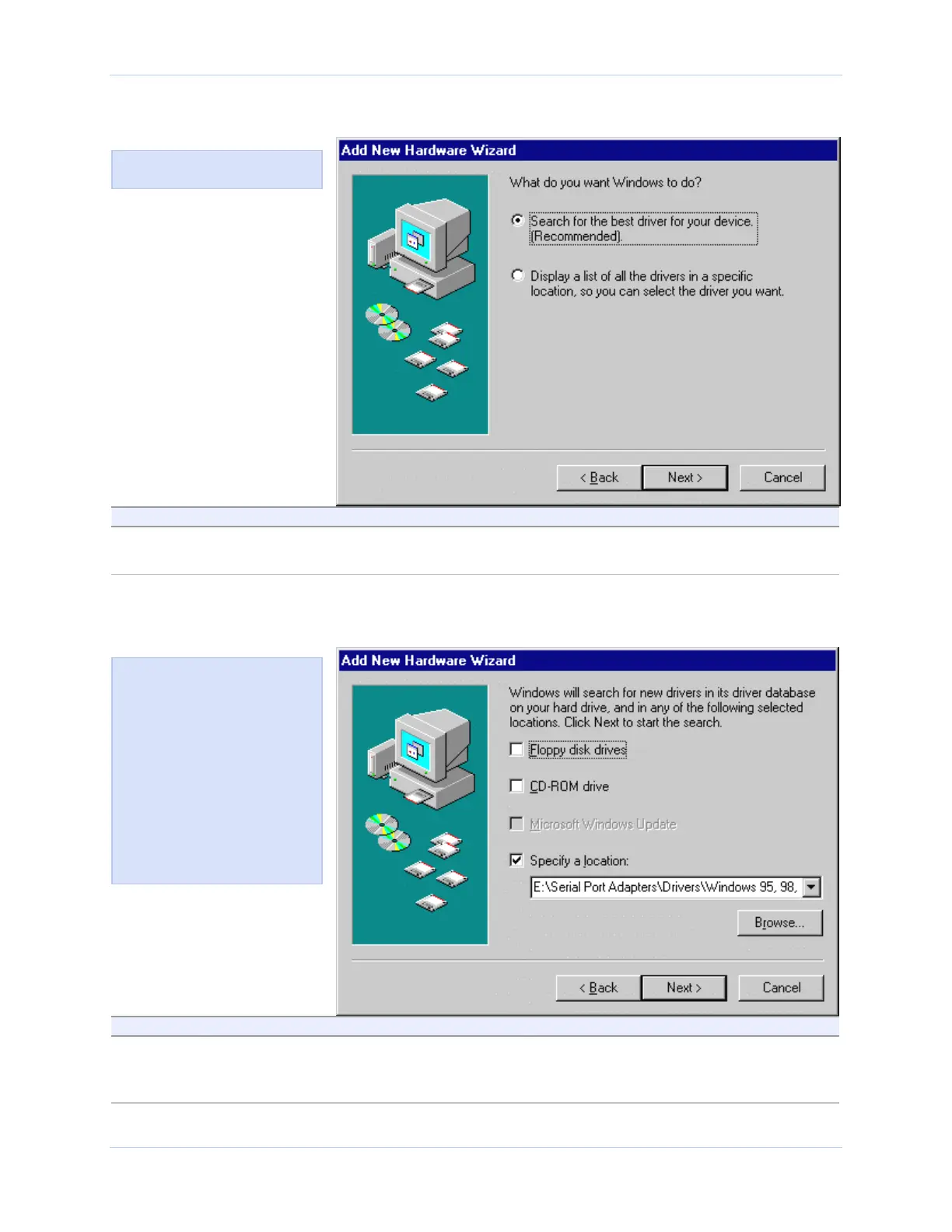
Figure 33 - Win 98/98SE Search or display prompt
Figure 33 shows the 98/98SE
Search or display prompt.
Step Procedure Description
Step 13 Select Search for the best driver for your
device; then click the Next button.
The Search for new drivers prompt
displays.
Figure 34 - Win 98/98SE Search for new drivers prompt
Step Procedure Description
Step 14 Select the Specify a location check box in
the driver location prompt.
You may be able to install the software
by checking the CD-ROM drive check
box. If not, you need to specify a location.
Figure 34 shows the 98/98SE
Search for new drivers prompt.
If Windows finds the files for
ou automatically, this screen
notifies you that Windows is
installing the software.
If you specify a driver location,
this screen displays that
location. It also offers you the
chance to press Back to select a
different driver or to press
Next to begin the installation
process.
Page 26 Rev 2.02 (2/24/2004)



 To Next Page