Quatech Freedom USB Adapter User’s Manual Using configuration utilities
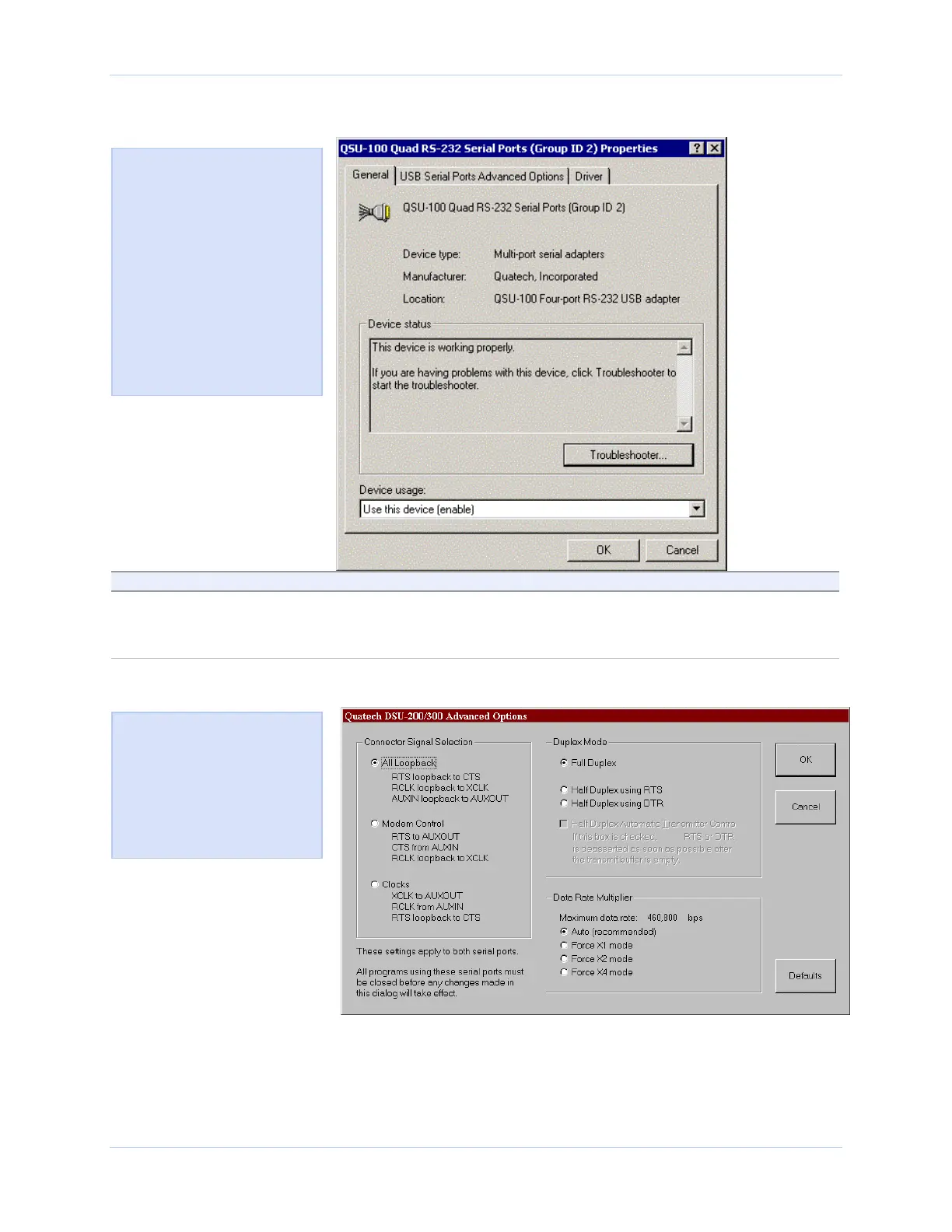
Figure 44 - Win XP/2000 Device Manager USB serial port properties, General tab
Figure 44 illustrates the In
Win XP/2000 General Tab,
which tells you whether the
Freedom USB is working
properly and allows you to
determine the device usage:
Use this device (enable)
Do not use this device
(disable)
This dialog box also contains
a link to Window’s generic
hardware troubleshooter
Step Procedure Description
Step 3 Click the USB Serial Port Advanced
Options tab to view the port setting
properties.
The Advanced Options dialog box
displays.
Figure 45 - Win XP/2000 RS-422/485 advanced options dialog window
Figure 45 illustrates the
Win XP/2000 RS-422/482
USB Serial Ports Advanced
Options box, which lets you
set the connector signal
selection, the duplex mode,
and the data rate multiplier:
Rev 2.02 (2/24/2004) Page 35



 To Next Page