EasyManua.ls Logo

Queclink GT301 - User Manual

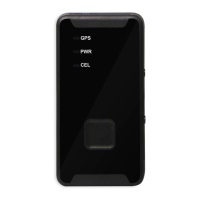
Queclink GT301
15 pages
Print Icon
To Next Page IconTo Next Page
Loading...
GT301
User Manual
GSM/GPRS/GPS Tracker
TRACGT301UM001
Revision: R1.00

Questions and Answers

  • P
    piercejamesAug 11, 2025
    What to do if my Queclink GT301 standby time is shortening?
    • K
      Kelly AlexanderAug 11, 2025
      If your Queclink GPS standby time is shortening, it could be due to several reasons. One reason is that you may be in an area with poor reception, which causes the device to constantly search for a signal, consuming a lot of power. Please temporarily turn off your device, as you are located in an area with poor reception. Another reason could be that the batteries need to be replaced. Finally, standby time is related to the network system.
  • B
    bryantgaryAug 16, 2025
    Why is my Queclink GPS showing poor reception?
    • D
      Daniel VanceAug 17, 2025
      Poor reception on your Queclink GPS can occur if you're using the device in areas where radio waves are obstructed, such as near tall buildings or in a basement. Try to avoid such areas. Also, it may happen when the network is busy. You can request that the network service provider provide a service area plan.
  • J
    John MannAug 25, 2025
    What to do if my Queclink GT301 SIM card malfunctions?
    • T
      Tyler CuevasAug 25, 2025
      If your Queclink GPS SIM card malfunctions, first, ensure the SIM card is properly inserted. If it is, check the metal surface of the SIM card for any foreign substances and gently wipe them off with a clean cloth. If the issue persists, the SIM card may be damaged, in which case you should contact your network service provider.
  • G
    Greg LopezAug 29, 2025
    What to do if my Queclink GT301 is unable to turn on?
    • S
      Sarah PrinceAug 30, 2025
      If your Queclink GPS is unable to turn on, the battery is likely empty. Look at the remaining electricity or recharge.
  • M
    Michael CisnerosSep 4, 2025
    Why does my Queclink GPS have echo or noise?
    • T
      Timothy HortonSep 4, 2025
      Echo or noise on your Queclink GPS is caused by poor network relay, a regional problem. Hang up and redial. If the relay is changed, then the line may be better.

Queclink GT301 Specifications

General IconGeneral
Device TypeGPS Tracker
Acquisition Sensitivity-148dBm
GPRSClass 12
Operating Temperature-20°C to +70°C
Storage Temperature-40°C to +85°C
AGPSSupported
Power SupplyRechargeable Lithium Battery
Battery3.7V
GPS Accuracy2.5 m CEP
Tracking Sensitivity-165dBm
TTFF (Open Sky) Hot Start1 second
ConnectivityGPRS
GSM850/900/1800/1900 MHz
Humidity5% to 95% (non-condensing)
AntennaInternal GPS and GSM antenna
CertificationsCE, FCC

Related product manuals