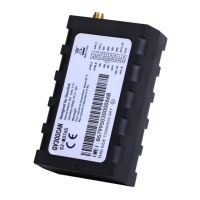
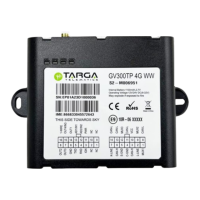
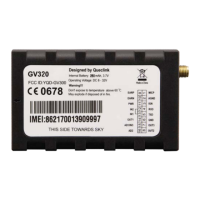
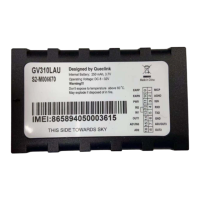
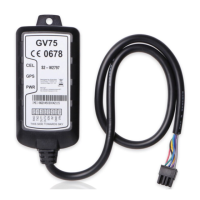
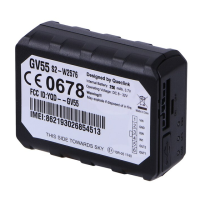
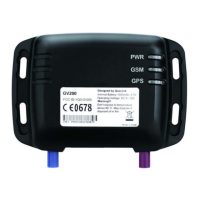
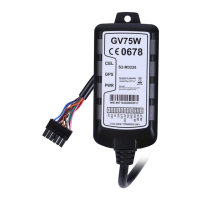
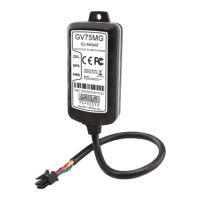
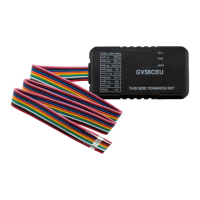
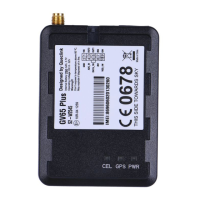
The GV300 is a versatile GSM/GPRS/GPS tracker designed for comprehensive vehicle management and monitoring. This device is primarily configured and managed using a dedicated PC software tool, the GV300 Manage Tool, which facilitates easy setup and control via a UART connection. While the manage tool is ideal for initial configuration and backend server developers, it is strongly recommended that users establish a backend server and utilize SMS or GPRS for ongoing control, referring to the "GV300 @Track Air Interface Protocol" for detailed communication specifications.
Function Description
The GV300 offers a wide array of functions to ensure effective tracking and management. Its core capability lies in providing real-time location data through GPS, which can be periodically reported to a backend server. The device supports various reporting modes, including fixed time or mileage reports, allowing for flexible data transmission based on operational needs.
For device configuration, the GV300 Manage Tool provides two primary modes: a Quick Setting Wizard and a Professional Setting Mode. The Quick Setting Wizard simplifies basic setup, guiding users through essential steps such as GPRS network settings (APN, username, password), main server settings (IP/domain name, port, SMS gateway), and fixed time report intervals. This wizard is particularly useful for initial deployment, ensuring the device can connect to the network and report data efficiently.
In the Professional Setting Mode, users gain access to a more granular control over the device's functionalities, organized into various command categories. These categories include:
- Server Connection: Manages bearer settings (GPRS parameters) and backend server registration information, crucial for establishing and maintaining communication with the tracking platform.
- Device Configuration: Covers global settings, auto-unlock PIN, software protocol watchdog, outside working hours, and time adjustment. It also includes advanced features like jamming detection configuration, jamming behavior settings, and hexadecimal report mask customization. The device can preserve special logical states, ensuring consistent operation.
- Position Related Report: Configures fixed position information and the frequency of changes in fixed report information, optimizing data transmission for location updates.
- Alarm Setting: A comprehensive suite of alarm functionalities, including geo-fence configuration, tow alarm, speed alarm, SOS alarm, excessive idling detection, harsh behavior monitoring, start/stop report, buzzer alarm definition, over-speed alarm, temperature alarm, roaming detection, and polygon geo-fence. These alarms enable proactive monitoring and immediate alerts for critical events.
- IO Application: Manages digital output port settings, external power supply monitoring, digital input port settings, analog input port settings, and input/output port binding, allowing for integration with external sensors and actuators.
- Other Settings: Encompasses voice monitor, transparent data transmission, hour meter counter, real-time operation, serial port settings, white list management, AC100/AC200 devices setting, extend digit fuel sensor, ID authentication, main serial port setting, UART data transfer, fuel sensor calibration table, camera setting command, take picture command, CANBUS device configuration, UFSxxx FOTA upgrade, FTP server information, store command string, and user-defined functions. These features extend the GV300's utility to advanced applications like data logging, remote control, and integration with specialized vehicle systems.
Usage Features
The GV300 Manage Tool is designed with a user-friendly interface, featuring a title bar, menus, toolbar, status bar, and a command browser with an operation space.
- COM Settings: Before any operation, the tool requires COM port, baud rate (default 115200bps), and password ("gv300" default) to be set, ensuring a secure connection to the device.
- Quick Setting Wizard: This guided setup simplifies the initial configuration of GPRS network parameters, main server details, and fixed time reporting. It ensures that the device is quickly operational and capable of sending basic positional reports.
- Professional Setting Mode: For advanced users, this mode provides detailed control over every configurable parameter. Users can select specific functions from the command browser, and the corresponding parameters will be displayed in the command operation space. Commands can be read from the device, modified, and then sent back, allowing for precise customization.
- Command Display: The tool displays the AT commands generated based on user inputs, which can also be sent via SMS or GPRS, offering flexibility in device management.
- Read/Save/Load Configuration: Users can read all configurations from the device, save them to a file, and load existing configuration files. This feature is invaluable for backing up settings, deploying identical configurations to multiple devices, or restoring previous settings.
- Operation Log: A detailed log tracks all operations performed, including the command ID, text, timestamp, and result (OK or error), aiding in troubleshooting and auditing.
- Status Bar: Provides real-time information on system status (executing/waiting commands) and current status (COM port status, IMEI, protocol version, software version), keeping the user informed about the device's state.
Maintenance Features
The GV300 and its manage tool incorporate several features to facilitate maintenance and ensure reliable operation.
- Firmware Updates: The manage tool supports firmware upgrades, including UFSxxx FOTA (Firmware Over-The-Air) upgrade, ensuring the device can be kept up-to-date with the latest features and bug fixes.
- Troubleshooting: The operation log and detailed error messages (e.g., "PasswordError," "COM IO exception") provide crucial information for diagnosing connection issues, incorrect settings, or device malfunctions.
- Backup and Restore: The ability to save and load all configurations to/from files is a critical maintenance feature, allowing for quick recovery from misconfigurations or easy replication of settings across devices.
- System Requirements: The manage tool is compatible with various Windows operating systems (XP SP2 and above, Server 2003/2008, Vista, 7, 8) and requires Microsoft .NET Framework 4.0 or higher, ensuring broad compatibility and ease of deployment on most PC environments.
- About Section: Provides essential information about the manage tool version, supported firmware version, device firmware version, MCU version, HW version, and IMEI, which is vital for support and compatibility checks.
- Options Settings: Allows customization of the manage tool's behavior, such as showing COM settings or the Quick Setting Wizard at startup, enabling SlowClock control, and setting command execution timeouts. These options can enhance the user experience and streamline common tasks.
In summary, the GV300 is a robust GPS tracker with extensive configuration options, supported by a powerful PC-based manage tool. Its design emphasizes both ease of use for basic setups and comprehensive control for advanced applications, making it a versatile solution for various tracking and telematics needs.

 Need help?
 General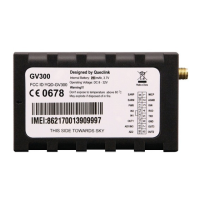

 To Next Page