EasyManua.ls Logo

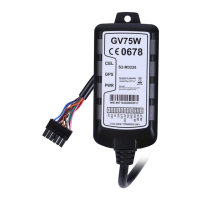
Queclink GV75W - User Manual

Queclink GV75W
17 pages
Print Icon
To Next Page IconTo Next Page
Loading...
GV75WUserManual

TRACGV75WUM001
‐0
GV75WUserManual
WCDMA/GSM/GPRS/GPSTracker
TRACGV75WUM001
Version:R1.00


Questions and Answers

  • F
    Frank BradshawAug 11, 2025
    Why my Queclink GPS is not sending data to the server?
    • A
      aguirrescottAug 12, 2025
      If your Queclink GPS device (GV75W) fails to report messages to the backend server via GPRS, there might be an issue with the SIM card, APN settings, or server address. First, ensure that the SIM card supports GPRS. If it does, verify the APN settings with your network operator. Some APNs might not directly access the internet. Finally, confirm that the IP address and port of the backend server are correct and that the IP address is identifiable on the internet.
  • J
    Jonathan CarrilloAug 19, 2025
    What to do if my Queclink GV75W GPS can't get a GPS fix?
    • C
      Carl SandersAug 19, 2025
      If your Queclink GPS device (GV75W) is unable to acquire a GPS fix, the GPS signal might be weak. Try moving the device to a location with a clear view of the sky. Ensure that the top surface of the device faces the sky for optimal signal reception.
  • M
    mitchellmatthewAug 27, 2025
    How to fix Queclink GV75W CEL LED always flashes quickly?
    • J
      Jeffery DavidsonAug 27, 2025
      If the CEL LED on your Queclink GPS device (GV75W) flashes quickly after turning it on, it could be due to several reasons. First, ensure that a SIM card is properly inserted. If the SIM card is inserted, the signal strength may be insufficient, preventing the device from registering on the network; try moving to an area with better GSM coverage. Lastly, the SIM card may be PIN locked; use a SIM card without a PIN or unlock the SIM PIN.
  • N
    Natasha RichardsonSep 3, 2025
    What to do if my Queclink GV75W doesn’t power off?
    • B
      Brandon AyalaSep 3, 2025
      If your Queclink GPS device (GV75W) does not power off, the power key function may be disabled. To re-enable it, use the command AT+GTFKS.

Queclink GV75W Specifications

General IconGeneral
GSM Frequency850/900/1800/1900 MHz
GPSu-blox All-in-One GPS receiver
GPS Sensitivity-162dBm
TTFF (Open Sky) Warm Start28s
TTFF (Open Sky) Hot Start1s
InterfacesRS232, USB
Digital Outputs2
AccelerometerYes
Internal Memory16MB
Tracking Sensitivity-160dBm
Acquisition Sensitivity-148dBm
Storage Temperature-40°C to +85°C
Humidity5% to 95% non-condensing
Communication InterfaceRS232, USB
ProtocolsTCP, UDP, SMS
Antenna TypeInternal
Antenna Gain3dBi
Cable Length1.5m
GPS Accuracy2.5m CEP
Operating VoltageDC 8V to 32V
GPRSClass 12
AntennaInternal
GNSSGPS, GLONASS
Baud Rate9600 bps to 115200 bps
AGPSSupported

Related product manuals