EasyManua.ls Logo

Queclink GV75 - User Manual

Queclink GV75
15 pages
Print Icon
To Next Page IconTo Next Page
Loading...
GV75 User Manual
TRACGV75UM0010
GV75 User Manual
GSM/GPRS/GPS Tracker
TRACGV75UM001
Version: R1.03

Questions and Answers

  • R
    Raymond GriffinAug 3, 2025
    Why can't my Queclink GPS report messages to the backend server by GPRS?
    • J
      jasmine30Aug 3, 2025
      If your Queclink GPS GV75 can't report messages to the backend server via GPRS, it might be due to several reasons. First, ensure that the SIM card inserted in the GV75 supports GPRS. If it doesn't, try using a GPRS-compatible SIM card. Second, the APN settings might be incorrect; some APNs cannot directly access the Internet, so you should ask your network operator for the correct APN. Finally, verify that the IP address and port of the backend server are accurate and that the IP address is a recognized address on the Internet.
  • R
    Ruben AndersonAug 10, 2025
    What to do if Queclink GPS GV75 can't get a successful GPS fixing?
    • K
      knightgeorgeAug 10, 2025
      If your Queclink GPS GV75 isn't getting a successful GPS fix, it could be due to a weak GPS signal. Move the GV75 to a location with a clear view of the sky to improve signal reception. For optimal performance, ensure the top surface of the device faces the sky.
  • N
    Nicholas RothAug 17, 2025
    Why is the CELLED flashing quickly on my Queclink GPS GV75?
    • U
      ucastilloAug 18, 2025
      If the CELLED light on your Queclink GPS GV75 is flashing quickly after you turn it on, it could be due to a few reasons. First, make sure that a SIM card is properly inserted into the GV75. Second, the GSM signal might be too weak, preventing the GV75 from registering to the network; try moving the device to a location with better GSM coverage. Third, the SIM card might be PIN locked; use a SIM card without a PIN or unlock the SIM PIN.
  • M
    melissa27Aug 27, 2025
    How to fix Queclink GPS GV75 when it doesn't power off?
    • M
      Melissa DavisAug 27, 2025
      If your Queclink GPS GV75 doesn't power off, it's possible that the power key function has been disabled using the AT+GTSFR command. To resolve this, enable the power key function by using the AT+GTFKS command.

Summary

General Notes

Revision History

Introduction

Reference Documents

Lists related documents for further technical information and protocols.

Terms and Abbreviations

Defines key terms and abbreviations used throughout the manual.

Product Overview

Device Appearance

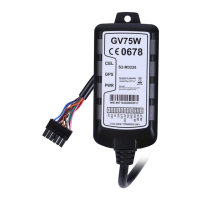
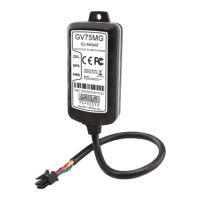
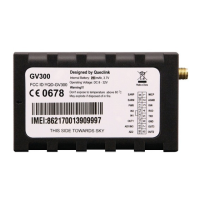
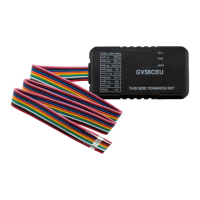
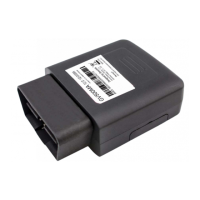
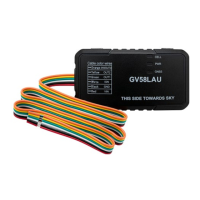
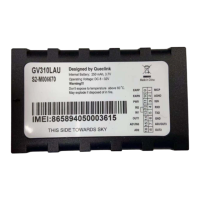
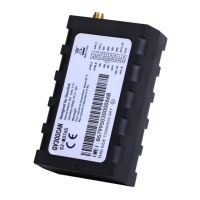
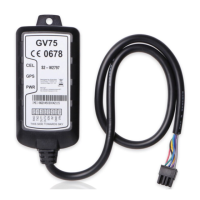
Visual representation and identification of the GV75 tracker unit.

Parts List

Lists all components included in the GV75 package.

Interface Definition

Details the purpose and connection of each wire in the GV75 user cable.

Getting Started

SIM Card Installation

Step-by-step guide on how to install the SIM card into the device.

Device Power On

Instructions on how to switch on the GV75 device using external power.

Power Connection

Explains how to connect the device to a power source, detailing voltage range.

Ignition Detection Setup

Guide for connecting the ignition detection wire for vehicle status monitoring.

Digital Input Configuration

Details the electrical conditions for negative trigger digital input.

Digital Output Control

Explains how to use digital outputs to control external devices like relays.

UART Interface Connection

Describes the UART interface for device configuration and data communication.

Indicator Light Guide

Explains the meaning of different LED indicators and device statuses.

Troubleshooting and Safety Information

Troubleshooting Common Issues

Provides solutions for common problems encountered with the GV75 device.

Safety Precautions

Important safety guidelines and warnings for using the GV75 device.

Queclink GV75 Specifications

General IconGeneral
CommunicationGSM/GPRS
IP RatingIP65
GSM Frequency850/900/1800/1900MHz
GPRSClass 12
GPS Sensitivity-162dBm
Tracking Sensitivity-162dBm
Storage Temperature-40°C to +85°C
Humidity5% to 95% (non-condensing)
Power SupplyDC 9-36V
BatteryBuilt-in rechargeable battery
GPS Accuracy2.5 m CEP
TTFF (Open Sky)Hot start: 1s
AGPSYes
InterfacesRS232, USB
AntennaInternal GPS and GSM antenna
CertificationsCE, FCC

Related product manuals