NB-IoT Module Series
BC950K-GL_TE-B_User_Guide 19 / 28
4.1.2. Operation Procedures of Using TE-B Alone
1. Install USB-to-UART driver which can be downloaded from the following link:
https://www.wch.cn/downloads/USBMSER_exe.html;
2. Insert a Micro-SIM card into J0401, and please note that an NB-IoT USIM card should be selected.
3. Connect the rod antenna with SMA connector on J0306 (RF antenna connector).
4. Switch S0301 (UART switch) to “UART-to-USB” state.
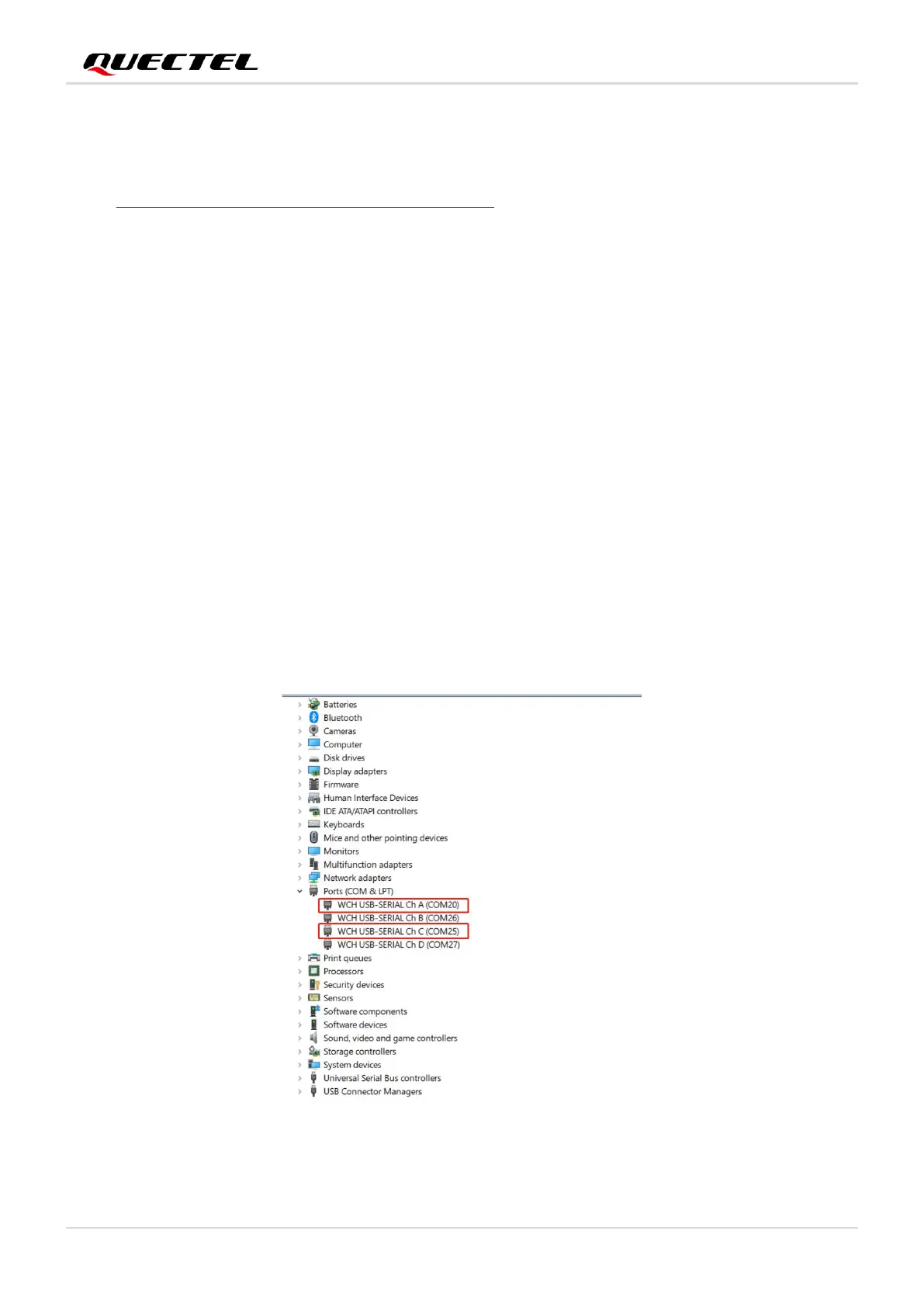
5. Connect the J0305 (USB-to-UART interface) with PC via a Micro-USB cable. After turning on TE-B,
serial port information will be shown on “Device Manager” of PC. Among them, "WCH USB-SERIAL
Ch A (COM20)" (corresponding to USB interface of PC) is connected to the main UART of
BC950K-GL, which can be used for AT command transmission, data transmission and firmware
upgrade;
6. Connect the J0305 (USB-to-UART interface) with PC via a Micro-USB cable. After turning on TE-B,
serial port information will be shown on “Device Manager” of PC. Among them, " WCH USB-SERIAL
Ch C (COM25)" (corresponding to USB interface of PC) is connected to the debug UART of
BC950K-GL, which can be used for software debugging.
7. For details of UART configuration, see document [1].
Figure 9: USB-to-UART Interface Displayed on PC



 To Next Page