Checking the oil level
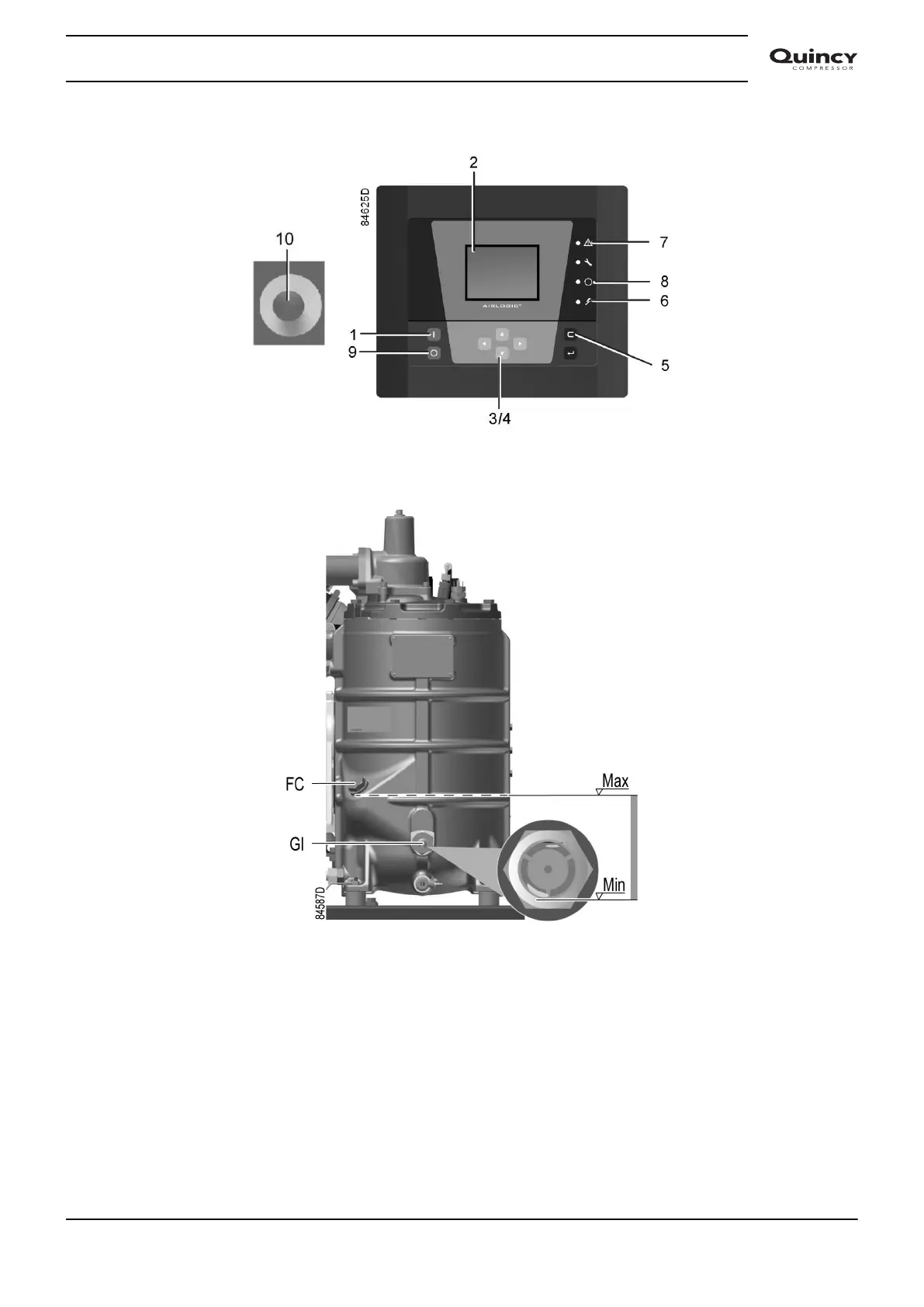
Airlogic² control panel
Regularly check the oil level. To do so:
1. Press stop button (9).
2. A few minutes after stopping, the oil level should be between the oil filler neck (FC) and the
bottom of the sight glass (Gl).
3. If the oil level is too low, push the emergency stop button (10) to avoid the compressor to
start unexpectedly.
4. Next, close the air outlet valve and open the manual drain valve (Dm) until the air system
between oil separator/air receiver vessel and outlet valve is fully depressurized. See section
Condensate system for location of the outlet valve and water drain.
5. Unscrew oil filler plug (FC) one turn to permit any pressure left in the system to escape. Wait
a few minutes.
6. Remove the plug and add oil until the level reaches the filler opening.
Instruction book
2920 7190 02 79



 To Next Page
 Loading...

