20 Quincy Compressor
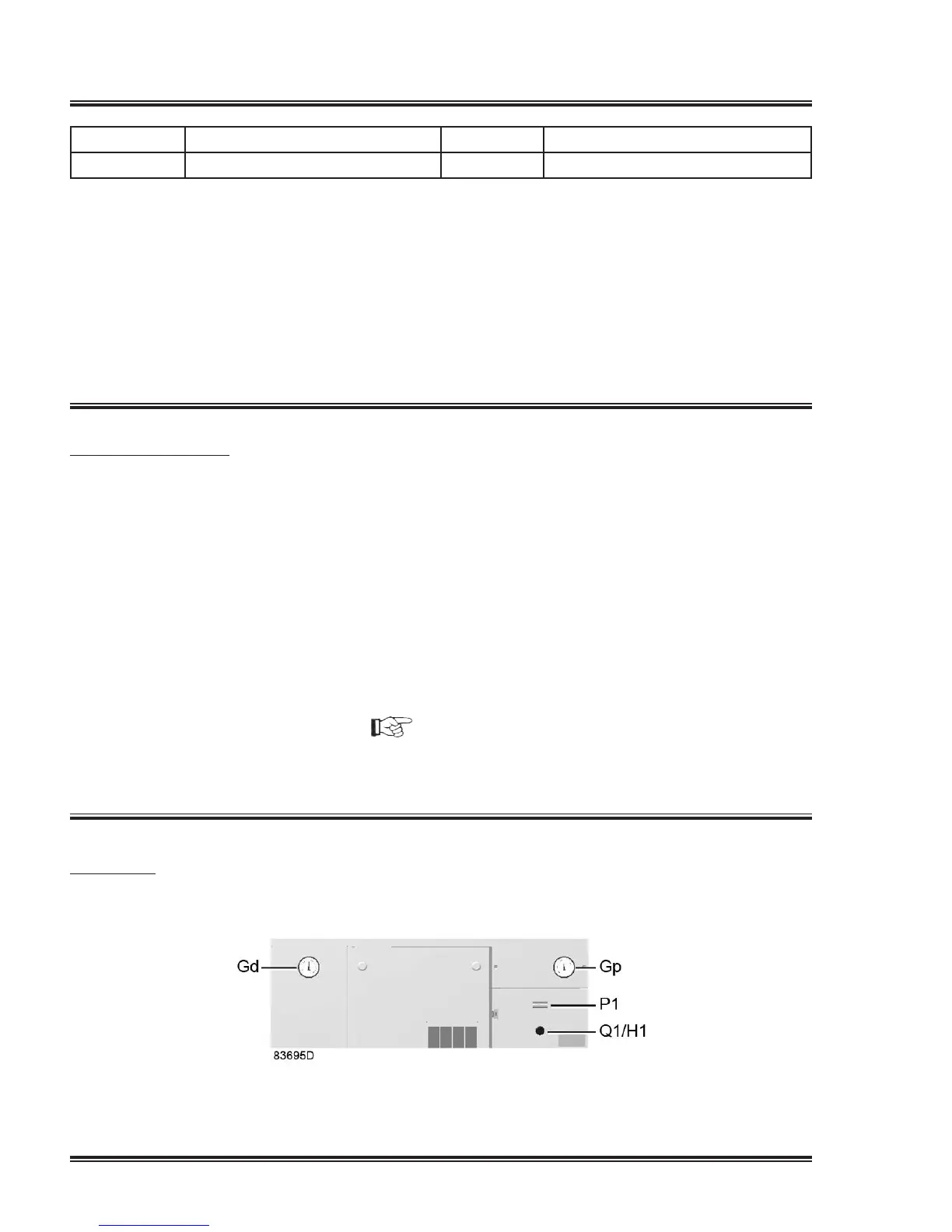
Gp Pressuregauge Q1/H1 On/off switch with lamp
P1 Hour meter Gd
Dewpointgauge
Procedure
1. Close the manual condensate drain valve(s) if present.
2. Opentheairoutletvalve(AV).
3. Switchonthevoltage.Lamp(H1)alights.
4. Rotateswitch(Q1)topositionI.
5. Themotorstartsandstopsautomaticallydependingontheairpressure.
6. Oncompressorsequippedwitharefrigerantdryer,thedewpointoftherefrigerant
dryer will be reached after a few minutes.
During operation
Procedure
1. Checkthepressuregauge(Gp)onthecontrolpaneltocheckthepressuresetting.
2. Oncompressorswithabuilt-inrefrigerantdryer,checkalsothetemperaturegauge
(Gd)onthecontrolpaneltocheckthedewpoint.
Checkthatcondensateisdischargedregularlybytheautomaticdrainofthedryer.
Theamountofcondensatedependsontheoperatingconditionsoftheunitand
the humidity of the air.
Open the manual drain valve from time to time to remove eventual impurities (see
alsosectionPreventiveMaintenanceschedule).
3. Onreceivermountedcompressors,openthemanualdrainvalveoftheairreceiver
regularly to remove the water (specially in case of compressors without dryer). See
alsosectionPreventiveMaintenanceschedule).
NOTICE!
The dew point will deviate from nominal when the nominal conditions are exceeded.
If the dew point remains too high or unstable, consult section Problem solving.
Stopping
Control panel


 To Next Page
 Loading...