Page 15
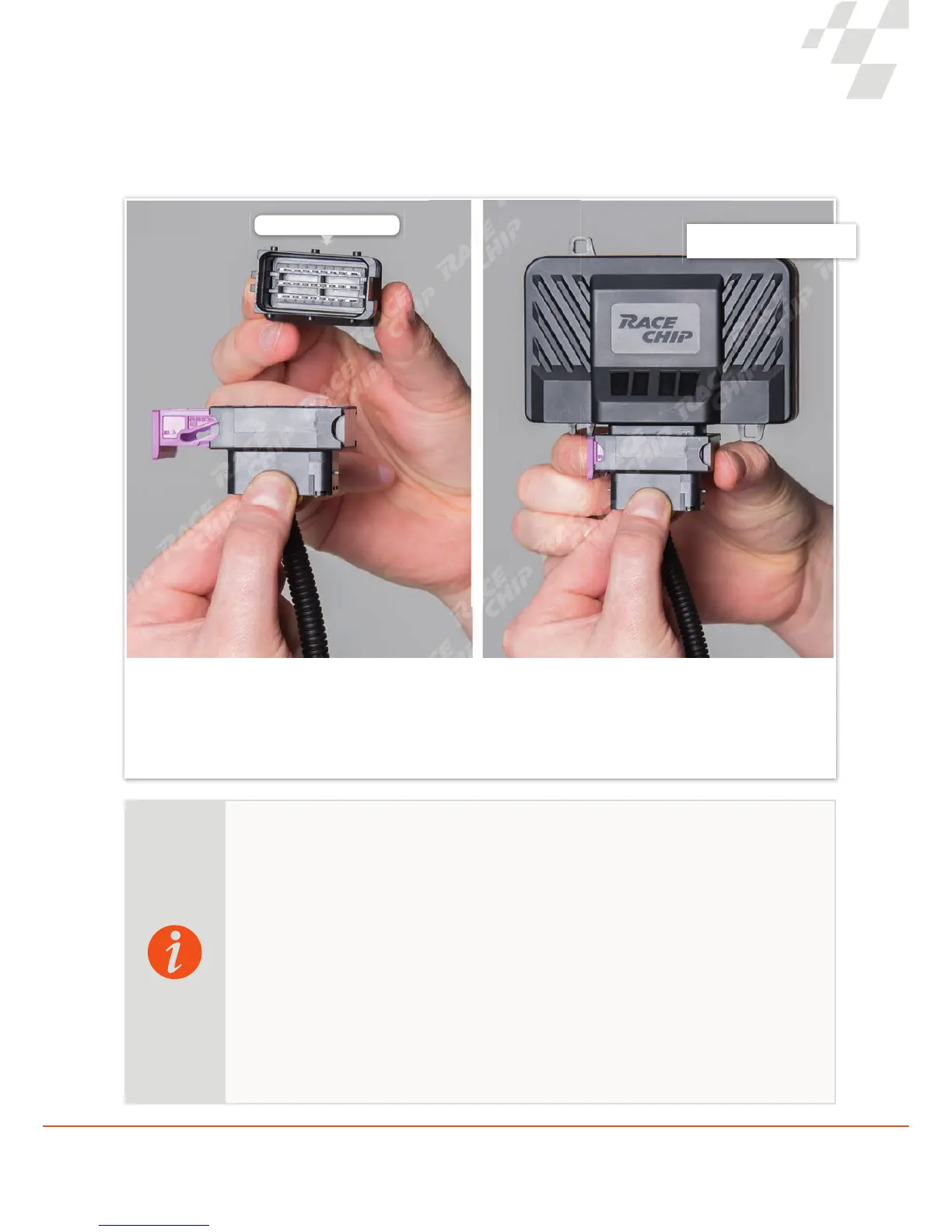
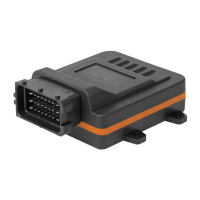
Now connect your RaceChip to the newly installed wiring harness. To do so, rst remove the deactivation plug that is
still connected to the RaceChip wiring harness in its as-delivered condition. Pull the purple-coloured plug outwards and
then remove the deactivation plug from the wiring harness connector.
Connecting the RaceChip to a wiring harness
Step 6 of 9
Wiring harness with deactivation plug removed Wiring harness with RaceChip connected
Deactivation plug
With the RaceChip Ultimate Connect and RaceChip app, you can easily activate and deactivate
the performance boost at the touch of a button. The deactivation plug is generally not necessary
but in cases where it is needed, the plug functions as follows:
The deactivation plug allows the vehicle to be restored to its factory settings without the need
to remove the RaceChip wiring harness. In order to use the deactivation plug, you must remove
the RaceChip from the wiring harness connector and then replace the chip with the deactivation
plug.
If you wish to replace the RaceChip with the deactivation plug at some stage in the future,
please ensure that there is no electrical voltage present (see notes on page 8).
Deactivation plug


 To Next Page