14
6. First Run
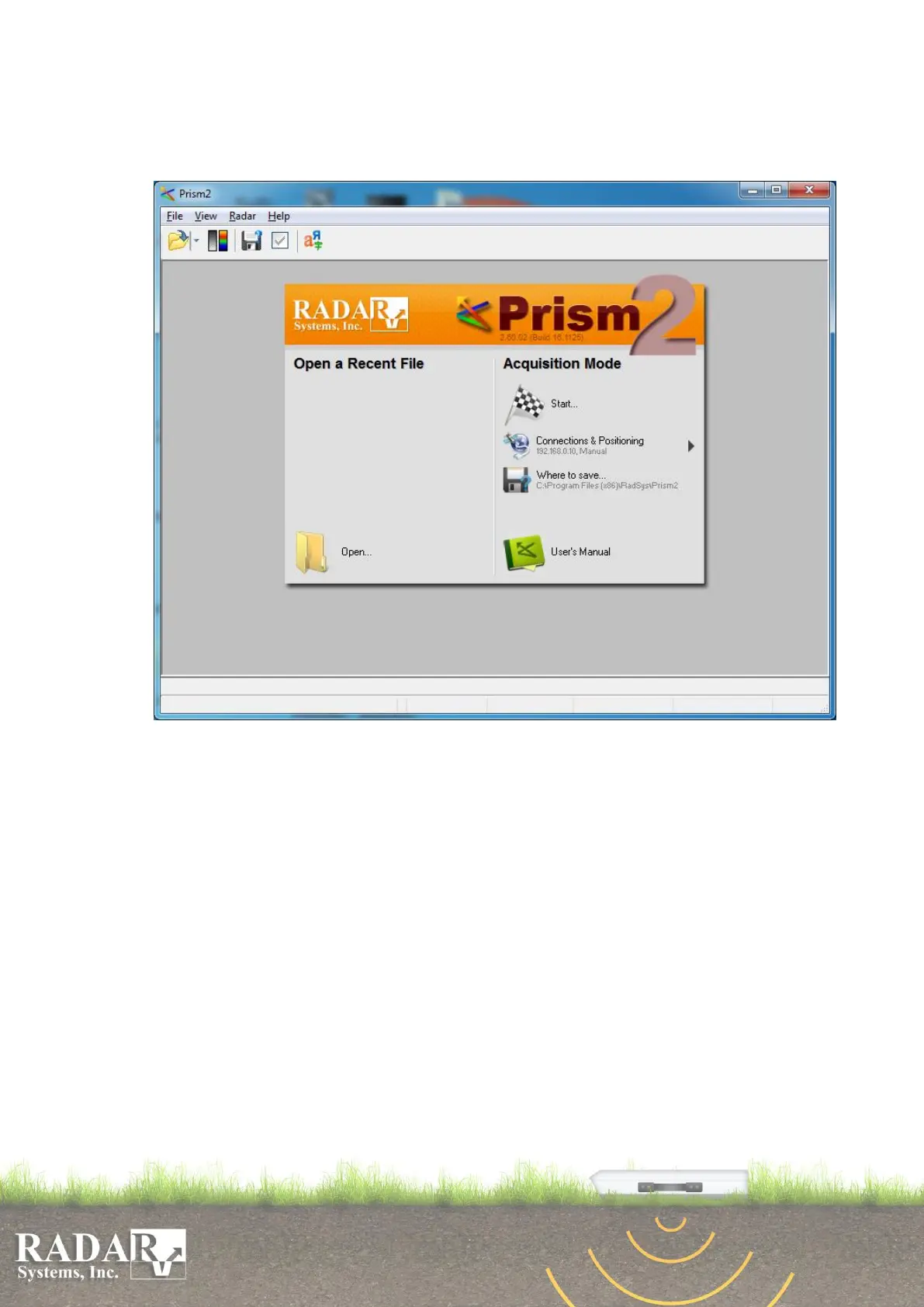
You will see four items in the menu after software’s starting up:
Fig. 6.1 “Prism2” Menu at first run.
The default software operating language is English, which is set after installation (there are
English, German, Russian, Greek, Korean and Chinese languages). If you wish to change it, to
Russian for example, select View/Languages menu and press the button Add language. Select
file Russian.lng. Now, you may set Russian as the default language by pressing Set as default
button. You could choose the selected language by OK button click or by double click on it.
You may choose positioning method with Radar/Positioning menu help. Possible
positioning methods are: Manual, Wheel, GPS and Wheel + GPS. Manual positioning method
allows entering of manually measured length of the passed track when you save the data to hard
drive, or by using Output parameters menu (see Section 10 below). For the Wheel positioning
you have to enter following parameters: the wheel’s diameter, the number of pulses per
revolution and trace spacing (dX), or to calibrate the wheel by moving on the precisely measured
distance. To calibrate the wheel enter Radar/Positioning/wheel menu item and click on the
small window Wheel calibration. In appeared dialog box press Start button and move antenna
with the wheel on the precisely measured distance, then press Stop button and enter the distance.
During by the wheel positioning current length of the passed distance is calculated, gathered
value is recorded to the each trace. Data will not be collected while antenna is not moving. Here
in dialog box you may chose automatic X-interpolation to display traces during data


 To Next Page