46
How to import Zond GPR data files from Prism to Voxler® 3D software
Voxler by Golden Software, Inc. (USA) (www.goldensoftware.com) is an easy to use
software for a 3D visualization of the different data types.
1. First of all user have to be sure that GPR data files are stored as SEG-Y data files in
Prism software (it is usually set up as default). If data files are saved in *.rdf format
you have to run Prism software, open necessary GPR data files and Save As it as
SEG-Y file *.sgy (menu “File -> Save As” or toolbar button ). All the 3D
cube files has to be equalized in number of samples and traces. To equalize profiles
do please follow the menu File/Profiles 3D aligning.
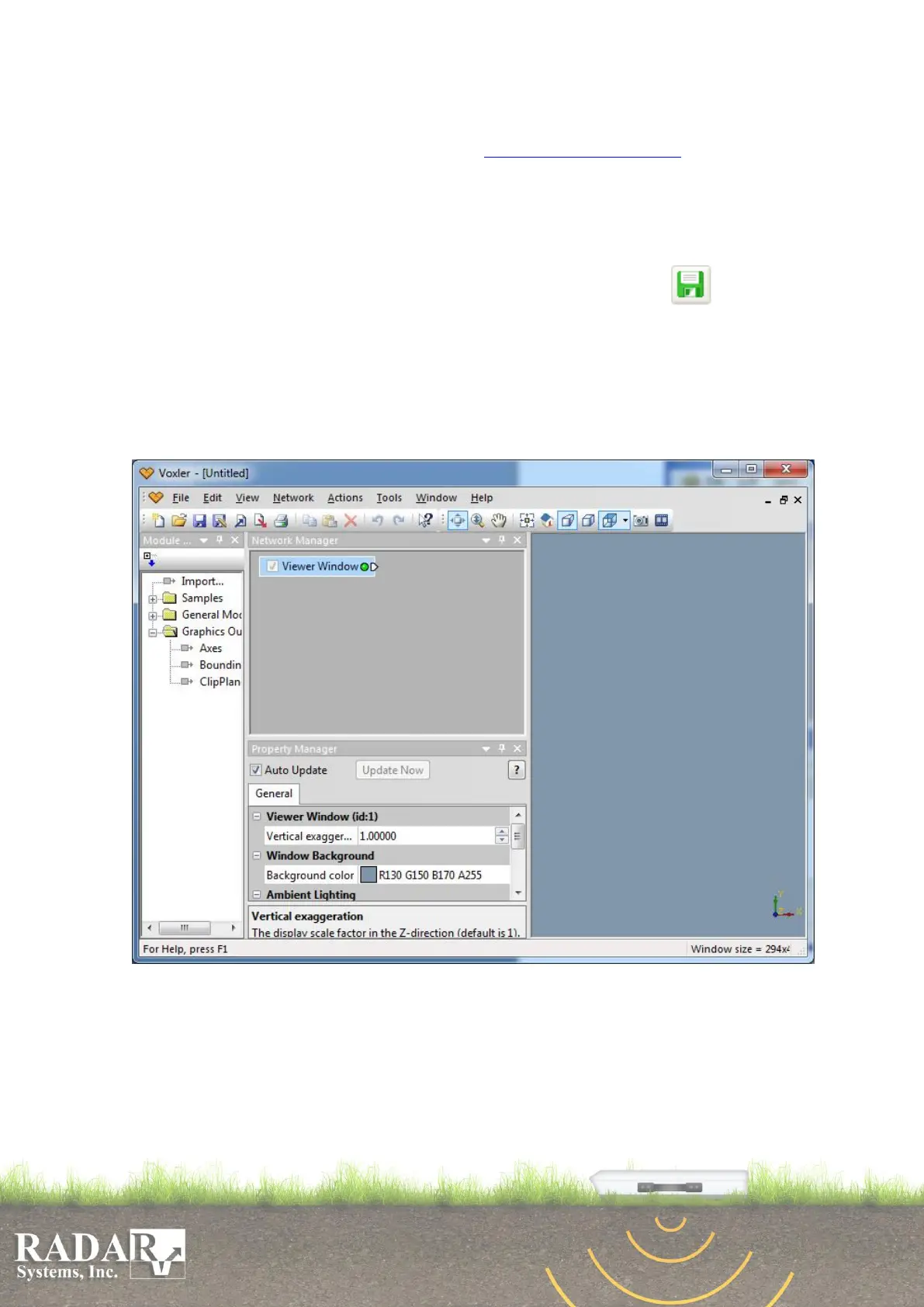
2. The Voxler window consists of three separate areas (“Network”, “Properties” and
visualization). You can choose the menu “File -> Import” or click right mouse
button in the “Network” area and then choose the item “Import” from popup menu,
to import GPR data files.
Fig. 12.1. Voxler software
3. Please select “SGY/SEGY SEG-Y Seismic Data Log (*.sgy, *.segy)” from the files
type list in “Import” dialog and find the directory with necessary GPR data files
(which are stored as SEG-Y files). You can import one or several separate GPR
data files or import several profiles as an array (for a 3D cube). You have to mark
necessary files by mouse frame (click the left mouse button on the clear area, hold


 To Next Page