45
inverse FHT for returning to the time domain, and root sum of squares computation of
the trace initial and Hilbert transformed signals. No input parameters are used for this
procedure.
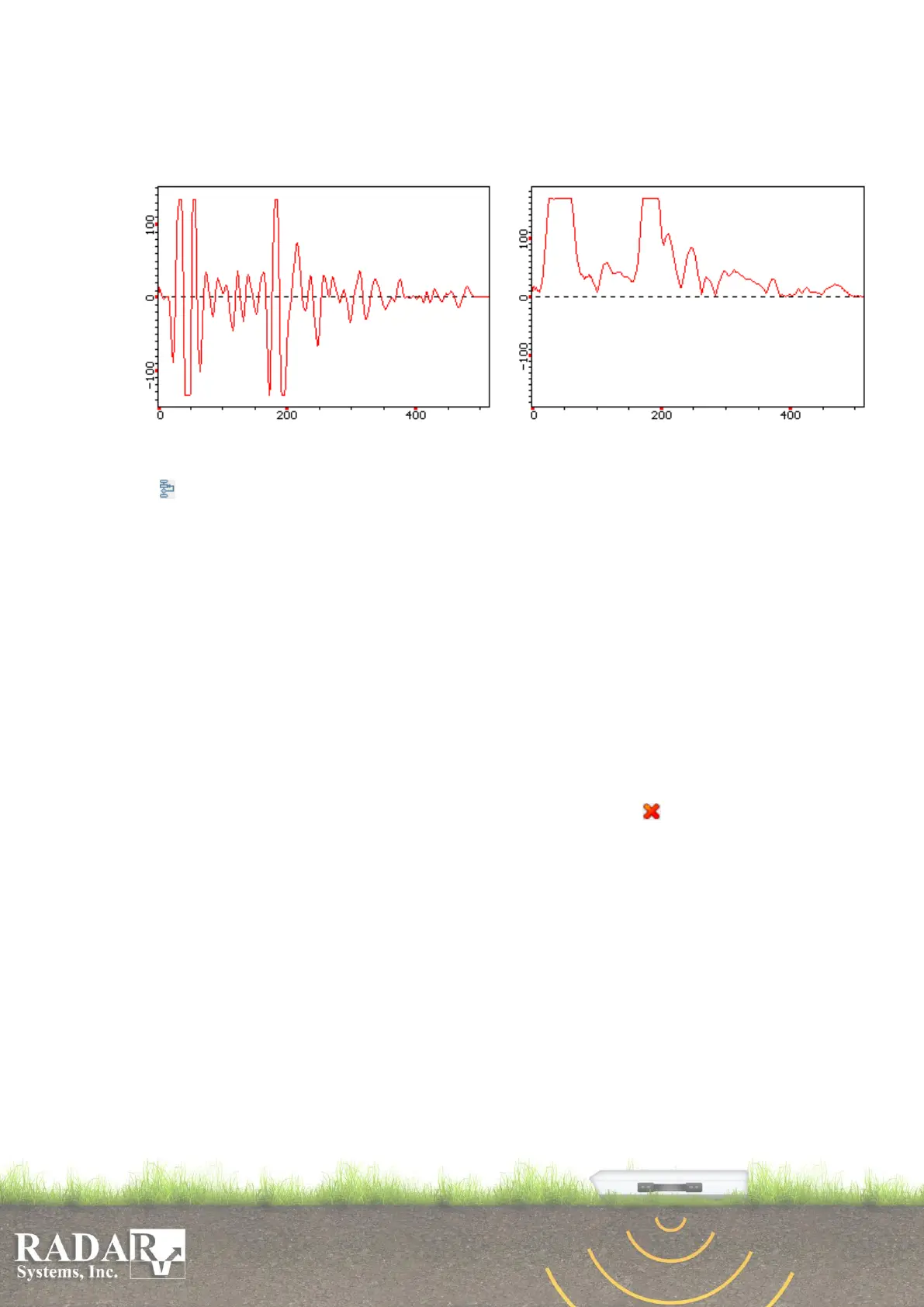
Fig. 11.4. Example of using the envelope selection procedure.
Left-hand: initial trace; right-hand: resulting trace.
o Processing flow - sequence of procedures creation for several data files processing
under the same algorithm. When using the processing flow on the right in a dialog box
in the Processing List tab entire list of available procedures is displayed, any of those
procedures can be moved to the left side of the dialog box thus building a processing
flow. Movement is performed by the mouse similar to the way it is done in Windows.
Procedures execution sequence goes from top to bottom. Moving any procedure to the
left will make it active, and allow you to change its parameters when selecting (left
mouse click on the active procedure). To change all available parameters for selected
procedure open the Parameters tab located to the left of the Processing List tab.
Processing flow execution will start as soon as Ok button is pressed and the result will
be displayed in the same initial profile window. Do not press OK button until all of
the processing procedures have been set!
The created processing flow with created parameters can be saved in the form of a
separate file with *flw extension and repeatedly applied when processing any other
data sets.
Procedures removal from the flow is performed with the button and buttons ↑ and ↓
(in the upper left corner of the dialog window) used to move procedures and are similar
to dragging.


 To Next Page