58
Appendix B. Wi-Fi Access Point
Older versions of “Zond-12e” (with serial numbers till 0537) and “Python-3” (with
serial numbers till 0027) GPRs till 2015 has Wi-Fi Access Points for wireless connection.
Wi-Fi security mode is disabled by factory default.
Note 2: It is not recommended to change Wi-Fi access point settings without the
help of your local network administrator.
If you want to change the security mode of Wi-Fi access point, please use
following steps:
1. Run any internet browser (all examples are based on Internet Explorer 10
here and below) and use Wi-Fi access point IP address as URL in address
line.
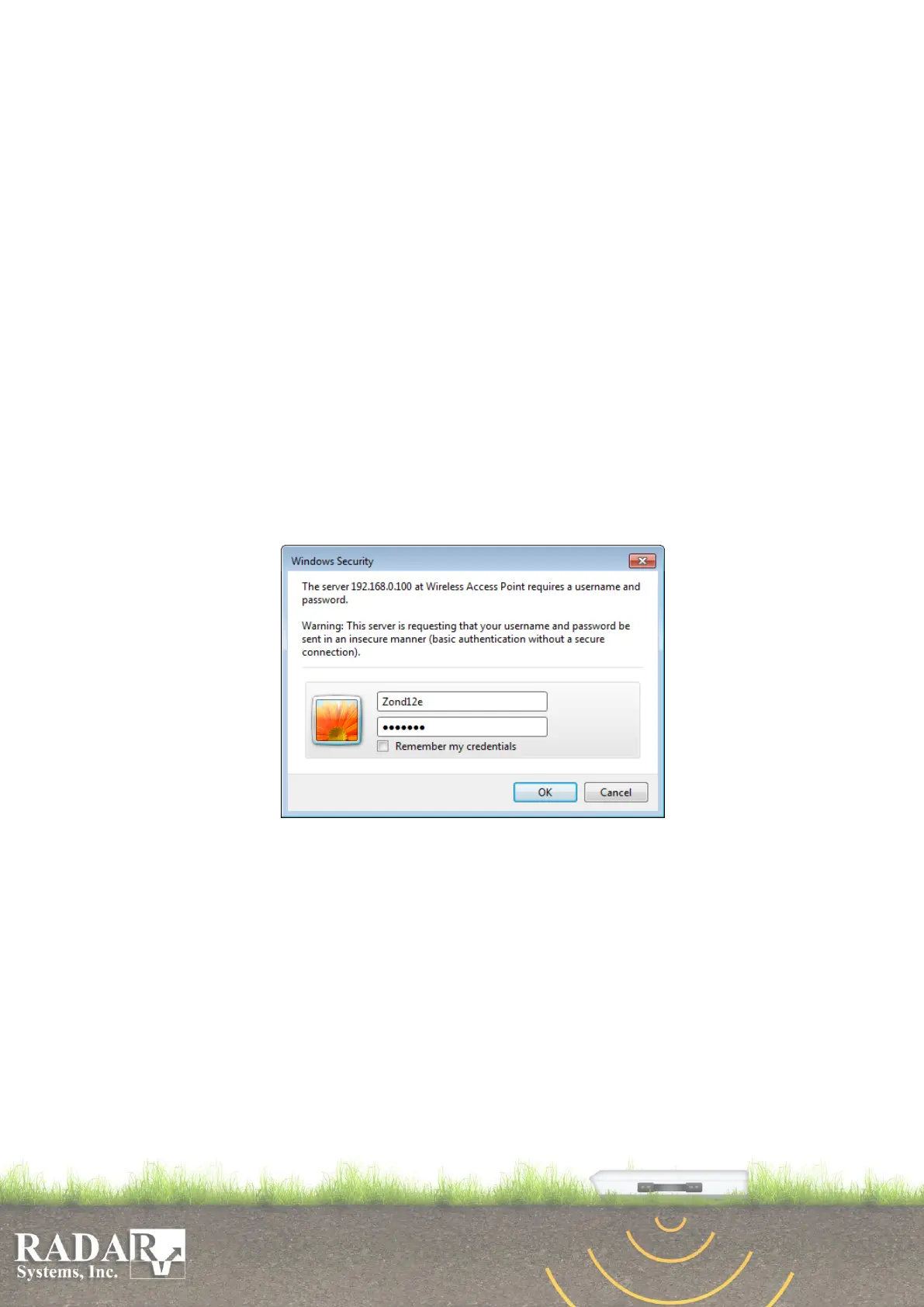
2. Use „Zond12e” as a login name and „zond12e” as a password.
3. Press Wireless button on the WEB-page.
4. Chose menu item Security.
5. Chose Security Mode and enter all necessary information in corresponding
fields.
6. Press Apply button.
Fig.B1. Wi-Fi access point login dialog.


 To Next Page