61
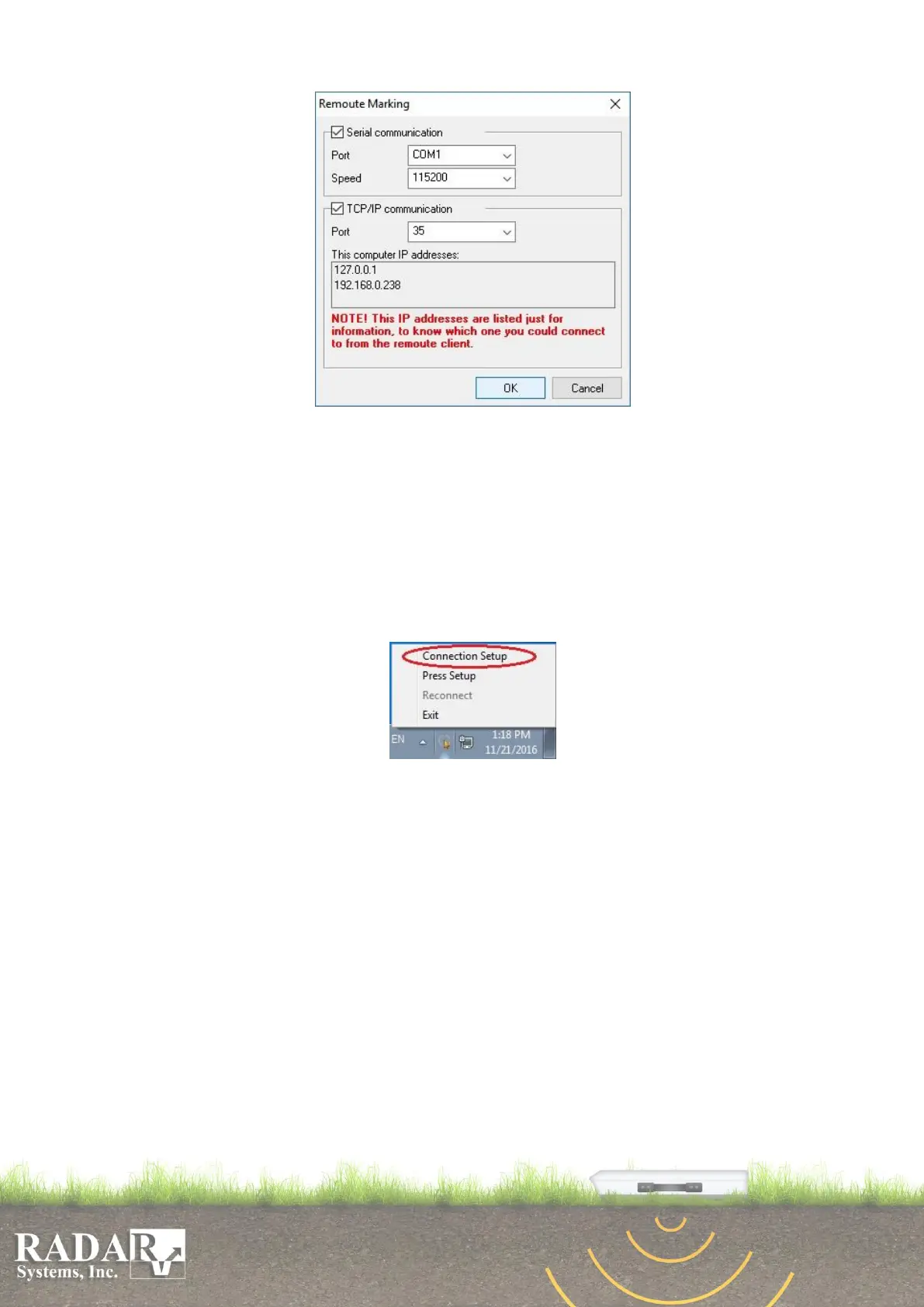
Fig.C2. Prism2 Remoute Marking dialog window
Press “OK” button to save your configuration.
Configuring the connection
User could start to configure PrismClicker, after he has started and configured the
Prism2. Right click on the PrismClicker tray icon and chose “Connection setup” of its
menu:
Fig.C3. PrismClicker tray menu
You have to choose the connection protocol (serial COM port communication or
TCP/IP communication) with the host computer, which operating under the Prism2
software. Configure communication protocol in “Connection Setup” window and press
“OK”.


 To Next Page