Application 1
25
• The RM or RD Primary Reference Watthour Standard will output pulses continuously once
auxiliary power, voltage and current have been applied.
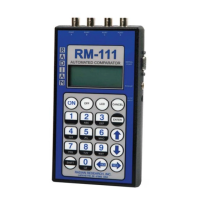
3. Turn on the RM-111 and select the TEST SETUPS menu option. From the TEST SETUPS menu,
select STANDARD TEST. To create a new test setup, select Create. To edit an existing test setup,
select Edit. To delete a test, select Delete. The Test Setup screen contains all the necessary parameters
to run a standards test. The arrow keys are used to move the cursor throughout this screen. Enter the
appropriate value for each parameter:
Name - Enter a test setup name on the fi rst line by typing over the current text (16 characters
maximum).
PriKh – Enter the primary reference standard(s) Kh value.
Kh – Enter the DUT Kh value.
#Pulse – Enter the number of pulses for the reference standard(s) to output before stopping the
test.
Time* – Not applicable for this test.
Test by* – Select PULSE
Type – Select Cnt Pulse for the gating method.
#Standards – Enter the number of reference standards that will be used.
Mode – If more than one reference standard is used, the user must choose between single-phase or
polyphase modes of operation.
Ref Type – This defi nes the reference standard output pull-up value. Select Radian (150 ohm).
Other is 1000 ohm.
Input A** – Select either DUT or REF.
SER#1 – Enter a serial number for standard 1, if applicable.
SER#2 – Enter a serial number for standard 2, if applicable.


 To Next Page