Application 6
this manual for the Kh at each of these taps and multiply that fi gure by 100,000. Example: for
the 12.5 amp tap: 100,000 x 1.5 = 150,000.
• SC-30: The number of standard pulses for the reference standard to count will be 100,000 for
all currents and voltages.
• To properly electronic gate any of the above standards with the RM-1R, a coax cable
(RG-58U or similar) about 36” long with a BNC connector on one end and the cable shield
and center conductor on the other end to each be terminated with either a spade lug of proper
size to fi t the connectors on the RM-1R or banana plugs.
• Maintain the relationship of the RM-1R Electronic relay indicator arrow to the horizon. With
the RM-111 laying fl at, the arrow should point up. This is a wetted relay and must stay within
30° of the horizon.
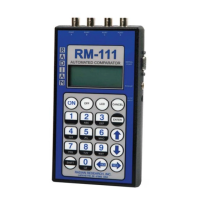
3. Turn on the RM-111 and select the TEST SETUPS menu option. From the TEST SETUPS
menu, select STANDARD TEST. To create a new test setup, select Create. To edit an existing test
setup, select Edit. To delete a test, select Delete. The Test Setup screen contains all the necessary
parameters to run a standards test. The arrow keys are used to move the cursor throughout this
screen. Enter the appropriate value for each parameter:
Name - Enter a test setup name on the fi rst line by typing over the current text (16 characters
maximum).
PriKh – Enter the primary reference standard(s) Kh value.
Kh – Enter the DUT Kh value. See chart on page XX for commonly used Kh pulse constants.
#Pulse – Enter the number of pulses for the reference standard(s) to output before stopping the
test.
Time* – not applicable for this test
Test by* - Select PULSE
Type – Select E. Gating (electronic gating) for the gating method
#Standards – Enter the number of reference standards that will be used. In this application, select
one.
51


 To Next Page