EasyManua.ls Logo

Radio Shack PRO-137 - User Manual

Radio Shack PRO-137
23 pages
Print Icon
To Next Page IconTo Next Page
Loading...
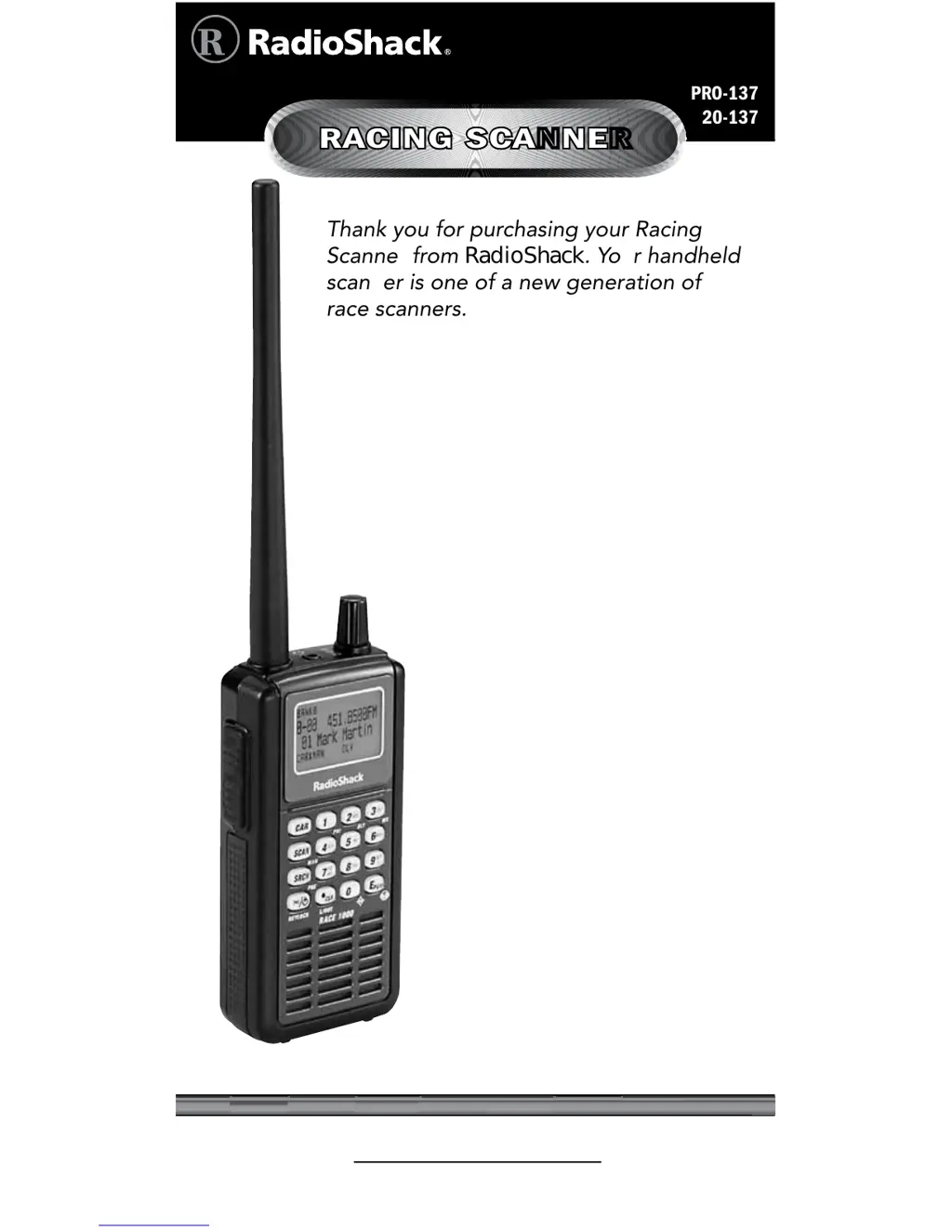
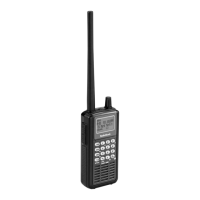
Thank you for purchasing your Racing
Scanner from RadioShack. Your handheld
scanner is one of a new generation of
race scanners.
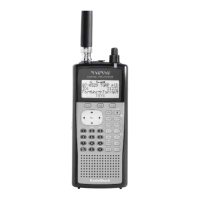
PRO-137
20-137
RACING SCANNER
www.radioshack.com
What’s Included
Scanner
Antenna: 1 Long, 1 Short
Belt Clip
Preprogrammed Race
Frequency List
User’s Guide
Quick Start Guide

Table of Contents

Other manuals for Radio Shack PRO-137

Questions and Answers

  • C
    Cheyenne WashingtonJul 30, 2025
    How to unlock the keypad on a Radio Shack PRO-137?
    • M
      Michael DavisJul 30, 2025
      If the keypad on your Radio Shack Scanner isn’t working, the keylock function might be activated. To turn it off, press Func + KEYLOCK until 'Keypad unlocked' appears.
  • T
    Tracey CampbellAug 3, 2025
    Why does my Radio Shack PRO-137 have poor reception?
    • B
      Brandon SchaeferAug 3, 2025
      If your Radio Shack Scanner has poor or no reception, first, verify the batteries are not weak or completely discharged by checking them or ensuring the AC adapter is properly connected. Also, ensure an antenna is securely connected to the scanner.
  • S
    schroederconnorAug 7, 2025
    What to do if my Radio Shack PRO-137 Scanner does not turn on?
    • P
      patty44Aug 8, 2025
      If your Radio Shack Scanner does not turn on, it might be due to discharged batteries. Try recharging the rechargeable batteries or replacing the non-rechargeable ones. Also, make sure the AC adapter’s barrel plug is fully plugged into the jack.
  • H
    Hunter JohnsonAug 11, 2025
    How to fix a Radio Shack PRO-137 that is on but not scanning?
    • C
      Cheryl SandovalAug 11, 2025
      If your Radio Shack Scanner is on but will not scan, the squelch might not be adjusted correctly, so adjust the squelch. Alternatively, only one or no channels might be stored. Try storing frequencies into more than one channel.
  • T
    Thomas PierceAug 16, 2025
    What to do if Radio Shack PRO-137 Scanner display locks up?
    • P
      Paige RuizAug 16, 2025
      If your Radio Shack Scanner display locks up or stops operating properly, it could be due to an internal error. Try turning the scanner off and on again, or disconnect and reconnect the power source. Alternatively, reset the scanner.
  • M
    Mary LozanoAug 20, 2025
    How to resolve 'Invalid Freq.' error on Radio Shack Scanner?
    • L
      lopezcynthiaAug 20, 2025
      If 'Invalid Freq.' appears on your Radio Shack Scanner, this indicates a programming error. Re-enter the frequency or number correctly, including the decimal point.
  • I
    Isaac SmithAug 25, 2025
    What does it mean when '&' is flashing on my Radio Shack PRO-137?
    • G
      grodriguezAug 26, 2025
      If you see '&' flashing on your Radio Shack Scanner, it means the batteries are low. Recharge the rechargeable batteries or replace the alkaline batteries.

Summary

About Your Scanner

Connecting the Antenna

Powering Your Scanner

Batteries

External Power

Transferring Data

Using the Scanner at the Racetrack

Preparation Before the Track

Advice on checking frequency updates and pre-setting the scanner.

On-Site Race Day Procedures

Guidance on obtaining and using on-site frequency lists.

Loading Preset Race Frequencies

Programming Driver Frequencies

Monitoring Specific Cars

Setting Primary Car Frequency

Overwriting Preset Race Frequencies

Storing Frequencies into Channels

Editing Channel Tags

Copying Frequencies

Searching for Transmissions

Chain Search

Storing Found Frequencies

Programming Search Ranges

Search Skip Memory

Signal Stalker I Operation

Configuring Signal Stalker I Options

Settings for Signal Stalker I modes, voice interrupt, logging, and alerts.

Scanning

Manually Selecting a Channel

Priority Scanning

Weather Scan

Weather Alert Feature

Skywarn Function

Troubleshooting

Resetting the Scanner

Scanning Legally

Specifications

Radio Shack PRO-137 Specifications

General IconGeneral
TypeHandheld Scanner
Modulation TypesAM, FM, WFM
BandsVHF, UHF
Weight9.5 oz (with batteries)
Power4 x AA batteries
Channel Step5, 6.25, 10, 12.5 kHz
Battery LifeApproximately 10 hours
Weight (without batteries)8 oz
Frequency Range25-54, 108-174, 406-512 MHz

Related product manuals