EasyManua.ls Logo

Radio Shack RPO-137 - User Manual

Radio Shack RPO-137
44 pages
Print Icon
To Next Page IconTo Next Page
Loading...
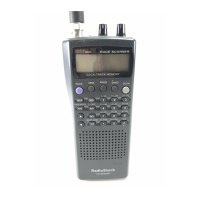
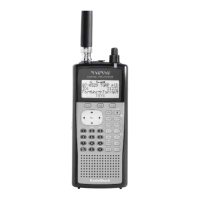
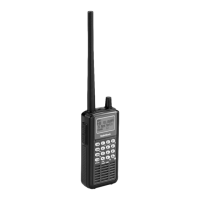
Thank you for purchasing your Racing
Scanner from RadioShack. Your handheld
scanner is one of a new generation of
race scanners.
PRO-137
20-137
RACING SCANNER
www.radioshack.com
What’s Included
Scanner
Antenna: 1 Long, 1 Short
Belt Clip
Preprogrammed Race
Frequency List
User’s Guide
Quick Start Guide

Table of Contents

Questions and Answers

  • C
    Christopher Gray MDAug 8, 2025
    How to unlock the keypad on a Radio Shack RPO-137?
    • M
      Mr. William MillerAug 8, 2025
      If the keypad on your Radio Shack Scanner isn’t working, the keylock function might be activated. To turn it off, press Func + KEYLOCK until 'Keypad unlocked' appears.
  • D
    Dale RiosAug 12, 2025
    Why does my Radio Shack RPO-137 Scanner have poor reception?
    • D
      David HoffmanAug 12, 2025
      If your Radio Shack Scanner has poor or no reception, first check the batteries to ensure they are not weak or completely discharged. Also, make sure an antenna is properly connected to the scanner.
  • J
    Jasmine AndersonAug 17, 2025
    What to do if my Radio Shack Scanner does not turn on?
    • C
      Curtis JacksonAug 17, 2025
      If your Radio Shack Scanner does not turn on, the batteries may be discharged. Recharge the rechargeable batteries or replace the non-rechargeable ones. Also, ensure the AC adapter's barrel plug is fully plugged into the jack.
  • S
    Shelby RossAug 21, 2025
    How to fix a Radio Shack Scanner that is on but not scanning?
    • W
      williamsonamandaAug 21, 2025
      If your Radio Shack Scanner is on but will not scan, adjust the squelch. Also, store frequencies into more than one channel, if only one or no channels are stored.
  • C
    Curtis JonesAug 26, 2025
    What to do if Radio Shack Scanner display locks up?
    • B
      Barbara BensonAug 26, 2025
      If your Radio Shack Scanner display locks up or stops operating properly, turn the scanner off and on again, or disconnect and reconnect the power source. If that doesn't work, reset the scanner.
  • P
    Paul ShepherdAug 29, 2025
    What does 'Invalid Freq' mean on my Radio Shack RPO-137 Scanner?
    • S
      sarah27Aug 29, 2025
      If 'Invalid Freq.' appears on your Radio Shack Scanner, it indicates a programming error. Re-enter the frequency or number correctly, making sure to include the decimal point.
  • J
    Jodi MortonSep 2, 2025
    Why is the & flashing on my Radio Shack RPO-137 Scanner?
    • S
      spencer25Sep 3, 2025
      If the '&' symbol is flashing on your Radio Shack Scanner, the batteries are low. Recharge the rechargeable batteries or replace the alkaline batteries.

Radio Shack RPO-137 Specifications

General IconGeneral
BrandRadio Shack
ModelRPO-137
CategoryScanner
LanguageEnglish

Related product manuals