EasyManua.ls Logo

Radio Shack PRO-94 - User Manual

Radio Shack PRO-94
76 pages
Print Icon
To Next Page IconTo Next Page
Loading...
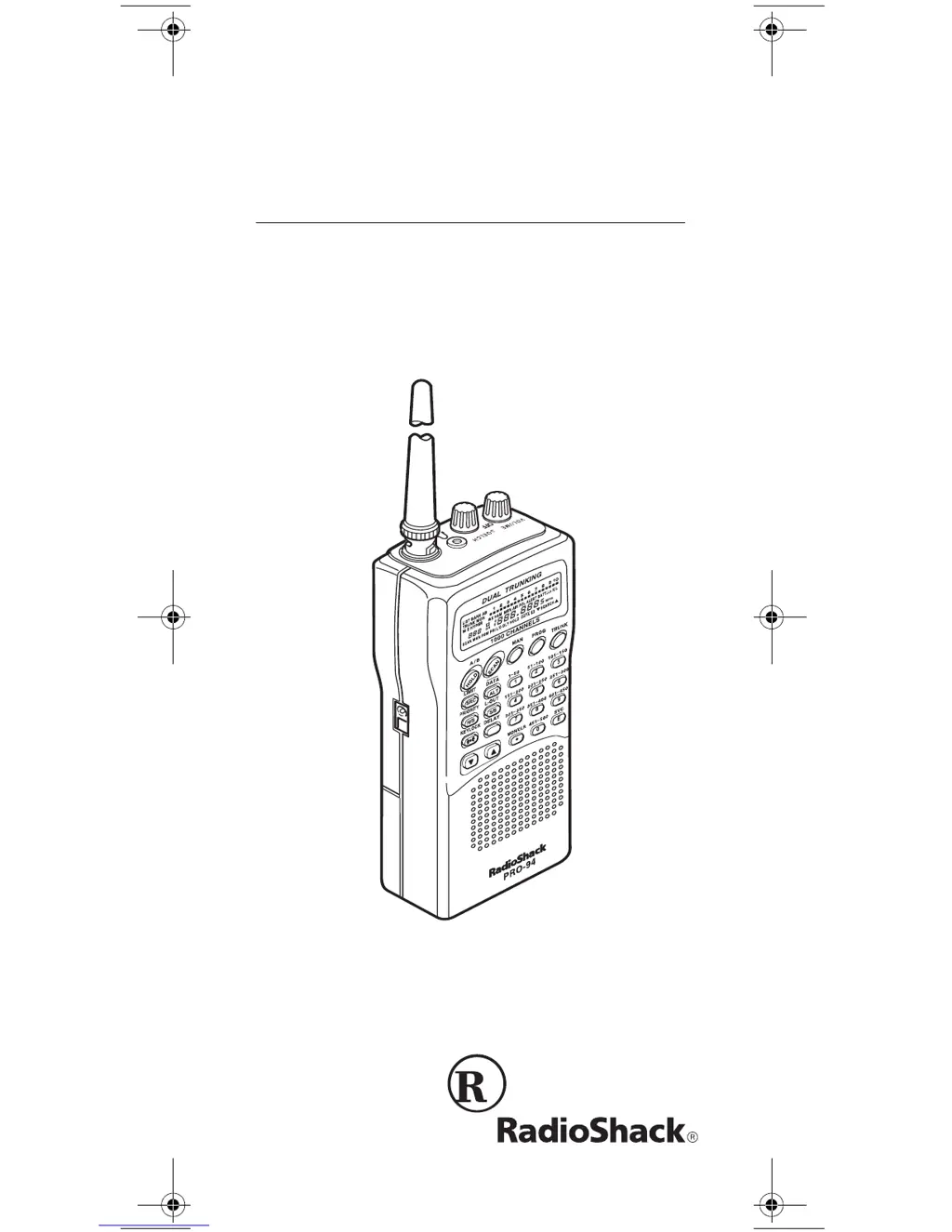
Owner’s Manual
Cat. No. 20-524
PRO-94 1000-Channel
Handheld Trunking Scanner
Please read before using this equipment.
20-524.fm Page 1 Tuesday, August 31, 1999 3:55 PM

Table of Contents

Other manuals for Radio Shack PRO-94

Questions and Answers

  • K
    Kevin KaneSep 23, 2025
    Why are the channel activity bars flashing on my Radio Shack PRO-94 but there is no sound?
    • S
      sheilabakerSep 23, 2025
      If the channel activity bars are flashing but no sound is heard, it may be because: * The transmission might be a private or telephone interconnect call, which the scanner does not scan. Try scanning for another transmission. * The ID shown is not active. Wait for the ID to become active, or scan another transmission.
  • J
    Joseph HumphreyAug 25, 2025
    What to do if Radio Shack PRO-94 keypad does not work?
    • E
      Emily CollinsAug 25, 2025
      If the keypad isn't working, the keylock function might be activated. To deactivate it, press the KEYLOCK button until 'K/L' disappears from the display.
  • S
    shawnkingAug 25, 2025
    What to do if my Radio Shack PRO-94 Scanner is totally inoperative?
    • J
      Jonathan AndersonAug 26, 2025
      If your Radio Shack Scanner is totally inoperative, check the batteries or ensure the AC or DC adapter is properly connected. Recharge or replace the batteries if they are weak. Also, make sure the adapter’s barrel plug is fully plugged into the POWER jack.
  • B
    Brandi LawsonAug 26, 2025
    Why is my Radio Shack PRO-94 Scanner on but will not scan?
    • A
      Ann FosterAug 27, 2025
      If your Radio Shack Scanner is on but not scanning, it might be due to the SQUELCH not being adjusted correctly. Try turning the SQUELCH clockwise. Another reason could be that only one or no channels are stored, so store frequencies into more than one channel.
  • R
    Richard GomezAug 27, 2025
    What to do if BATT. Lo flashes on my Radio Shack PRO-94 Scanner?
    • H
      Haley RiveraAug 27, 2025
      If 'BATT. Lo' is flashing on your Radio Shack Scanner, it means the batteries are weak. You should recharge rechargeable batteries or replace non-rechargeable batteries.
  • S
    Sharon RoachSep 14, 2025
    Why is my Radio Shack PRO-94 Scanner’s display dimming?
    • R
      raymond53Sep 14, 2025
      If the scanner’s display dims or it sounds a tone every 15–30 seconds, it could be due to a couple of reasons: * The batteries might not be correctly installed; ensure they are properly installed. * The batteries might be weak; try recharging rechargeable batteries or replacing non-rechargeable batteries.
  • G
    Gina RogersSep 12, 2025
    Why does my Radio Shack Scanner lock on unclear transmissions?
    • S
      Shaun AllisonSep 12, 2025
      The scanner might be locking onto frequencies that are the same as 'birdie' frequencies. Avoid storing frequencies listed under 'Birdie Frequencies', or only listen to them manually.
  • A
    Aaron JacksonSep 13, 2025
    What does Error mean on my Radio Shack PRO-94?
    • D
      Daniel SotoSep 13, 2025
      If 'Error' appears on the display, it indicates a programming error. Re-enter the frequency correctly, making sure to include the decimal point.
  • B
    Betty FordSep 5, 2025
    What to do if my Radio Shack Scanner is set to receive Type I trunked frequencies, but does not scan them?
    • B
      Brittany LucasSep 5, 2025
      If your Radio Shack Scanner is set to receive Type I trunked frequencies but isn't scanning them, the fleet map you've selected or entered might be incorrect. Check the fleet map and correct it if necessary.
  • S
    Stephanie MyersSep 2, 2025
    What to do if my Radio Shack Scanner locks on frequencies that have an unclear transmission?
    • G
      Gabriel SmithSep 2, 2025
      If your Radio Shack Scanner locks on frequencies with unclear transmissions, it might be locking onto 'birdie' frequencies. Avoid storing frequencies listed under “Birdie Frequencies” or only listen to them manually.

Summary

Scanner Features and Setup

Scanner Features Overview

Details the PRO-94's capabilities, including trunking and conventional scanning.

Powering the Scanner

Instructions for powering the scanner using internal batteries, AC, or vehicle power.

Connecting Peripherals

Guide to connecting antennas, earphones, and extension speakers to the scanner.

Basic Operation and Scanning

Turning On and Setting Squelch

Steps to power on the scanner and adjust squelch for clear audio reception.

Storing Frequencies into Channels

How to save specific frequencies into memory channels for later use.

Searching for Frequencies

Techniques for finding active frequencies using limit, direct, or service bank searches.

Scanning Channels

How to scan stored channels and manually select specific channels.

Trunking Operation

Understanding Trunking Systems

Explains Motorola Type I, II, hybrid, and EDACS trunking system types.

Storing Trunked Frequencies

How to program trunked systems, including base/offset and fleet map data.

Scanning a Trunked Bank

Steps to scan programmed trunked banks and manage talk group IDs.

Advanced Features and Maintenance

Special Features

Details on delay, lockout, priority, keylock, and battery save functions.

Data Signal Skipping and Weather Alerts

How to skip data signals and receive NWR-SAME weather alerts.

Troubleshooting Scanner Issues

Common problems, their causes, and solutions for scanner operation.

Care and Maintenance

Guidelines for keeping the scanner in good working condition.

Radio Shack PRO-94 Specifications

General IconGeneral
TypeHandheld Scanner
Channels200
ModulationAM, FM, WFM
Weight10.6 oz
Priority ScanningYes
Close Call RF CaptureYes
BandsVHF, UHF
Power SupplyAC Adapter
Power9V

Related product manuals