
 To Next Page
M
Mikayla StewartJul 30, 2025
How to unlock keypad on Radio Shack PRO-96?
- RRonald ValdezJul 30, 2025
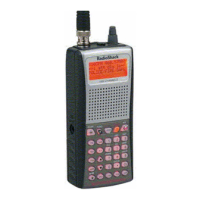
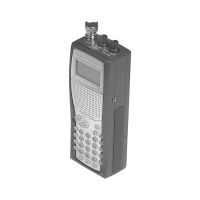
If the keypad on your Radio Shack Scanner does not work, it is possible that the keypad lock is activated. To disable it, press FUNC LOCK.

How to unlock keypad on Radio Shack PRO-96?
If the keypad on your Radio Shack Scanner does not work, it is possible that the keypad lock is activated. To disable it, press FUNC LOCK.
How to improve Radio Shack Scanner reception?
To improve the reception on your Radio Shack Scanner, try the following: * Reposition the scanner to find the best reception. * If the attenuator is in use, check the performance with and without it activated, and use the setting that provides the best reception. The attenuator might be reducing weak signals or helping with strong signal overload.
What to do if my Radio Shack Scanner will not scan?
If your Radio Shack Scanner is not scanning when you press the SCAN key: 1. Ensure that the squelch control is properly adjusted by turning it clockwise until scanning resumes. 2. Make sure that the scanner has more than one channel programmed and enabled for scanning. 3. Consider that a 'birdie' frequency might be programmed, try tightening the squelch, applying the attenuator, or locking out the 'birdie' frequency. If these steps do not resolve the issue, the scanner may need to be reset or reinitialized.
Why my Radio Shack PRO-96 will not turn on?
If your Radio Shack Scanner will not power on, check that the AC or DC power supply is properly connected to a power source. Also, ensure that the batteries are not dead; if they are, replace them.
What to do if Radio Shack PRO-96 Scanner doesn't receive digital transmissions?
If your Radio Shack Scanner does not receive digital transmissions, consider these points: * The scanner can only receive APCO-25 C4FM IMBE digital signals. If the digital channel or talkgroup is not using APCO-25 digital modulation, it will not receive the transmissions. * The scanner will not receive encrypted traffic if the digital channel or talkgroup is encrypted. * If the digital channel or talkgroup is being transmitted from a distant location, reposition the scanner or use an outdoor antenna to improve reception.
Tracks up to ten trunking systems concurrently.
Explains legal considerations for operating the scanner.
Guide to storing frequencies into programmable memory channels.
Instructions for programming the scanner to monitor trunked radio systems.
Steps to program Motorola and APCO-25 trunking system frequencies.
Steps to program EDACS trunking system frequencies.
How to initiate and resume scanning operations.
Transferring scanner data to another PRO-96 or a PC.
Table of common problems, their causes, and suggested remedies.
Procedures to reset or initialize the scanner if it malfunctions.
 General
| Brand | Radio Shack |
|---|---|
| Model | PRO-96 |
| Category | Scanner |
| Language | English |