26
2b. Setting the minutes
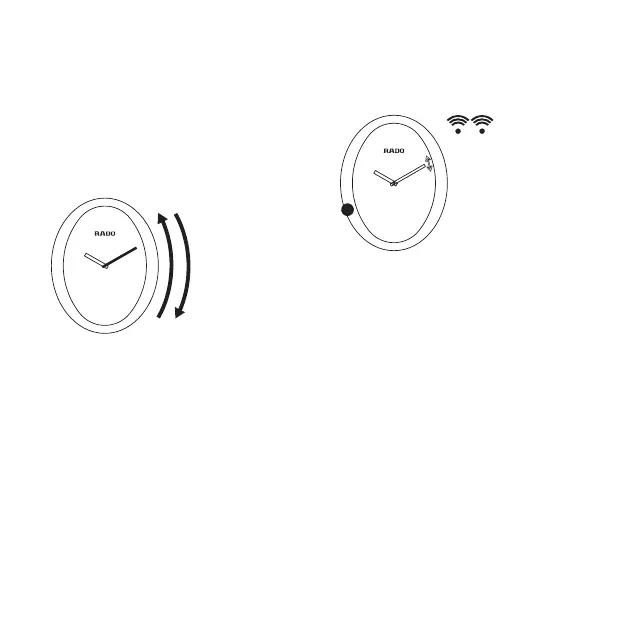
Slide your finger along the right hand side of
the case clockwise = + 1 minute or anti-
clockwise = - 1 minute.
- 1 mn
+ 1 mn
3. Conrmation / Exit setting mode
Touch the case at 8 o’clock for approxi-
mately 2 seconds to confirm the changes
made to the time setting in step 2. The min-
ute hand will move slightly and the watch
will emit two ‘beeps’. Setting mode is now
deactivated.
2 s
Without this confirmation, the watch will
automatically exit setting mode after
10seconds and will not retain the changes
made in Step 2. The watch will return to the
previous time setting.


 To Next Page