29
2. Setting the time
2a. Setting the hours
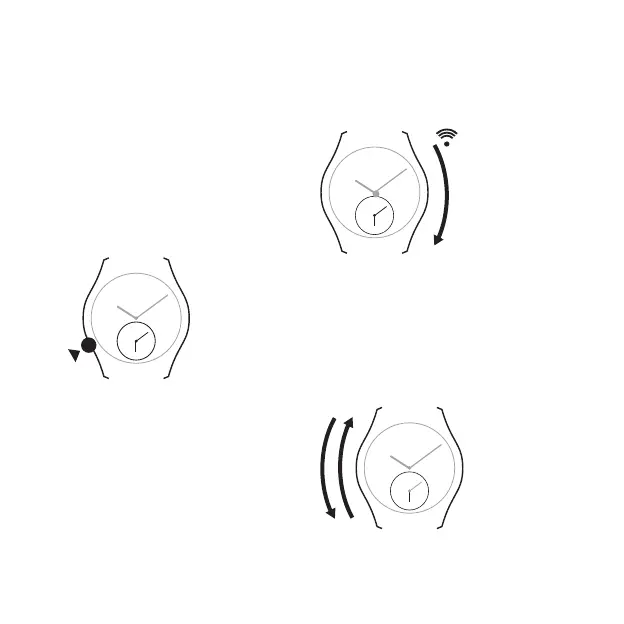
Slide your finger along the left hand side of
the case clockwise = + 1 hour
or anti-clockwise = - 1 hour.
- 1 h
+ 1 h
TO SET THE SECOND TIME ZONE
(SMALL DIAL)
1. Activating setting mode
1a. Touch the case at 8 o’clock, the minute
hand on the small dial moves slightly.
2 s
1b. Immediately slide your finger along the
right hand side of the case from top to
bottom. The minute hand moves slightly
again and the watch emits a small beep.


 To Next Page