28
2. Setting the time
2a. Setting the hours
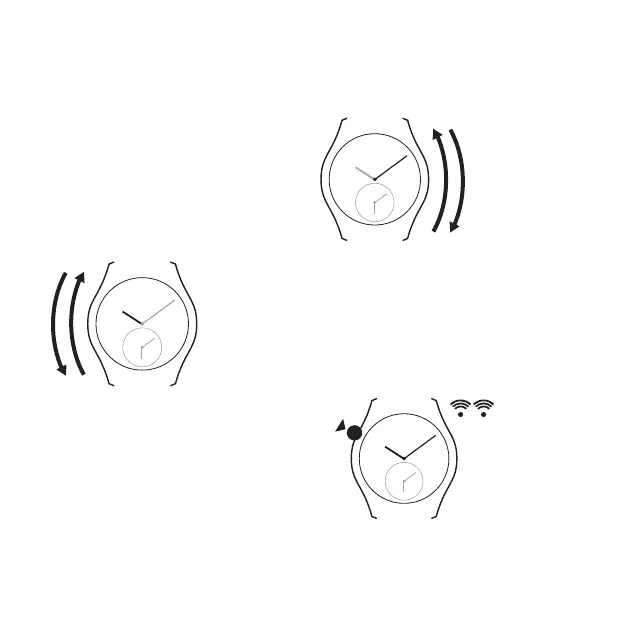
Slide your finger along the left hand side of
the case clockwise = + 1 hour
or anti-clockwise = - 1 hour.
- 1 h
+ 1 h
2b. Setting the minutes
Slide your finger along the right hand side of
the case clockwise = + 1 minute
or anti-clockwise = - 1 minute.
+ 1 mn
- 1 mn
3. Conrmation / Exit setting mode
Touch the case at 10 o’clock or at 8 o’clock
for 2 seconds. The watch emits two small
beeps. Setting mode is now deactivated and
the time cannot be changed accidentally.
2 s


 To Next Page