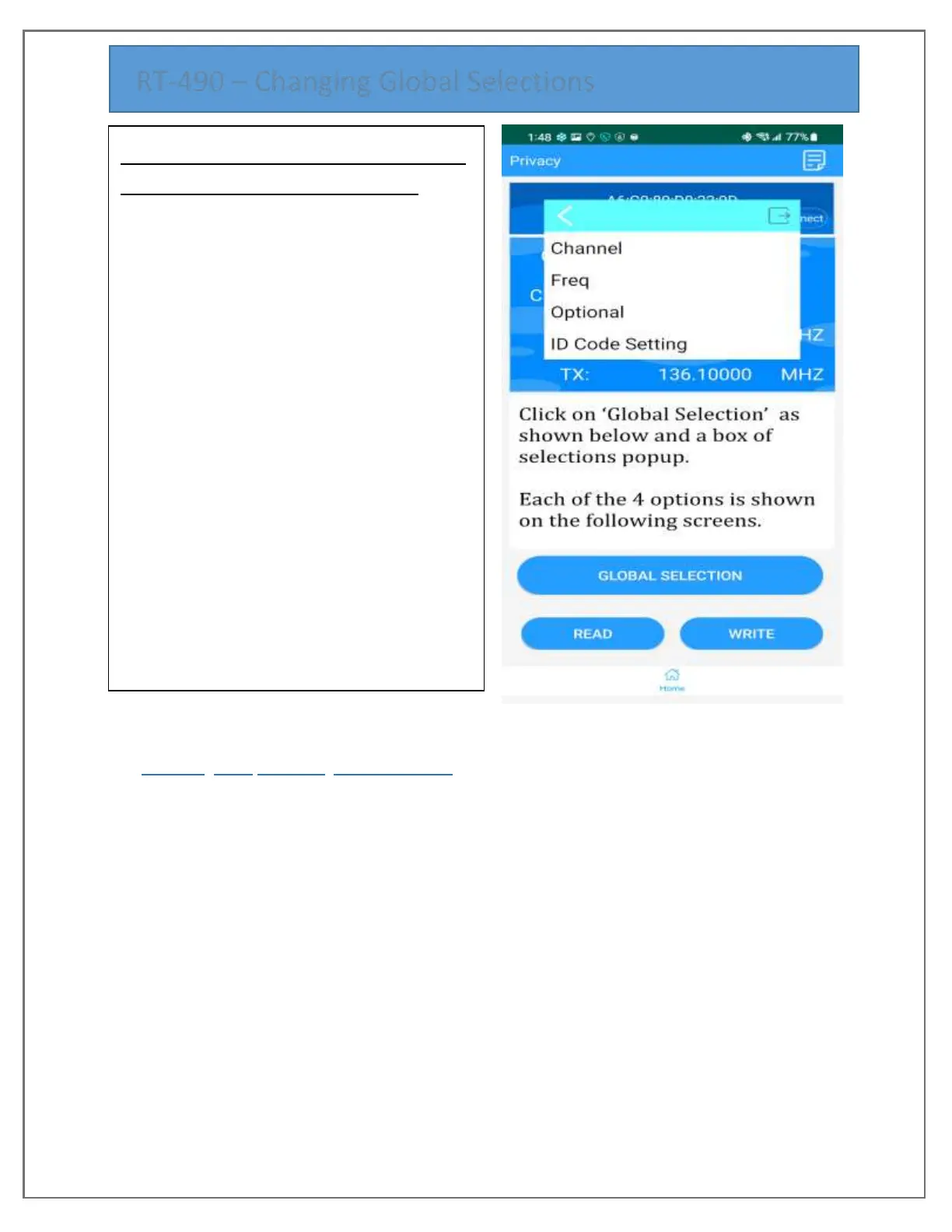
HOW TO MODIFY GLOBALS – Channel,
Freq, Optional or ID Code Setting
Various configuration screens are available to
edit RT-490 options. These are the same
options #1 to #53 that can be changed in any
of 3 ways:
A. Using the RT-490’s keypad Menu
B. Connecting USB Programming cable
and using the PC software,
‘Multiband’
C. Using a Smartphone and Bluetooth
connecting the Smartphone App
‘Super Walkie-Talkie’ to the RT-490
with Bluetooth turned on.
Each method can manipulate the same Options that are grouped into (4) categories –
Channel, Freq, Optional, ID Code Setting. The options and a brief explanation of the
choices can be found in the RT-490 User Manual on the pages that contain Menu tables for
the 53 customizable settings.
1. Select ‘GLOBAL SELECTION’ to view the popup for the 4 options.
2. Pick either ‘Channel’ or ‘Freq’ or ‘Optional’ or ‘ID Code Setting’
3. Change are a back and forth operation. Example: Select Optional, then Channel
Options, then Power to see drop down list with H for High, L for Low. Select H, click
OK and you will be brought back to Options.
4. Note that Changes made without a WRITE are in effect for the current session but
are lost when the radio is turned off.
5. For a more permanent save, at any time Click on Home then WRITE.
The following pages have screen prints of every Global Setting screen so you may
associate the Smartphone app options to ones in the manual.


 To Next Page