Radtel RT-490 User Manual Page 5 of 29
KNOB FOR POWER VOLUME ON OR OFF
Clockwise rotation: - If Off, turns Power on
- If On, adjusts Volume Up
AntiClockwise rotation: - If On, turns Power Off
- If On, adjusts Volume Down
STATUS INDICATOR
Red Light = TX (Transmit) Green Light = RX Receive)
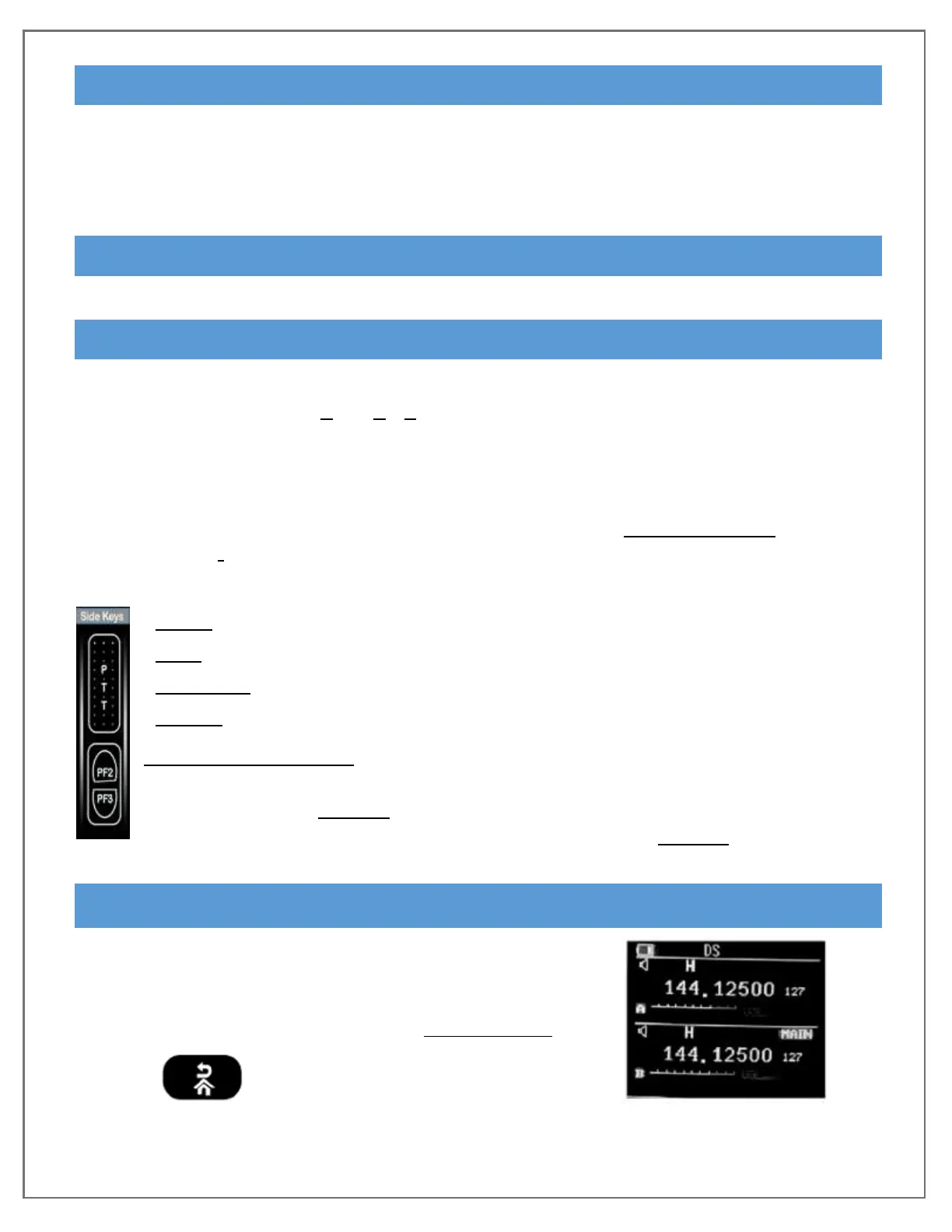
PROGRAMMABLE SIDE KEYS
Pre-set Side Keys (not programmable):
- Side key 1 [PTT]: Push To Talk or in SOS mode, Short press to exit SOS
- Side key 3 [PF3 Long Press] Activates MONI (monitor mode)
Programmable Side Keys can be custom set via programming software
- Each offer the same selectable assignments
- Exception: Function PTT_B is only assignable to PF2 Short Press
for use while Dual Band Monitoring
Assignment Selections for: [PF2 Short] [PF2 Long] or [PF3 Short]
Radio – to turn the FM broadcast On/Off
Scan – to turn Scanning On/Off
TX Power to be able to change from (H)igh to (L)ow while Transmitting
Search – Function prompts to manually enter a Frequency
Understanding PTT B – In Dual Band Monitoring, [PF2 Short] acts as a
second PTT button. For transmit, the large [PTT] button sends talk to the
displayed upper “A-Band” while the small custom [PF2 Short] will send
talk to the Freq or Channel displayed on the lower “B-Band”.
MULTI KEYS SCREEN DISPLAY
1750Hz Tone: Press both PTT and MONI (PF3 Long)
DTMF: Press both PTT plus numeric keys plus
to transit DTMF 0-9, ABCD*#


 To Next Page