Managing Calls and Videoconferences | 44
RADVISION | User Guide for SCOPIA XT5000 Series Version 3.0
Adjusting the Ringing Volume
When not in a meeting, you can set the ringing tone of the incoming call to a comfortable hearing
level.
Press + or - on the XT Remote Control Unit to adjust the sound you are hear when receiving a
call.
To change the default ringing volume, perform the procedure in this section.
Procedure
Step 1 Access the SCOPIA XT Series web interface.
Step 2 Select the User settings tab.
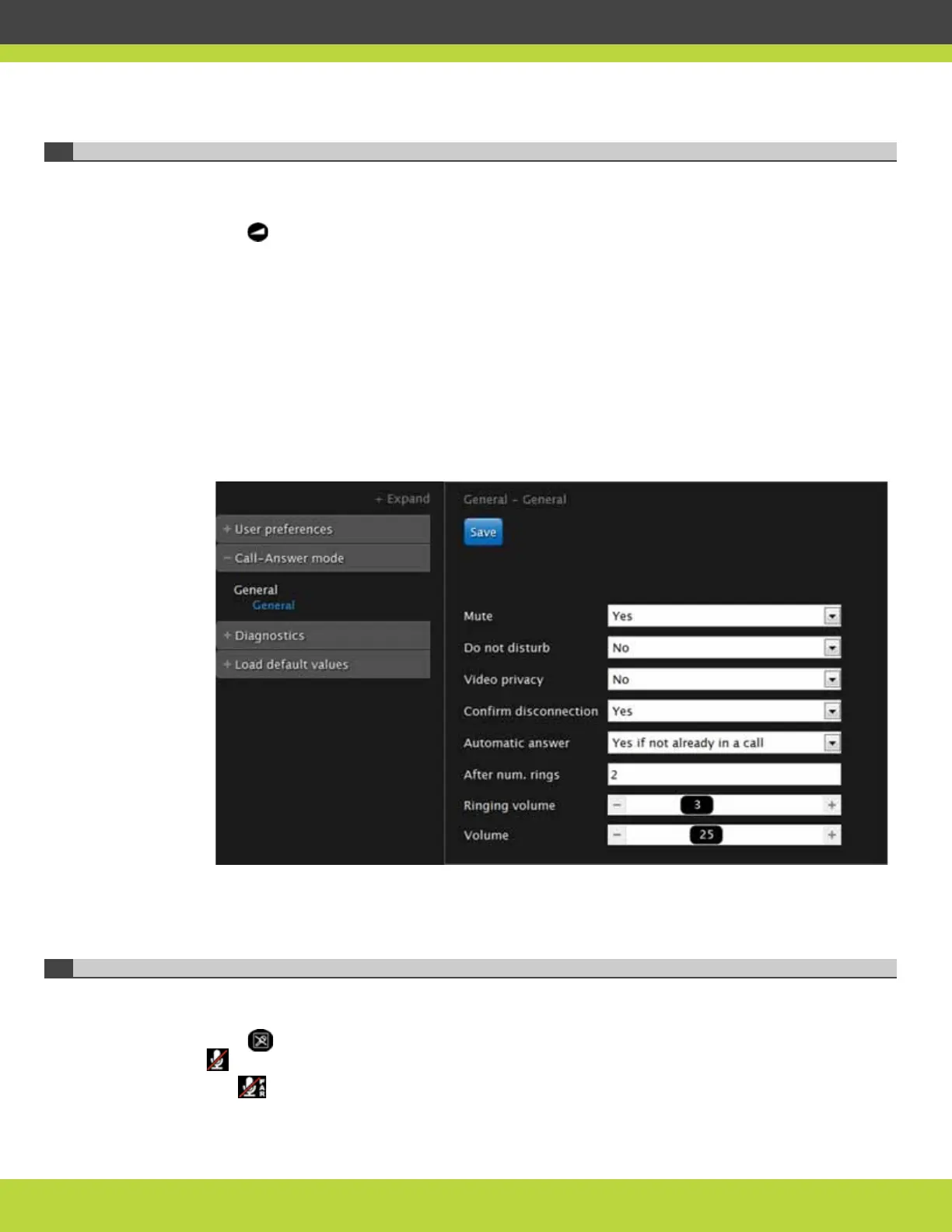
Step 3 Select General under Call-Answer mode.
Figure 7-10 Call-Answer settings
Step 4
Drag the Ringing volume slider to set the value.
Step 5 Select Save.
Muting the Microphone Pod
You can mute the Microphone Pod in your room if you do not want participants at the remote site
to hear you.
Press on the XT Remote Control Unit or press the Mute button on the Microphone Pod. The
icon appears on the display.
The icon shows that the Microphone Pod of the remote endpoint is muted.



 To Next Page