- 74 -
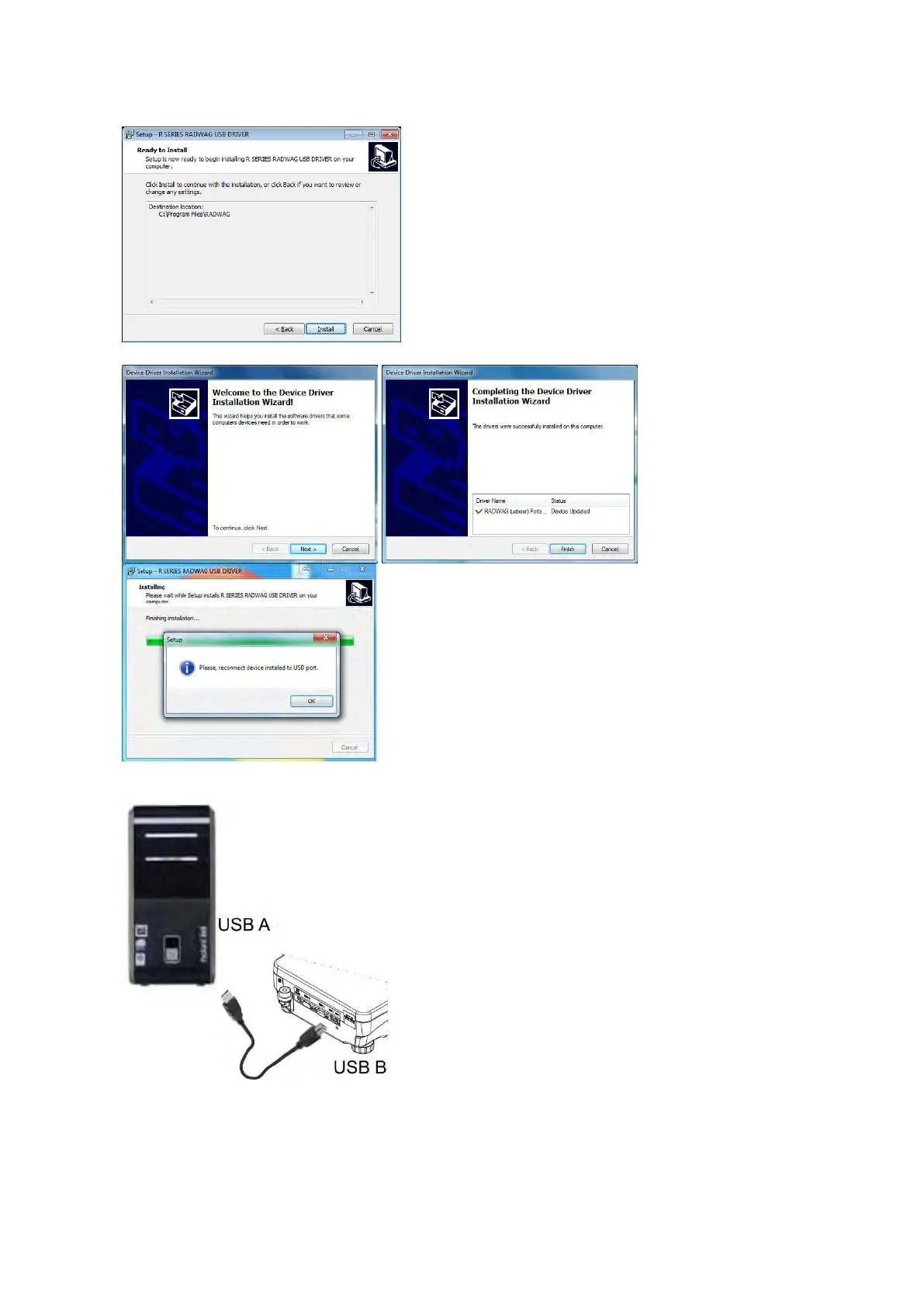
“Ready to Install” window:
In order to run installation process, press „Install” key
and clicking respective keys, follow the install wizard.
Having completed driver installation, connect balance
to a computer, use 1,8-m
maximally (in case of already connected balance, it is
necessary to disconnect it and using USB cable
connect the balance again).
The system detects the new USB device and automatically starts searching a respective driver


 To Next Page
 Loading...