7
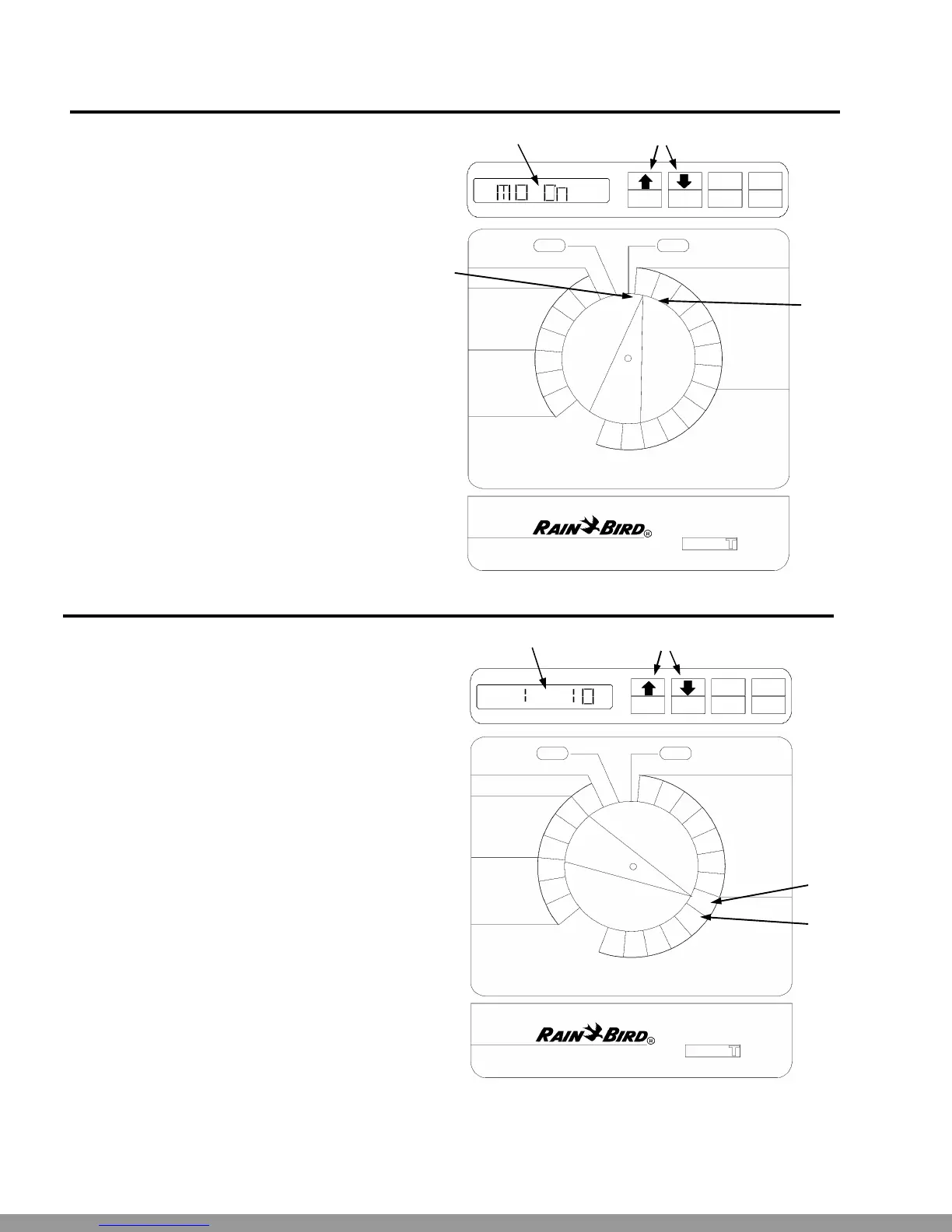
Set Station Watering Days
NOTE: You must set station watering days only if
you are using the CUSTOM Schedule. If you are
using one of the FIXED schedules, skip to the
steps in Set Station Run Times (below).
u Turn the dial to “MON.”
• The display shows the day of the week (for ex-
ample, “MO” for Monday) and either “ON” or
“OFF.” ON means the selected day is a water-
ing day. OFF means watering doesn’t take
place on the selected day.
ŽPress the ON or OFF button to set the selected
day of the week on or off.
• Turn the dial to the next day of the week. Re-
peat steps 2 and 3 until you have set each day
of the week either on or off.
•
•
PGM
A
DAY
ON OFF
A
B
MAN
START
ADV.
OFF AUTO
ADJUST WATER %
CURRENT TIME
AND DAY
WATERING
START TIMES
WATERING TIME PER STATION
DAYS TO WATER
CUSTOM
SCHEDULE
MIN
HR
DAY
3
2
1
6
5
4
3
2
1
SUN
SAT
FRI
THU
WED
TUE
MON
ESP-6Si
FIXED CUSTOM
SCHEDULE
2 3 5 C
Œ
Set Station Run Times
ŒTurn the dial to Station 1.
vThe display shows the selected station and its
run time. If you are programming the controller
for the first time, or after a long power outage,
the built-in run time of 10 minutes will appear.
wPress ñ or ò to change the display to the run
time you want (up to 99 minutes). Set any un-
used stations to 0 minutes.
• Turn the dial to the next station in sequence. Re-
peat steps 2 through 4 until you have set the
run time for each station.
PGM
A
STATION
ON OFF
A
B
MAN
START
ADV.
OFF AUTO
ADJUST WATER %
CURRENT TIME
AND DAY
WATERING
START TIMES
WATERING TIME PER STATION
DAYS TO WATER
CUSTOM
SCHEDULE
MIN
HR
DAY
3
2
1
6
5
4
3
2
1
SUN
SAT
FRI
THU
WED
TUE
MON
ESP-6Si
FIXED CUSTOM
SCHEDULE
2 3 5 C
Œ
•
•
WATER TIME
Ž
Ž
Technical Support:1-800-RAIN BIRD
This Manual: http://www.manuallib.com/file/2721363



 To Next Page