ESP-9V Battery-Operated Controller
6
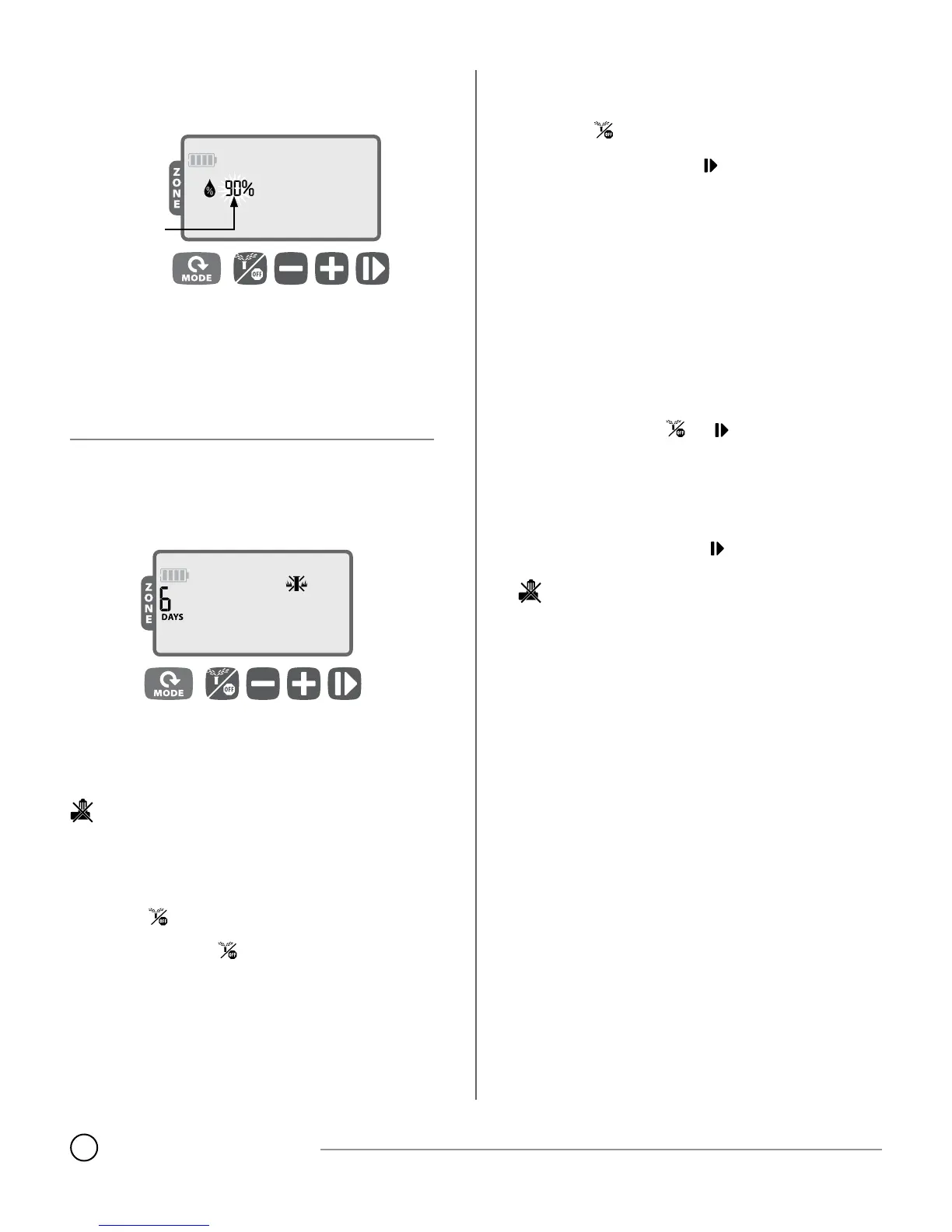
Seasonal Adjust
Press the MODE button until the Seasonal Adjust screen is
displayed.
ADJUST
SETTING
The SEASONAL ADJUST mode allows you to increase or decrease the
run times for all zones by a certain percentage (10% to 200%).
Press
+
or
–
to increase or decrease the setting.
NOTE: SEASONAL ADJUST applies to ALL automatic watering.
Special Features
Delay Watering
Delay automatic irrigation for up to 9 days.
Press the MODE button until the AUTO RUN screen is displayed.
(Unit must NOT be watering.)
Press and hold
+
for 3 seconds, then press
+
or
–
to select the
number of DAYS to delay irrigation, up to 9 days.
To cancel, press
–
until DAYS is set to 0. (Controller will revert to
AUTO RUN.)
SYMBOL and DAYS remaining are displayed while Rain Delay is
in eect.
Contractor Default Save
Save irrigation schedules for future retrieval.
Press the button until the OFF screen is displayed.
Press and release both and
+
buttons at the same time.
The “OFF” symbol will ash briey to conrm schedules are saved.
Contractor Default Restore
Restore previously saved irrigation schedules.
Press the button until the OFF screen is displayed.
Press and release both
+
and buttons at the same time.
The “OFF” symbol will ash briey to conrm schedules are re-
stored.
Factory Default Restore
Restore the controller’s factory default settings.
CAUTION: All programmed irrigation schedules currently stored
in memory will be lost. However, Contractor Default settings re-
main stored in separate memory and are not aected by Factory
Default Restore, and can be recalled after restoring Factory De-
faults.
Press the MODE button until the Seasonal Adjust screen is dis-
played.
Press and release both and buttons at the same time.
Rain Sensor Bypass
Set sensor to Active or Bypass for all zones.
Press the MODE button until the AUTO RUN screen is displayed.
Press and release both
–
and buttons at the same time to
toggle between OBEY and IGNORE.
SYMBOL is displayed when IGNORE is selected.



 To Next Page