7
WATER
DAYS
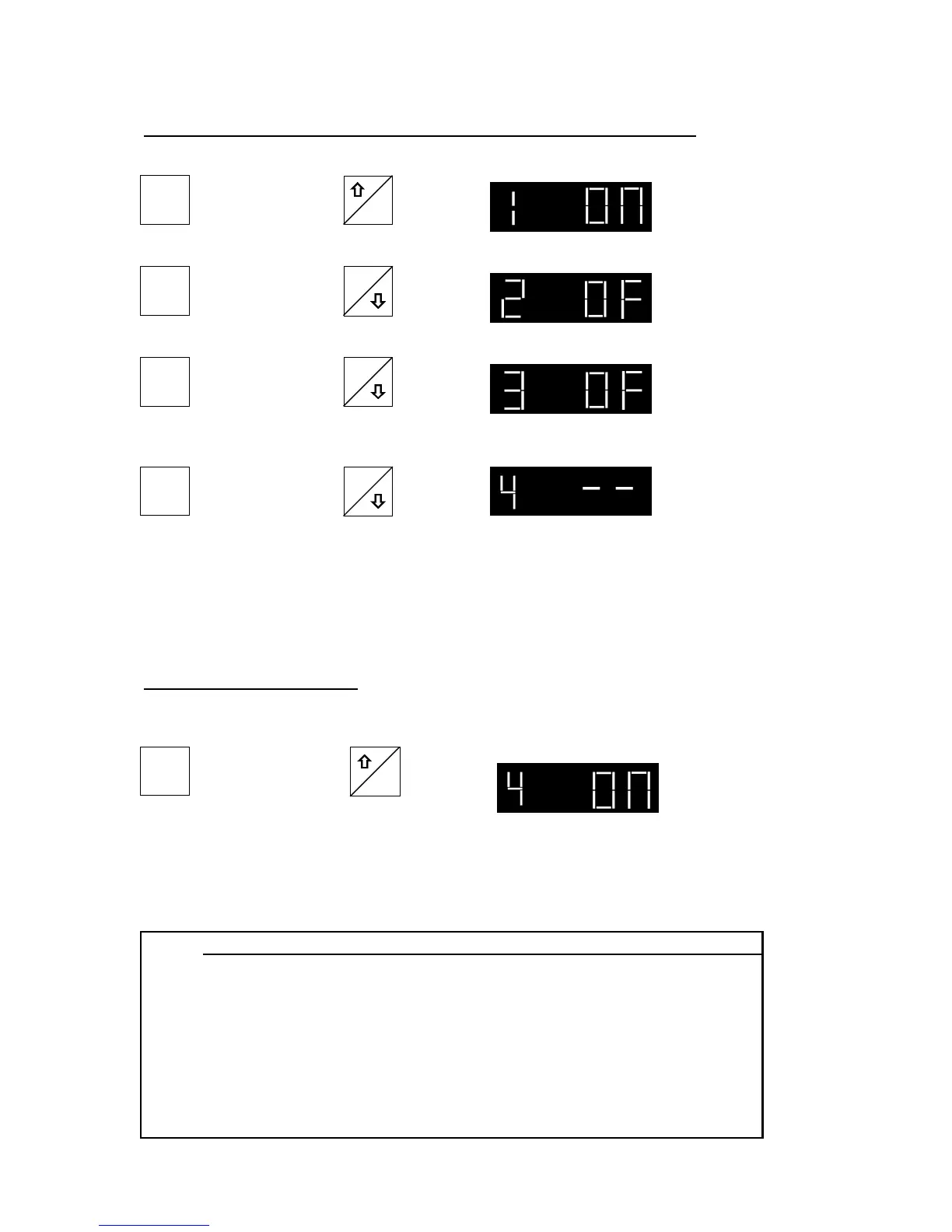
Now Press Adjust Day 1 to “ON” with:
ON
Display changes to:
2-B: Watering on an “Interval” of Days (i.e. every 3rd day)
OFF
WATER
DAYS
Now Press Adjust Day 2 to “OFF” by pressing: Display changes to:
OFF
WATER
DAYS
Now Press Adjust Day 3 to “OFF” by pressing: Display changes to:
Now Press Then adjust Day 4 to “- -” by
pressing and holding
OFF
WATER
DAYS
for 3 seconds.
This means day 4 through 7 have no program, and the cycle will return to Day
1 after Day 3 has watered. The same procedure is used to adjust watering in
cycles of every day, other day, 4th day, 5th day, and 6th day (see reference
chart #2 below).
First Press Adjust the day showing “- -”
to “ON” by holding
Display changes to:
WATER
DAYS
To return to a 7-day cycle
ON
for 2 seconds.
All days are now operable again, selectable by days. If you are in a cycle
other than every fourth day, use the same process and change “- -” into “ON”
on the first day shown to be “- -”.
REFERENCE CHART #2: Day Settings for interval watering
Desired Watering Cycle
Day Number Every Day Every Other Day Every Third Day Every Fourth Day Every Fifth Day Every Sixth Day Every Seventh Day
Day 1 ON ON ON ON ON ON ON
Day 2 - - OFF OFF OFF OFF OFF OFF
Day 3 - - - - OFF OFF OFF OFF OFF
Day 4 - - - - - - OFF OFF OFF OFF
Day 5 - - - - - - - - OFF OFF OFF
Day 6 - - - - - - - - - - OFF OFF
Day 7 - - - - - - - - - - - - OFF
Display changes to:



 To Next Page