ENGLISH
RAIN s.p.a.
via Kennedy 38/40
20023 Cerro Maggiore
ITALY (MI)
29
Frequency is the interval between one irrigation cycle and the next.
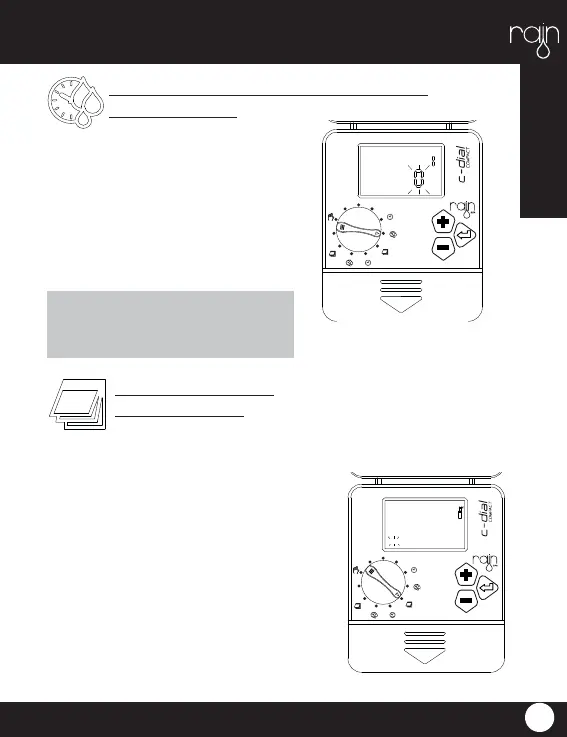
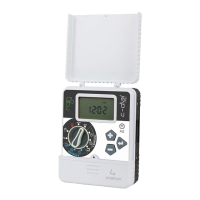
Turn the dial to the symbol that represents WATERING DAYS, the message
MO will start to fl ash. Press + to irrigate on the
day fl ashing on the display, press ENTER to
continue on to the next day. To deselect a day
press -.
Step 3: Frequency
(watering days)
OFF SET
AUTO
%
P
R
O
G
R
A
M
A
P
R
O
G
R
A
M
B
TIME
START
WE
TU
MO SA
FRTH
SU
A
PROG
Duration is the time set for each cycle
of irrigation. Turn the dial to the symbol
that represents DURATION ZONE and
the display will begin to blink. Increase
or decrease the required time using the
+ and – buttons (the minimum duration
is 1 minute and the maximum 240 minu-
tes) press ENTER to confi rm. Repeat
the procedure for all zones.
Step 2: Duration setting for each area
(duration zone)
Please note that if the duration of a
zone is set to 0, the valve will remain
closed and watering will not occur.
OFF SET
AUTO
%
P
R
O
G
R
A
M
A
P
R
O
G
R
A
M
B
DURATIONZONE
A
PROG


 To Next Page