Pro2-Series 3D Printer
/ Quick Start Guide
01 02
03 04 05 06
07 08 09 10
11 12 13 14
15 16 17 18
19 20 21 22
23 26
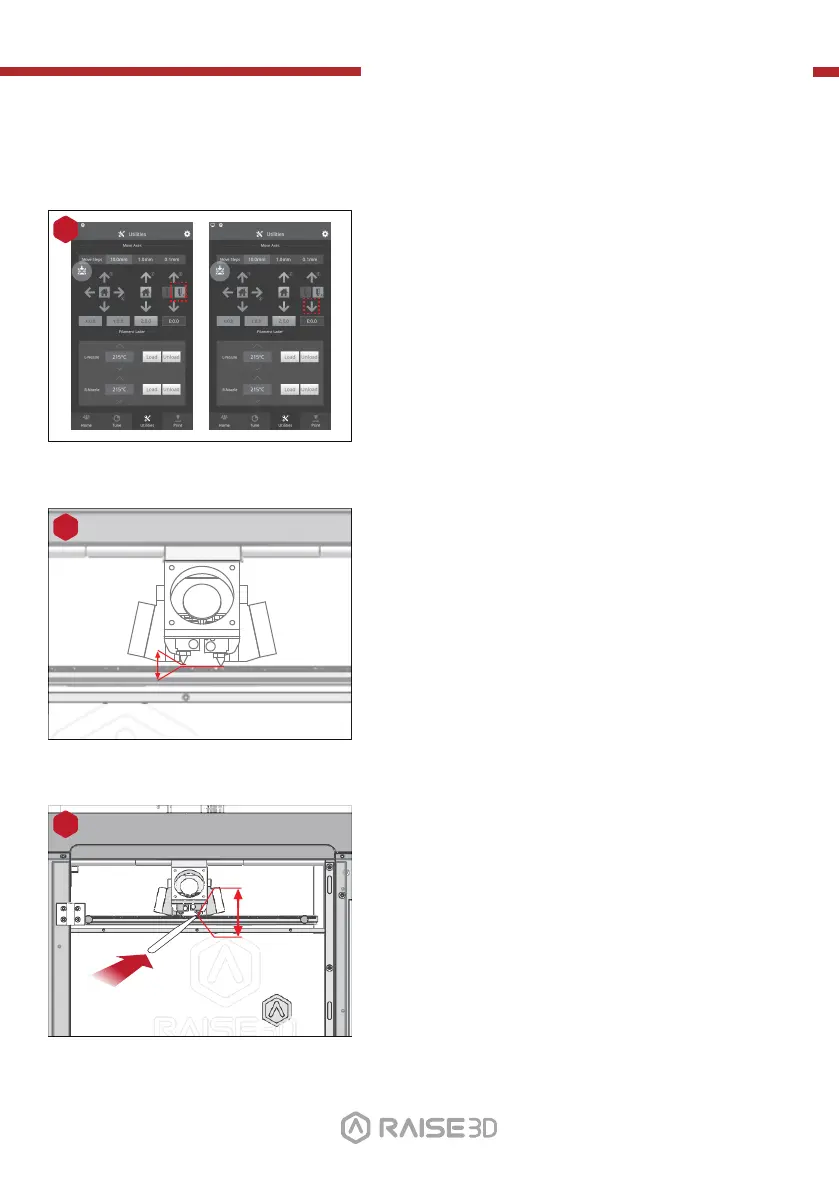
H. Dual-Extruder Print - Start First Print (continued)
Press the right nozzle button and the downward
arrow.
7
Once the right nozzle moves down, the left nozzle
will go up.
8
Please use the feeler gauge to check the distance
between nozzle and printing platform. The optimal
distance between is 0.2mm.
The best condition of this is that you can feel a little
friction when you slide the feeler gauge into the gap.
9
0.2mm
Feeler Gage
24 25
27



 To Next Page