Pro2-Series 3D Printer
/ Quick Start Guide
B. Hardware Installation (continued)
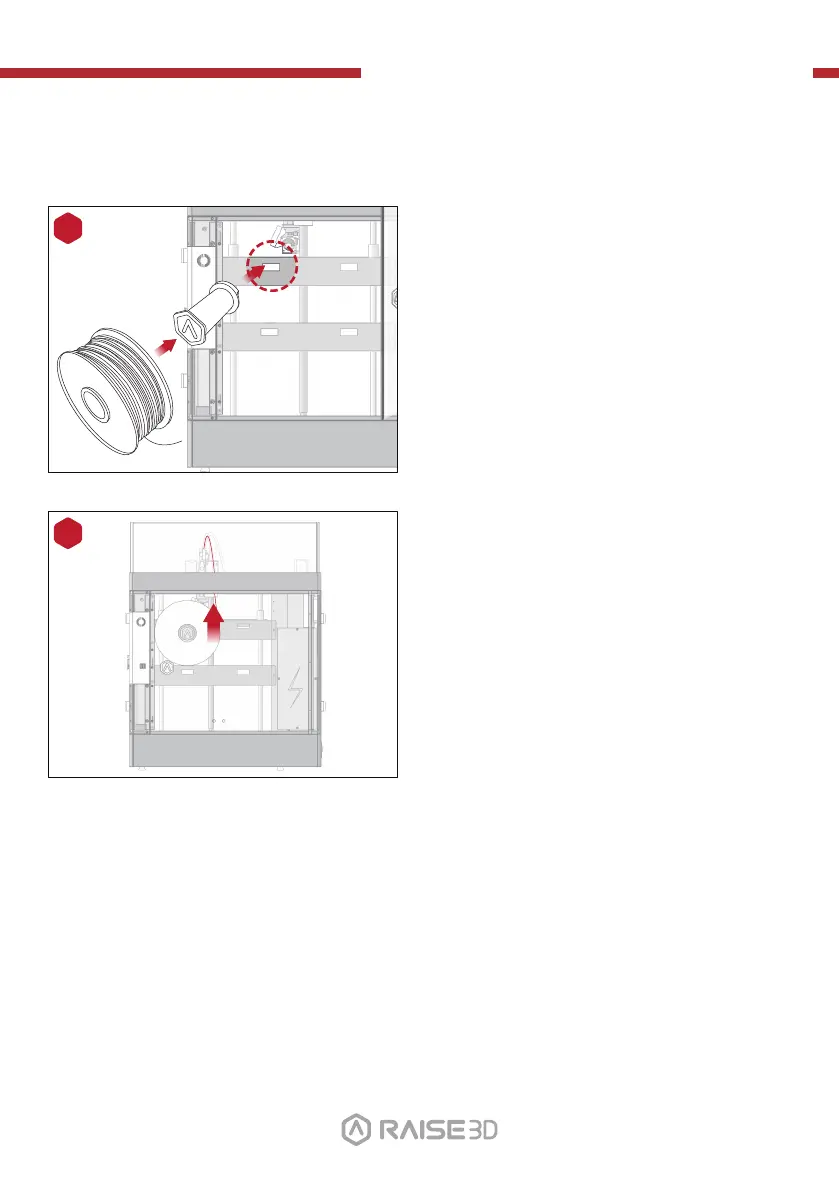
Open the side door of the printer, and install
the filament holders into the mounting points.
Open one of the included spools of filament,
and place it on the holder.
NOTE: The direction of filament spool should be
placed to rotate in clockwise if at points B and D, and
should be oriented to rotate counterclockwise at
mount points A and C.
A B
C D
14
Mount Points
01 02
03 04 05 06
07 08 09 10
11 12 13 14
15 16 17 18
19 20 21 22
23 2624 25
Locate the open end of the filament, and feed
it through the guide tube.
15
27



 To Next Page